Instagram Video Downloader Without Watermark: Safe Guide
Need an Instagram video downloader without watermark? Learn the legitimate ways to keep your own clean original and avoid risky converter sites.
Short answer
The safest way to get an Instagram video without a watermark is to keep or export your own original file before uploading. Instagram's native download for eligible public Reels generally adds Instagram attribution, while third-party no-watermark sites can create copyright, privacy, advertising, and malware risks and should never receive your login details.
Key takeaways
- Keep your original export before posting if you need a clean, watermark-free copy of your own Instagram video.
- Instagram can natively download eligible public Reels, but the saved file generally includes Instagram branding, the creator's username, and audio attribution.
- Removing attribution from another creator's video does not grant permission, copyright ownership, or a commercial-use license.
- No-watermark converter sites may use aggressive ads, redirects, tracking, fake buttons, or malware; never enter an Instagram password or two-factor code.
- For someone else's work, use Instagram's Save bookmark, share the original post, or ask the creator for the source file and written permission.
Can you download an Instagram video without a watermark?
Yes for your own content if you retain the original file, but Instagram does not promise a clean native download for every published video. The most reliable workflow is to record and edit outside Instagram, export a high-quality master to your device or cloud storage, and then upload a copy.
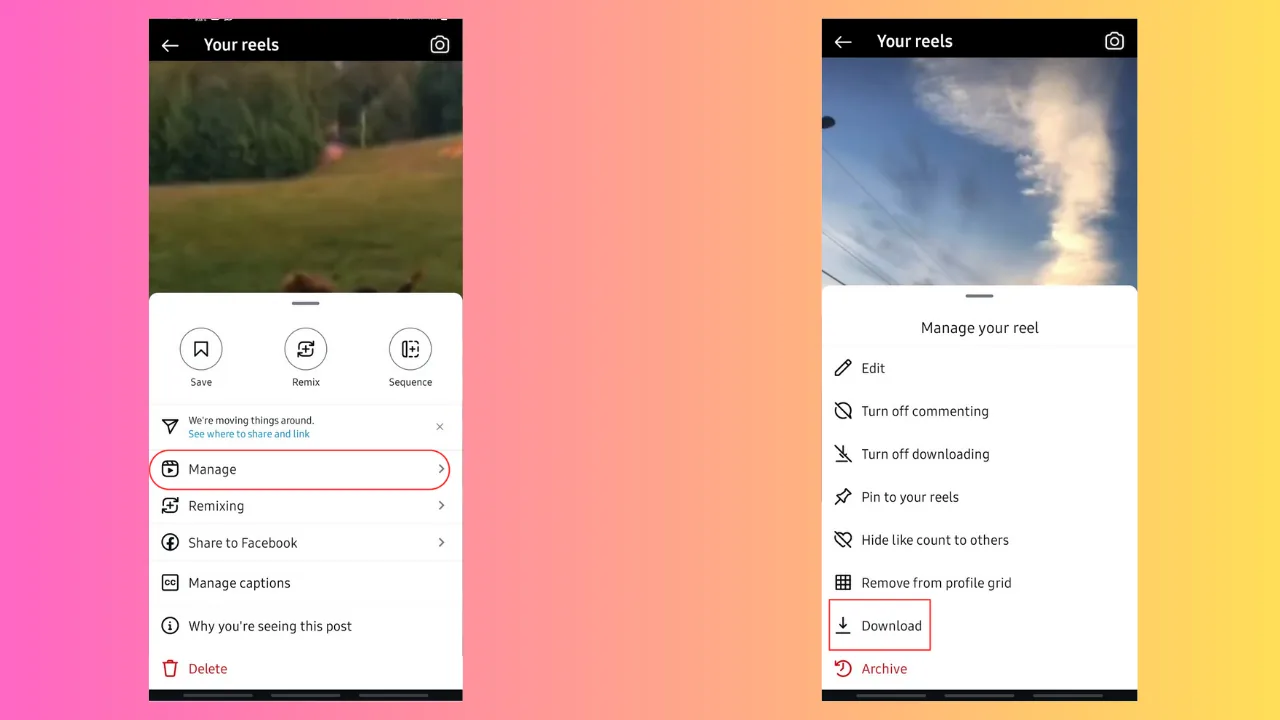
Eligible public Reels may show Share > Download when the creator allows downloads. A 2026 Creative Bloq walkthrough notes that native Reel downloads include Instagram attribution and may exclude certain licensed audio. If your goal is simply to revisit a post, use Instagram's bookmark instead of downloading. Our broader guides to downloading Instagram videos and saving an Instagram video explain the choices without naming questionable services.
What is the safest method for your own video?
Export and archive the clean master before you publish it to Instagram. Save the highest-quality version from your camera or editing app, plus a second backup, before adding Instagram-only music, stickers, text, or effects.
This preserves resolution and avoids dependence on a social platform's compression or changing download settings. Use licensed music baked into your source only when your license permits that use; audio available inside Instagram may be licensed for the platform, not for an external commercial export. If you created a Reel inside Instagram and no clean copy exists, check the draft or device folders, request your Instagram information, or recreate it from the source clips. Creators planning a consistent workflow may benefit from a weekly content calendar and the viral Reels hook formula.
Which download options are legitimate?
The legitimate option depends on ownership, permission, and whether you need a file or only convenient access. The table gives a safety-first comparison.
| Method | Watermark or attribution | Best use | Main caution |
|---|---|---|---|
| Keep your original export | None unless you add one | Your own content | Preserve a backup before posting |
| Native Reel Download | Usually Instagram, username, audio attribution | Eligible public Reels | Creator can disable; audio may differ |
| Instagram Save bookmark | No file created | Rewatch inside Instagram | Post can later be removed |
| Creator-supplied source file | As creator chooses | Licensed reuse | Get clear permission and terms |
| Screen recording | Captures interface or overlays | Limited personal reference | Quality, privacy, and rights concerns |
| Third-party converter | Often claims none | Unofficial extraction | Ads, tracking, malware, copyright risk |
A bookmark is often sufficient and keeps views attached to the creator's post. If you intend to reshare, use how to repost on Instagram or how to reshare on Instagram so attribution remains visible.
Why do Instagram downloads have watermarks?
Attribution identifies the platform and source account and discourages detached, context-free copying. A watermark does not replace copyright law, but removing it can make authorship less clear and may violate a creator's conditions or other applicable rules.
Instagram's Terms prohibit actions that violate other people's rights, including intellectual-property rights, and prohibit unauthorized automated access or collection. The platform also favors original material over reposted duplicates. A clean file is not automatically a reusable file: possession, permission, and licensing are separate. If a creator sends you a source video, document whether you may edit it, remove branding, run ads with it, or post it elsewhere. For content strategy, original work supported by Instagram search optimization is safer than recycled clips.
Are no-watermark downloader sites safe?
They should be treated as untrusted unless independently verified, and none should receive your Instagram credentials. Free converter pages often make money through advertising, redirects, data collection, or bundled downloads, and a legitimate-looking button can lead somewhere unexpected.
The U.S. Federal Trade Commission warns that criminals use desirable downloads and convincing websites to lure people into malware, while a June 2026 FBI alert describes malicious traffic systems that redirect visitors to phishing pages or fake updates. Avoid browser extensions, mobile configuration profiles, executable downloads, notification permissions, and forms requesting login codes. If you already entered a password, change it from Instagram, enable two-factor authentication, and remove unfamiliar connected apps. Similar risks apply to an Instagram profile-picture downloader and Instagram-to-MP3 converter.
Is downloading someone else's video legal?
It depends on copyright law, permission, license terms, purpose, and jurisdiction; a public post is not automatically public-domain material. Personal reference may be treated differently from reposting, editing, selling, or using a clip in advertising, and exceptions such as fair use are fact-specific rather than automatic.
Ask the rights holder when practical, preserve attribution, and obtain written permission for commercial use. Music, footage, graphics, and a performance may have different owners, so the uploader may not control every right. Instagram's intellectual-property guidance says its Terms do not allow posting content that violates copyright or trademark rights. If a download is necessary for evidence, accessibility, or another sensitive purpose, seek appropriate legal guidance rather than relying on a converter's claims.
What should you do instead of using a converter?
Choose the least invasive option: bookmark, share the original link, use native download when enabled, or request the source directly. These choices preserve context and reduce the risk of malware, account compromise, and unauthorized reuse.
For your own publishing, maintain an organized folder containing source footage, clean masters, captions, licenses, and final uploads. Instagram's best posting time guide can help schedule that original, and how to post on Instagram covers upload formats. If a site claims it must verify your account before producing a file, close it; a public URL download should never require your password, session cookie, or two-factor code.
Safety rule: A promised watermark-free file is not worth losing your account or misusing someone else's work. Keep your own master, respect creators' rights, and use official Instagram features whenever possible.
Frequently asked questions
Keep the original export before uploading it to Instagram. This gives you a clean, high-quality master independent of Instagram's download and compression rules.
Sources
Keep reading
More guides to grow your account.