How to Reshare on Instagram in 2026 (Every Method)
How to reshare on Instagram in 2026: use the native Repost button, add posts and Reels to your Story, or send them in DMs, all with automatic credit.
Short answer
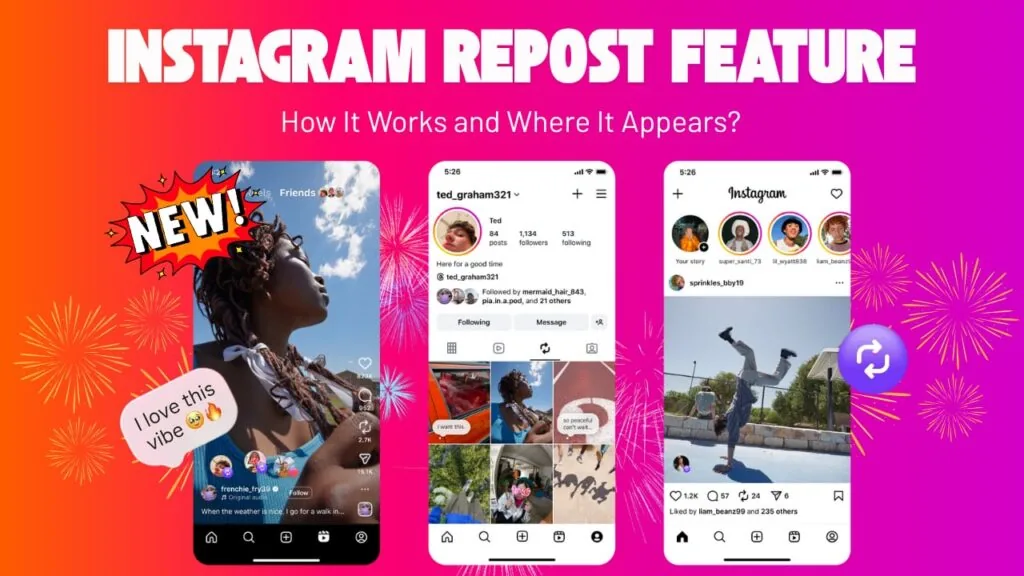
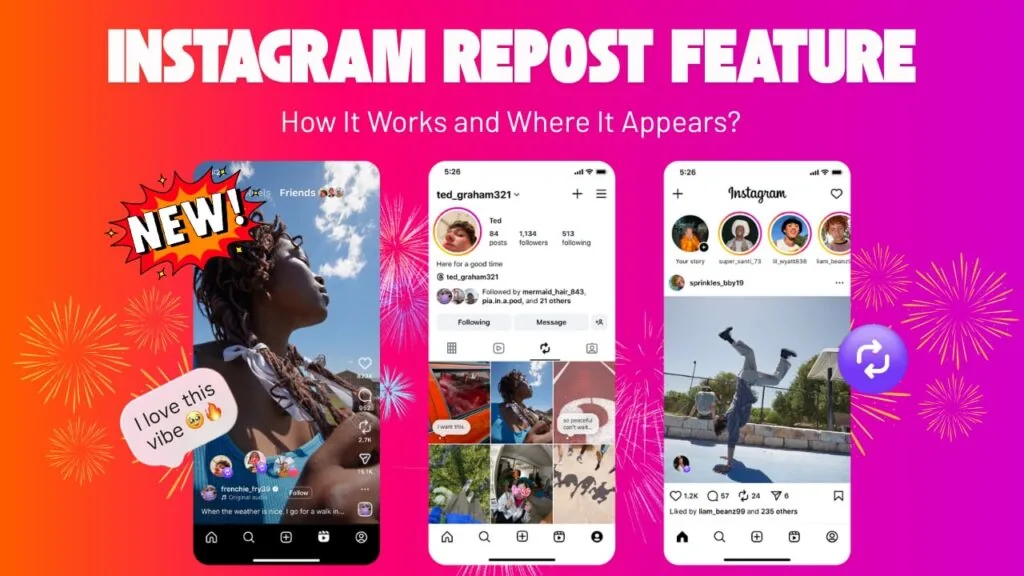
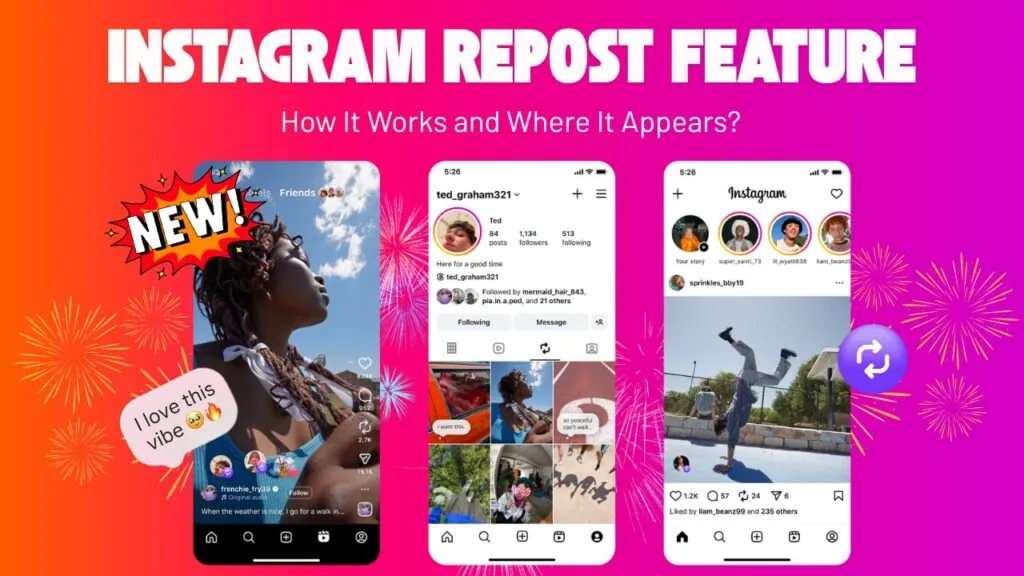
To reshare on Instagram, tap the Repost icon (two circular arrows) under a public feed post or Reel to push it to your followers' feeds with automatic credit, or tap the paper-airplane icon to add the post to your Story or send it in a DM. The native Repost button launched in August 2025 and is the fastest way to share someone else's content with your audience.
Key takeaways
- Resharing means putting someone else's content in front of your audience using three built-in tools: the native Repost button, Add to Story, and DM sharing.
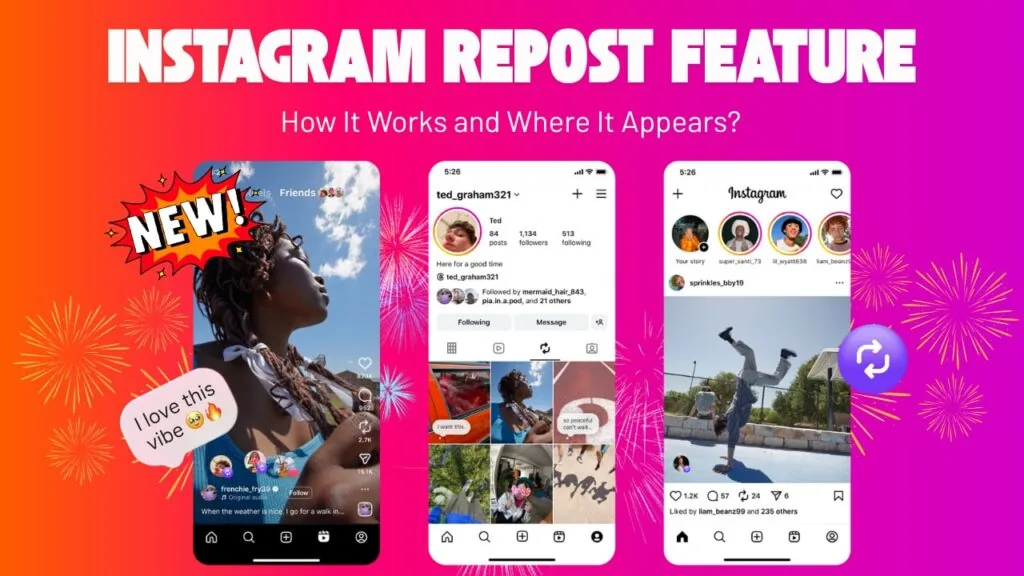
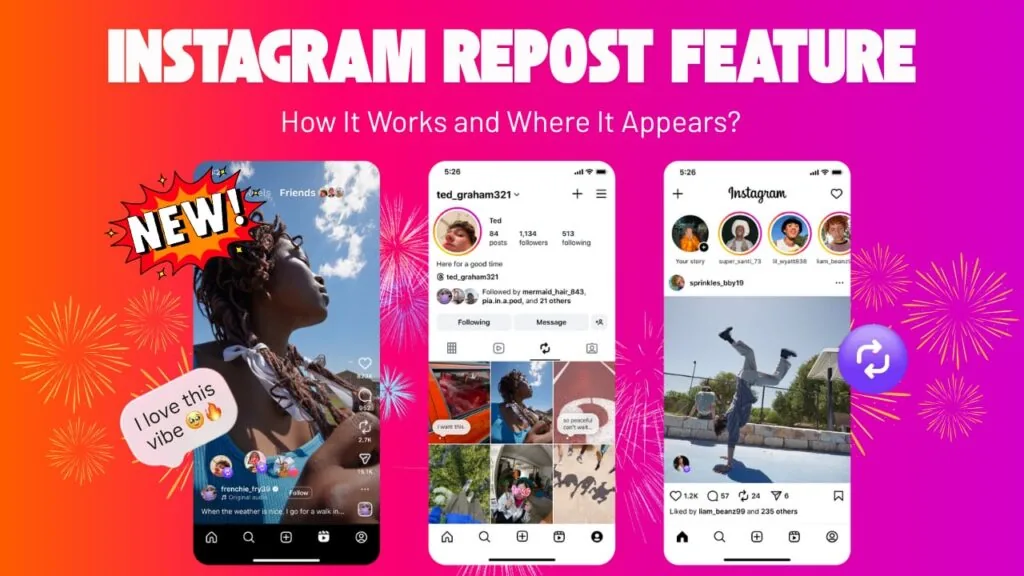
- Instagram's native Repost button launched in August 2025 and works on any public feed post or Reel, adding a dedicated Reposts tab to your profile.
- The original creator is credited automatically and gets a notification every time you use the native Repost button, so no manual tagging is needed.
- You can attach a note up to 60 characters to a repost to explain why you are sharing it.
- Reposting more than roughly 10 times in a 30-day window can exclude your account from Explore and Reels recommendations, so reshare selectively.
- You can only reshare public content; private accounts, private posts, and existing reposts cannot be pushed to your feed.
What does resharing on Instagram actually mean?
Resharing means taking content that someone else posted and showing it to your own audience. Unlike posting, where you upload your own photo or video, resharing amplifies another account's post, Reel, or Story. Instagram gives you three native ways to do it in 2026: the Repost button (feeds), Add to Story, and Direct Message sharing. If you want to publish your own content instead, see our guide on how to post on Instagram or the walkthrough for how you upload photos and videos.
Resharing sits alongside reposting as a concept; the terms overlap heavily. For a deeper dive on the mechanics, our full guide to reposting on Instagram covers every surface in detail.
How do I reshare a post using the native Repost button?
Tap the Repost icon, the two circular arrows, beneath any public feed post or Reel, then tap Repost. The content is instantly pushed to your followers' feeds and stored in a Reposts tab on your profile. Instagram launched this button in August 2025, and it works much like a retweet: it shares the original in place without re-uploading anything.
Step by step:
- Open a public feed post or Reel.
- Tap the Repost icon (two curved arrows) below the media.
- Optionally tap the thought-bubble and add a note up to 60 characters.
- Tap Repost to confirm.
The original creator is credited automatically and receives a notification. Reposts are also eligible to surface in the Reels Friends tab, so a good reshare can reach beyond your direct followers.
How do I reshare a post or Reel to my Story?
Tap the paper-airplane (share) icon under the post, then choose Add post to your story. The post drops into the Story editor as a sticker you can resize, reposition, and decorate with text or GIFs before publishing. This only works for public posts; if the creator has resharing to Stories disabled, the option will not appear.
When you reshare to your Story this way, viewers can tap the sticker to jump straight to the original post, which preserves credit. If you were tagged in someone's Story instead, open the mention in your DMs and tap Add to your story. For the tagged-Story workflow specifically, follow our dedicated repost a Story on Instagram guide.
How do I reshare something privately in a DM?
To reshare privately, tap the paper-airplane icon and select one or more people or group chats, then tap Send. This is the least public form of resharing: the content goes only to the people you pick, and it never touches your feed or Story. It is ideal for sending a Reel to a friend or sharing a post with a client without broadcasting it.
DM resharing works on nearly everything, including some content you cannot repost publicly, because you are forwarding a link rather than republishing the media.
Which reshare method should I use?
Use the Repost button to reach your whole following, Add to Story for a 24-hour spotlight, and DMs for private one-to-one sharing. The table below compares the three native methods on reach, credit, and permanence.
| Method | Where it appears | Credit to creator | How long it lasts | Best for |
|---|---|---|---|---|
| Repost button | Followers' feeds + Reposts tab | Automatic + notification | Permanent (until removed) | Amplifying to your whole audience |
| Add to Story | Your Story | Tappable link to original | 24 hours (or a Highlight) | Timely, casual shout-outs |
| Direct Message | Chosen chats only | Link to original | Stays in the chat | Private, targeted sharing |
If your goal is growth rather than one-off shares, pair resharing with original content and a plan like our content calendar batch-week system.
What content can and cannot be reshared?
You can reshare any public post or Reel, but you cannot reshare content from private accounts or posts where the creator disabled resharing. The native Repost button also refuses posts that are already reposts. Here is the quick rule set:
- Reshareable: public feed posts, public Reels, Stories you are tagged in, and most content via DM.
- Not reshareable to feed: private accounts, posts with resharing turned off, and existing reposts.
- Your own settings matter too: if you keep a private account or hide your follower list, that controls who sees what you reshare, not what you are allowed to reshare.
Always add context or credit when resharing user-generated content, and ask permission before reusing someone's photo or Reel commercially.
Does resharing hurt my reach in 2026?
Resharing can hurt reach if you overdo it. As of 2026, accounts that repost more than roughly 10 times in a 30-day window are excluded from Explore and Reels recommendations, because Instagram's ranking system prioritizes original content. Understanding how the Instagram algorithm works helps you balance reshares with posts of your own.
To grow while resharing, lead with original Reels, use a strong Reels hook formula, and keep an optimized bio so new visitors convert. Beginners should start with our Instagram growth guide for 2026, and if a particular account clutters your feed, you can quietly mute them instead of unfollowing.
Bottom line.
Resharing on Instagram in 2026 comes down to three native tools: the Repost button for feed-wide amplification with automatic credit, Add to Story for timely spotlights, and DMs for private shares. Use them selectively, credit creators, and keep original content flowing so your recommendations stay healthy.
Frequently asked questions
The terms are used interchangeably; both mean putting another account's content in front of your audience. In practice, resharing is the umbrella term for the native Repost button, Add to Story, and DM sharing. Reposting most often refers specifically to the feed Repost button launched in August 2025.
Sources
Keep reading
More guides to grow your account.