How to Batch an Instagram Content Calendar in One Day
Build an Instagram content calendar in one focused day with a practical workflow for ideas, scripts, filming, scheduling, and weekly review.
Short answer
You can batch a month of Instagram content in one focused day by planning four weekly themes, creating by task instead of post, and scheduling only finished work. Leave space for timely posts, then use Instagram Insights each week to revise the next batch instead of treating the calendar as fixed.
Key takeaways
- A practical monthly batch is 12 to 16 feed posts, not 30 rushed posts, when you publish three or four times per week.
- Batch by production stage—ideas, outlines, filming, design, captions, and scheduling—to reduce repeated setup and context switching.
- Instagram's native scheduler is for professional accounts and currently supports up to 25 scheduled posts per day and dates up to 75 days ahead.
- Keep roughly 20% of the calendar flexible for timely ideas, announcements, collaborations, or a strong audience question.
- Review results every seven days using views, reach, interactions, saves, shares, and profile actions; do not judge the system by likes alone.
How do you build a monthly Instagram content calendar in one day?
Build the calendar in six focused blocks: goals, ideas, outlines, production, packaging, and scheduling. A one-day batch works when you reduce decisions before the camera turns on and aim for a sustainable cadence rather than a literal post every day.
Start with one business or audience goal for the month. Then choose four weekly themes and three or four feed slots per week. A beginner can pair this workflow with a realistic Instagram growth plan, while an established creator should use their own recent Insights as the baseline.
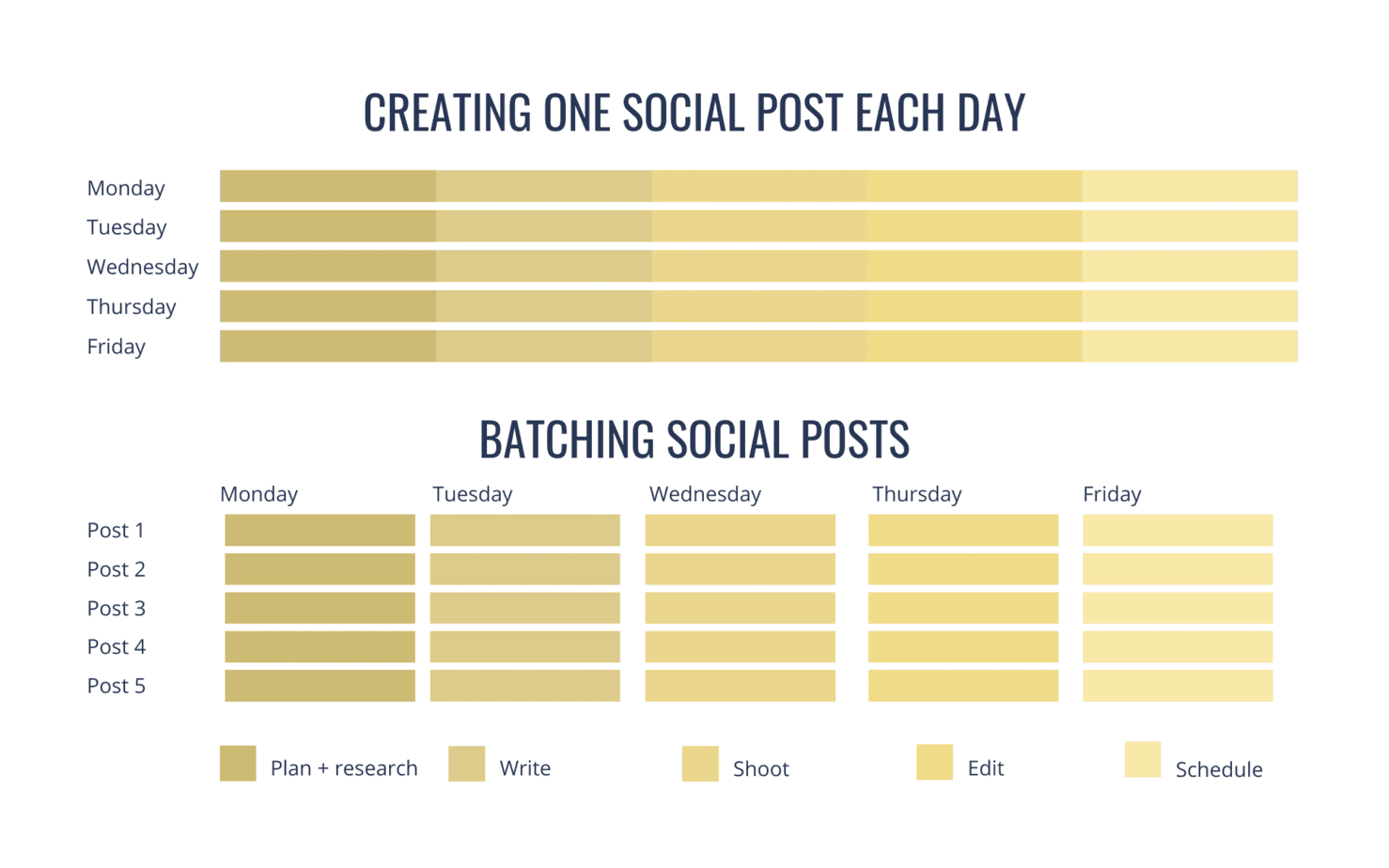
A sample day is 30 minutes for strategy, 45 for ideas, 60 for outlines, two hours for filming, 90 minutes for design and captions, and 45 minutes for quality checks and scheduling. Add breaks and extra setup time for complex shoots.
What should you decide before creating the posts?
Decide the audience, monthly objective, content pillars, publishing cadence, and one intended action for each post before production. These choices stop a calendar from becoming a random list of formats.
Use three or four pillars that support the same profile promise: education, proof, story, and offer is a useful starting set. Make sure that promise is visible in an optimized Instagram bio, because reach without profile clarity may not become follows or inquiries.
For each idea, write the audience problem, the promised outcome, the format, and the evidence you can honestly show. Consult the Instagram algorithm explanation for ranking context, but do not build a calendar around rumors or a single viral result.
How should you batch Instagram content by task?
Batch Instagram content by completing one production stage across every post before moving to the next stage. This keeps lighting, equipment, templates, and mental context consistent while still allowing each post to have a distinct idea.
- Outline: Write the hook, three supporting points, proof, and one next action.
- Film: Record all talking-head clips in one setup, then capture demonstrations and supporting footage.
- Design: Build carousels and covers from a small template system, checking readability on a phone.
- Write: Draft captions, alt text where available, credits, disclosures, and calls to action.
- Review: Verify claims, names, links, audio rights, permissions, and on-screen text.
- Schedule: Upload only approved assets and preview every crop, cover, caption, and tag.
Use the Reels hook formula for stronger openings and the Instagram posting walkthrough when a format is unfamiliar. Do not reuse other people's footage or music without permission merely to fill a slot.
What should a balanced weekly Instagram calendar include?
A balanced week should cover discovery, depth, trust, and conversion without forcing every format into every week. The exact mix should follow your audience and capacity, but this four-slot model gives each post a clear job.
| Slot | Primary job | Example | Useful metric |
|---|---|---|---|
| Reel | Reach new viewers | One problem, one fast demonstration | Non-follower reach, watch behavior |
| Carousel | Teach in depth | Five-step checklist | Saves, shares, swipes |
| Proof or story | Build trust | Case study with context | Replies, profile visits |
| Offer or community | Prompt action | FAQ, invitation, or product use | Qualified comments, clicks, leads |
Stories can support the feed rather than becoming another heavy production queue. Use polls, questions, process clips, or a scheduled Instagram Live session; when resharing community content, follow the Story reposting steps and credit the original creator.
How do you schedule Instagram posts without creating mistakes?
Schedule only final, rights-cleared posts and keep a simple approval checklist beside the calendar. In 2026, Instagram says professional accounts can schedule Reels, photos, and carousels in the mobile app, but some features—including product tags, collaboration posts, sponsored posts, and fundraisers—may not work with scheduled content.
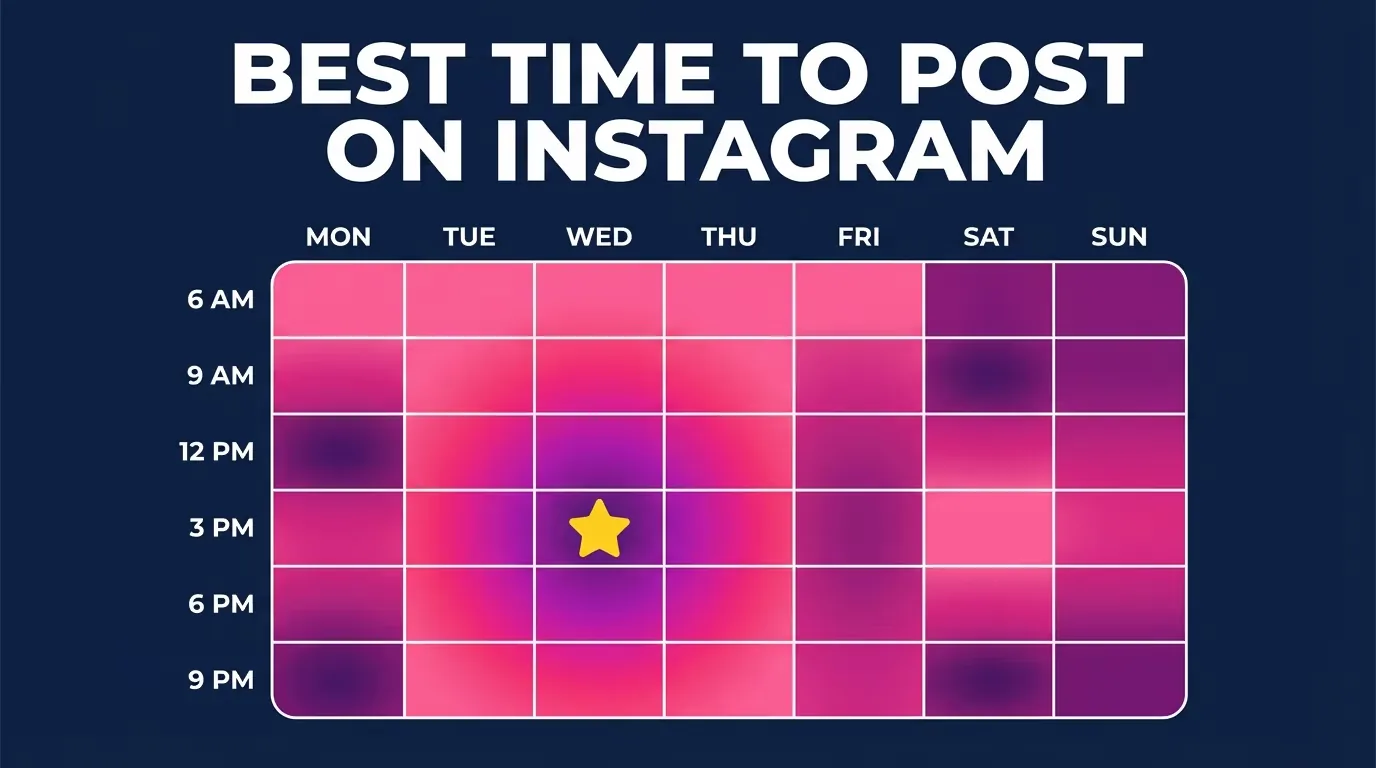
Choose times from your own follower activity when available. Broad benchmarks such as the best time to upload on Instagram or the Monday posting guide are starting hypotheses, not guarantees. Confirm the time zone, cover crop, tagged accounts, disclosure, and destination link before queuing.
Keep the source files and caption text in an organized folder. A scheduler is a publishing tool, not a backup or a substitute for checking comments after the post goes live.
How do you review a content calendar and improve the next batch?
Review the calendar weekly and compare posts by their intended job, not by one universal metric. Instagram Insights is free for business and creator accounts and can show views, accounts reached, interactions, accounts engaged, and content shared across selectable periods within the past 90 days.
Record the hook, topic, format, length, intended action, and outcome for each post. After four weeks, keep recurring winners, improve posts with a good idea but weak execution, and retire topics that repeatedly attract the wrong audience. A strong commercial post can become evidence for a first small-account brand deal, but never invent results or hide a sponsorship.
Your calendar should become easier to produce and more useful over time. If the schedule repeatedly breaks, reduce the cadence or complexity before blaming motivation.
Frequently asked questions
Batch the number you can finish and quality-check, often 12 to 16 feed posts for a three-to-four-post weekly cadence. A smaller complete batch is more useful than 30 unfinished drafts.
Sources
Keep reading
More guides to grow your account.