How to Temporarily Deactivate Instagram on Phone
Step-by-step guide to temporarily deactivating your Instagram account from the mobile app, plus what happens to your profile while it's off.
Short answer
Deactivating Instagram from your phone hides your profile, photos, comments, and likes until you log back in. It's done through Accounts Center in the app, and Instagram only allows one deactivation per week.
Key takeaways
- Deactivation is done through Accounts Center inside the Instagram app, not a simple toggle in main settings.
- Your profile, posts, comments, and likes all disappear from view while deactivated.
- You can only deactivate your account once per week.
- Logging back in instantly reactivates the account with everything intact.
- Deactivating is different from deleting — no data is permanently lost.
- If you want your data gone for good rather than hidden, look at how to permanently delete instagram instead.
How do you deactivate Instagram from your phone?
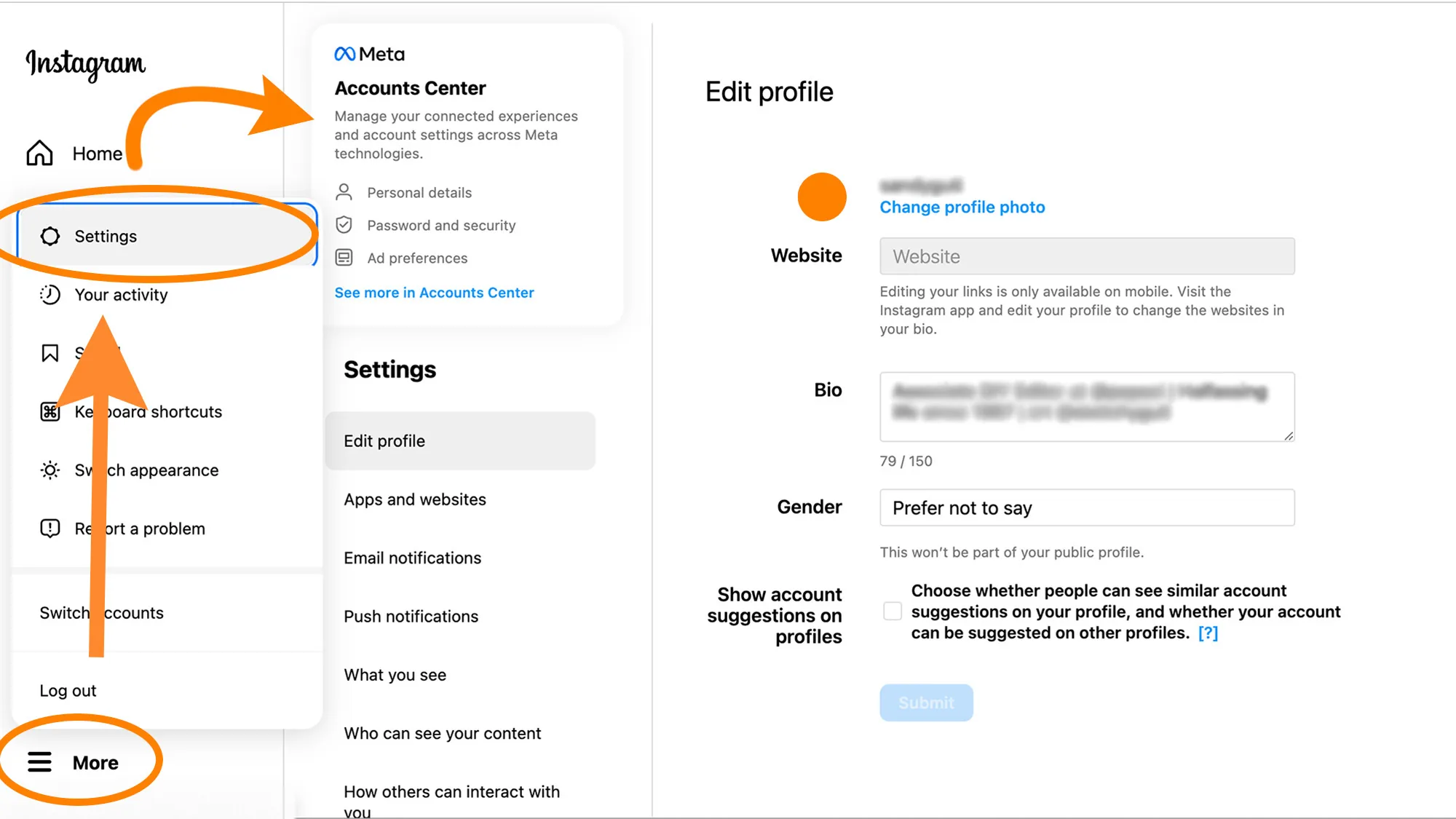
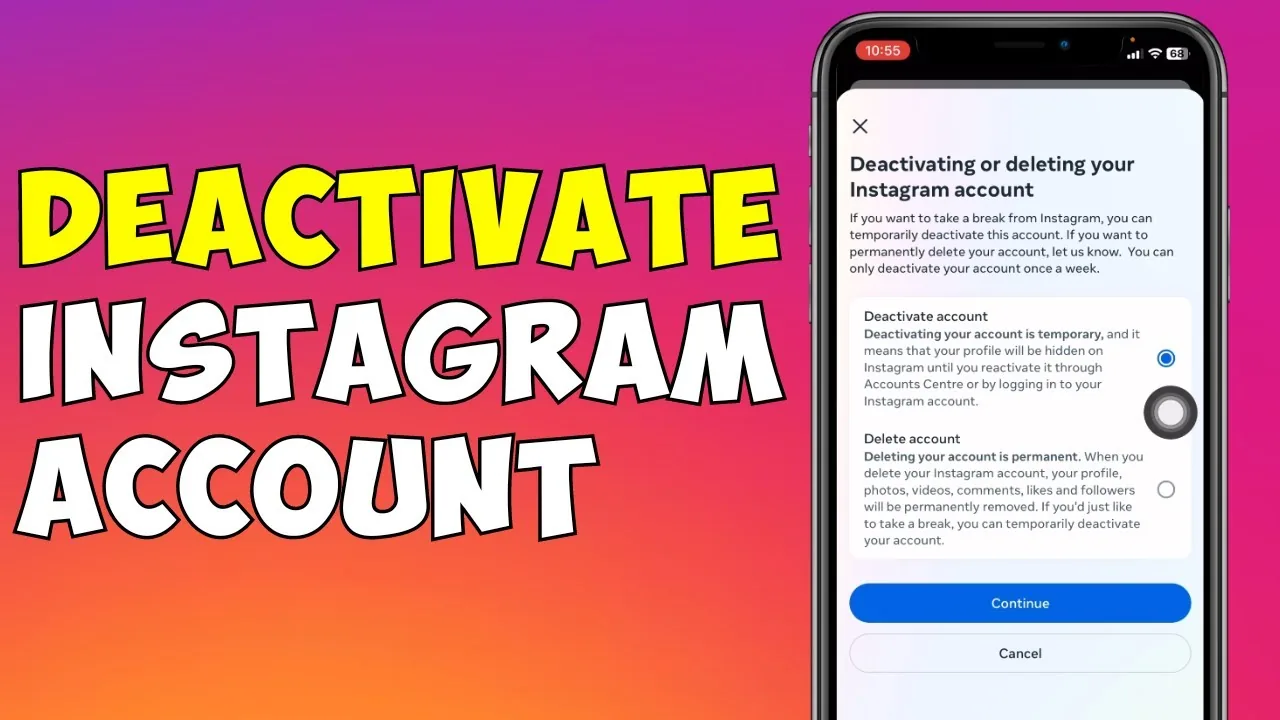
Open the app, tap your profile picture in the bottom right, then tap Menu in the top right corner. From there go to Accounts Center, then Profiles and personal details, then Account ownership and control, then Deactivation or deletion. Select the account you want to deactivate, tap Deactivate account, confirm with Continue, re-enter your password, choose a reason from the list, and tap Deactivate account one more time to finish — the flow sits in the same Accounts Center area you'd use to how to change instagram password or manage other account-level settings.
What actually happens to your profile once it's deactivated?
Your profile, photos, comments, and likes become invisible to everyone else on Instagram until you log back in. Your account is not deleted and none of your content is removed — it's simply hidden from public view, which is a much lighter step than choosing to how to delete instagram account permanently instead.
How do you undo a deactivation?
Just log back into the app or website with your usual username and password, and your profile reactivates automatically. There's no separate reactivation button or waiting period — the moment you sign in successfully, everything you posted before becomes visible again exactly as it was, similar in spirit to how how to reactivate instagram works after a longer break.
How often can you deactivate your account?
Instagram limits you to one deactivation per week, so you can't repeatedly toggle your profile on and off in short succession. If you find yourself wanting to deactivate more often than that, it may be worth considering whether you actually want to how to make instagram private instead of hiding it entirely.
Can you deactivate Instagram without deleting the app?
Yes, deactivating your account and removing the app from your phone are two completely separate actions. Deleting the app just removes it from your device — your account stays active on Instagram's servers until you actually deactivate it through Accounts Center.
What's the difference between deactivating and just logging out?
Logging out only signs you out of the app on that device, but your profile stays fully visible to everyone else. Deactivating actually hides your entire profile, posts, and interactions from public view, which is the key distinction if your goal is a temporary break versus how can i logout of instagram on a single device.
| Action | Profile visible to others | Reversible | Data kept |
|---|---|---|---|
| Log out | Yes | Instantly (log back in) | Fully kept |
| Deactivate | No | Instantly (log back in) | Fully kept |
| Delete account | No | Only within a short grace window | Eventually erased |
Whichever route you choose, back up anything you might want later, since even deactivation temporarily removes your ability to message or interact with others until you log back in — the same reason it's worth learning how to download instagram data before any major account change.
Frequently asked questions
Go to your profile, tap Menu, then Accounts Center, then Profiles and personal details, then Account ownership and control, then Deactivation or deletion. This path has changed over the years as Instagram reorganized settings, so check for Accounts Center specifically if you can't find it under the old Settings menu.
Sources
Keep reading
More guides to grow your account.