How to Change Your Instagram Password Safely
Change an Instagram password when you know it, reset it when you do not, secure every session, and avoid fake recovery agents or phishing links.
Short answer
To change a known Instagram password, open Accounts Center, Password and security, Change password, select the account, and enter the current and new passwords. If you cannot log in, use Instagram's official Forgot password or hacked-account recovery flow instead of a third-party service.
Key takeaways
- Use Accounts Center to change a known password and Instagram's official recovery flow when the current password is unavailable.
- Choose a unique password that is not reused for email, Facebook, or another website.
- Changing the password is only one step; review logged-in devices, connected apps, email, phone, and two-factor authentication.
- Never share a login link, reset code, backup code, or two-factor code with anyone claiming to be Instagram support.
- Secure the email account first if an attacker can still receive Instagram reset messages.
Where do you change an Instagram password?
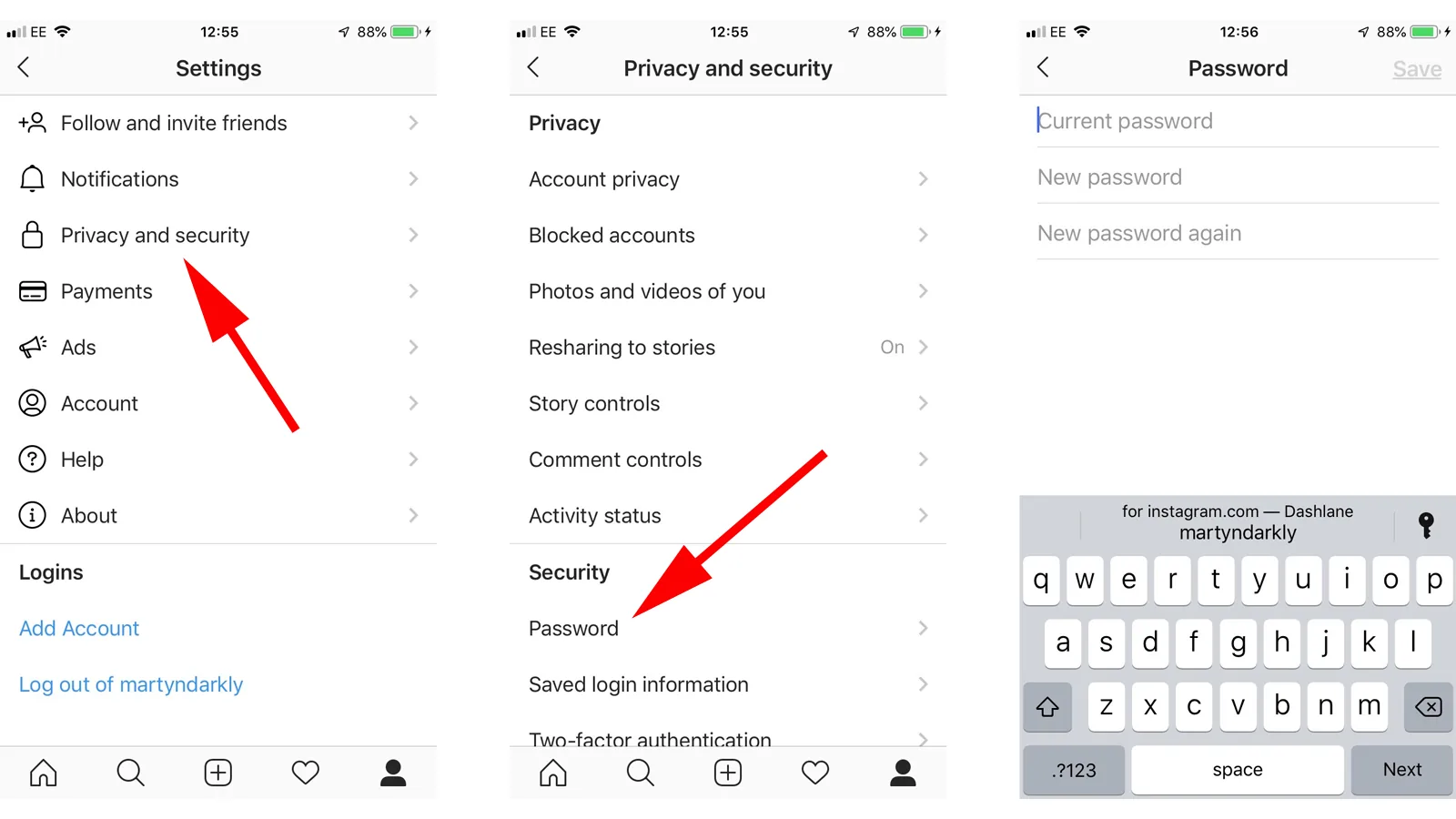
The current control is in Accounts Center under Password and security. Select Change password, choose the Instagram profile, enter the current password, and create a new unique one.
Accounts Center can contain several Meta profiles, so verify the username before submitting. A password change is appropriate when you still control the account and know the existing credential. If an attacker changed the email, phone, or password, use the hacked-account recovery path and secure the linked email rather than relying on the normal setting.
For useful context, compare avoid fake Instagram support numbers with review Instagram activity visibility.
How do you change and secure the password step by step?
Change the credential through Instagram, then close unfamiliar sessions and strengthen recovery. Completing the whole sequence prevents an attacker from staying signed in through another route.
- Open Instagram's profile menu, Settings and activity, Accounts Center, then Password and security.
- Tap Change password, select the correct Instagram account, and enter the current password.
- Create a long unique password or passphrase and store it in a reputable password manager.
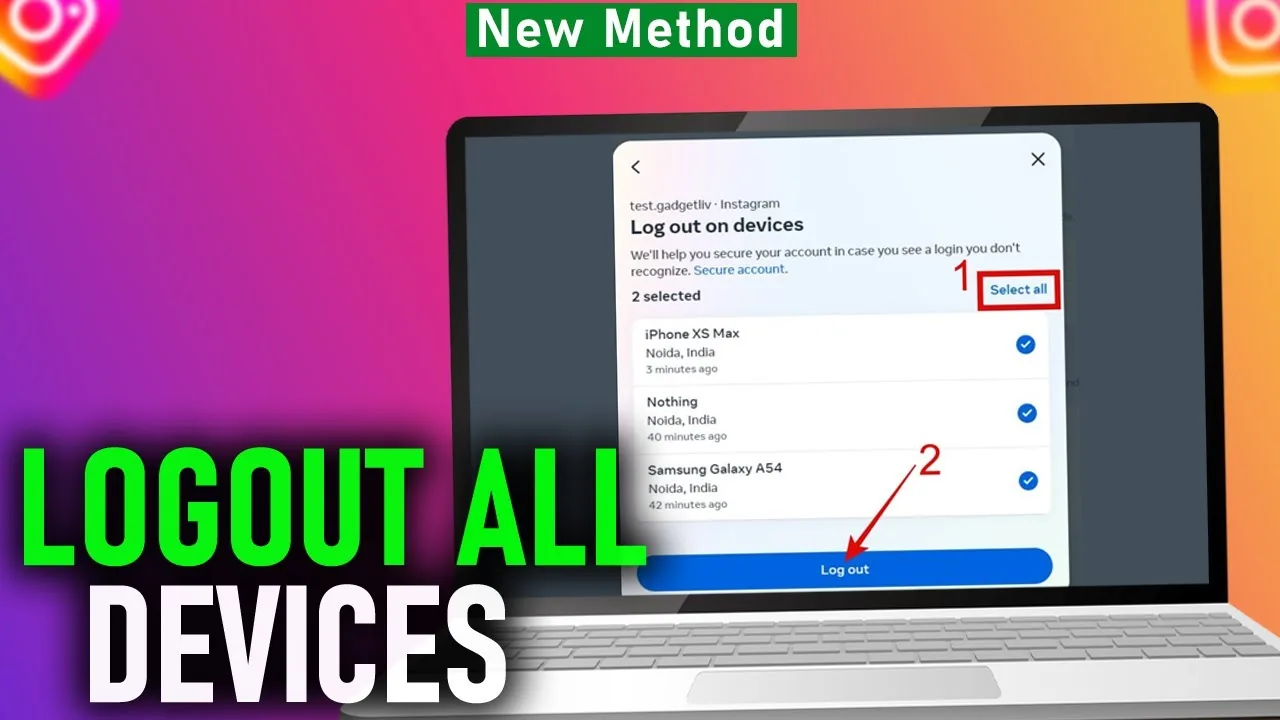
- Open Where you're logged in and sign out devices, locations, or browsers you do not recognize.
- Turn on two-factor authentication, preferably with an authenticator app, and save backup codes offline.
- Confirm the email and phone belong to you, then revoke unfamiliar connected apps and review recent security emails.
If Instagram sends a login link, open it only from the official app or a message you requested. Type instagram.com yourself when uncertain. A legitimate recovery process will not ask you to send the code to another person.
These steps also pair well with manage Instagram message privacy and make the account private.
Should you change, reset, or recover the Instagram password?
Change it when you know the current password, reset it when you control recovery contact details, and use hacked-account recovery when ownership information changed.
| Situation | Correct route | What you need | Priority |
|---|---|---|---|
| Know current password | Change password in Accounts Center | Current credential | Use a unique replacement |
| Forgot password | Forgot password/login link | Verified email, phone, or username | Secure email first |
| Email or phone changed | Hacked-account recovery | Ownership evidence | Act immediately |
| Suspicious login only | Change plus session review | Account access | Sign out unknown devices |
| Fake support contacted you | Stop and report | No codes shared | Change credentials if exposed |
Repeated reset attempts can trigger delays and make it harder to identify the valid message. Request one official reset, check the sender and destination, and finish it promptly. Do not purchase account recovery from social-media commenters.
To choose the right option, keep limit Instagram location access and recognize account-viewer scams nearby.
Why might an Instagram password change fail?
A change can fail because the current password is wrong, the session expired, Accounts Center selected another profile, recovery email is inaccessible, or Instagram is rate-limiting repeated attempts.
- A password manager filled an older password or the Facebook credential instead of Instagram's.
- The account is linked in Accounts Center but the wrong profile was selected.
- A VPN, device clock error, or unstable network interrupted a security challenge.
- Too many reset requests created temporary throttling or multiple expiring links.
- An attacker changed the contact details or retained access to the linked email account.
Pause repeated attempts, use a familiar device and network, and follow the official recovery prompts. If a security email says the address changed and offers a reversal link, validate the message carefully and act quickly.
If you hit a related problem, consult recognize profile-viewer scams and avoid unsafe follower trackers.
What password and recovery scams should you avoid?
Avoid anyone promising an internal contact, instant unban, verification, or password recovery for payment. Instagram support will not ask you to forward a security code through DMs, WhatsApp, Telegram, or email replies.
Phishing pages often copy the Instagram login screen and add pressure such as a copyright complaint, blue-badge offer, or account-deletion countdown. Check the domain, do not install remote-control software, and never export browser cookies. If credentials were exposed, change the email password first, then Instagram, revoke sessions, and scan the device.
For privacy and account safety, also review understand account deletion and review connected Meta accounts.
What makes an Instagram password change complete?
The change is complete only when the new credential is unique, recovery channels are yours, unknown sessions are closed, and two-factor authentication is active.
- Secure the connected email account.
- Use a unique password manager-generated credential.
- End unknown sessions and connected-app access.
- Store two-factor backup codes somewhere safe.
Recheck account activity over the next several days and alert collaborators if a business profile was compromised. Do not keep changing the password daily without evidence; a stable secure setup is better than constant resets.
Frequently asked questions
Open Accounts Center, Password and security, Change password, select the account, and enter the current and new passwords.
Sources
Keep reading
More guides to grow your account.