How Do I Post a Video on Instagram from Youtube?
For your own long-form YouTube videos, the smartest approach isn't posting the whole thing — trim out a single strong 15-60 second moment (a hook, a punchline, a key insight), reformat it vertically, and post that clip as a Reel with a caption pointing viewers to the full video on YouTube.
Short answer
Rather than posting a full YouTube video to Instagram, pull out one compelling short segment, crop it to vertical 9:16, add a caption that teases the full story, and post it as a Reel — this repurposing approach outperforms dumping an entire long video onto a platform built for short-form content.
Quick answer
Instead of trying to post an entire YouTube video onto Instagram (which has strict duration limits for feed and Reels), the better strategy for your own content is extracting a single compelling short segment — a hook, a surprising fact, a punchline, a key takeaway — cropping it to Instagram's vertical 9:16 format, and posting that clip as a Reel with a caption that points viewers to the full video on YouTube.
Key takeaways
- Instagram Reels favor short, punchy content, so a well-chosen 15-60 second highlight typically performs better than trying to compress an entire long video into the format.
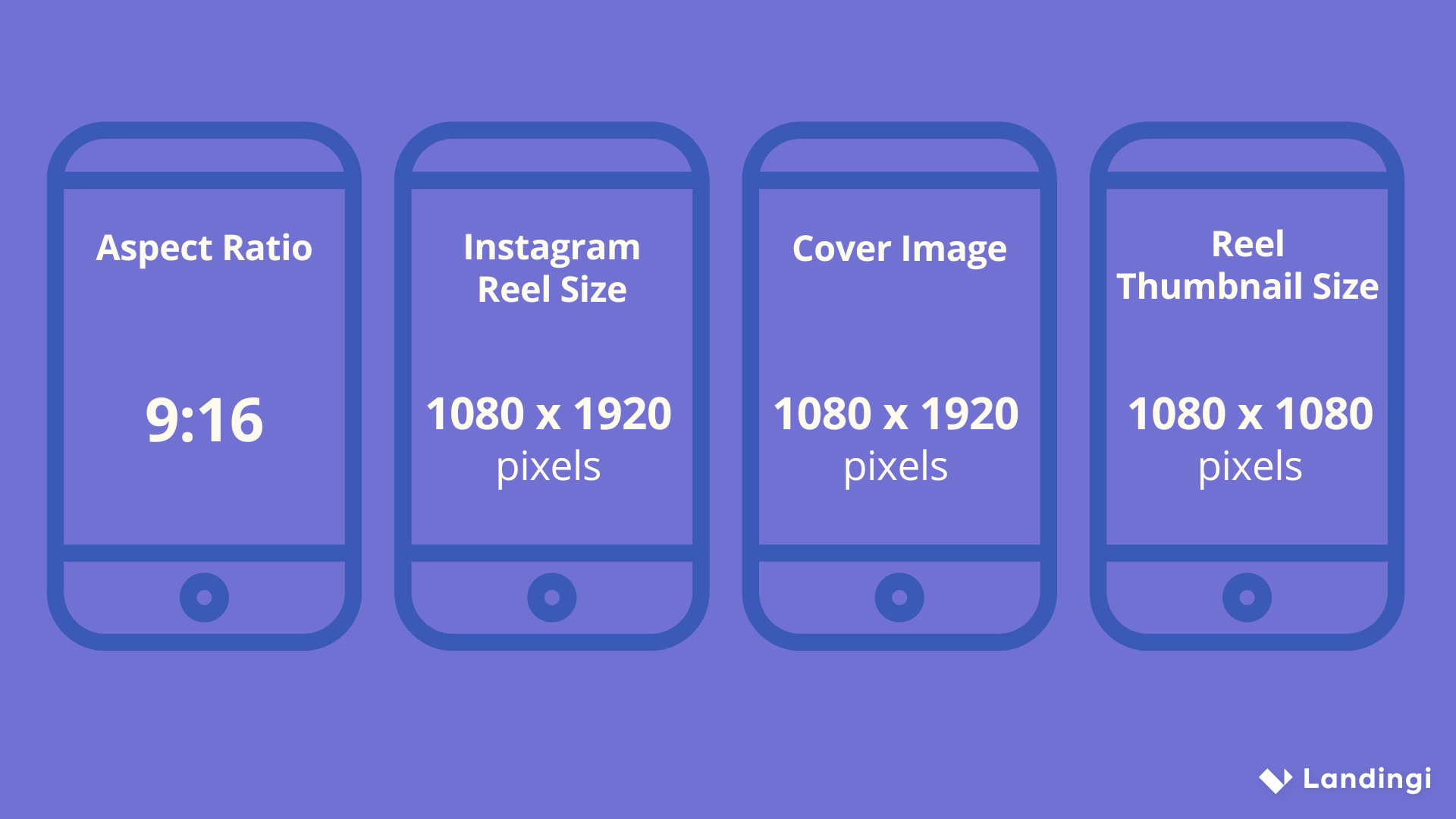
- YouTube's standard widescreen 16:9 aspect ratio needs to be cropped or reformatted to Instagram's vertical 9:16 for Reels and Stories, or 4:5 for feed posts.
- A caption like "full video linked in bio" or "watch the whole breakdown on YouTube" is the standard way to drive traffic back to your channel from the shorter Instagram clip.
- You need editing software to trim and reformat the clip — Instagram itself has no tool to pull a segment directly from an external YouTube video.
- This only applies cleanly to content you personally own; reposting someone else's YouTube video, even a short clip, without permission raises separate copyright concerns.
Step-by-step: turning a YouTube video into an Instagram Reel
- Identify the single strongest 15-60 second moment in your YouTube video — the part most likely to hook someone scrolling quickly.
- Download the original video file from YouTube Studio if it's your own channel.
- Open a video editor (CapCut, InShot, Adobe Premiere Rush) and trim to just that segment.
- Reformat/crop the clip to vertical 9:16, keeping the key visual subject centered in frame.
- Add captions or on-screen text if the moment relies on dialogue, since many viewers watch with sound off initially.
- Export and upload as a Reel through Instagram, writing a caption that references the full video and where to find it.
Why a clip beats posting the whole video
Instagram's algorithm and user behavior both favor short-form content that gets to the point quickly — a multi-minute video uploaded in full tends to see steep drop-off in watch time, which signals lower quality to the algorithm and limits how widely it gets shown. A tightly edited highlight, by contrast, is more likely to be watched in full, rewatched, or shared, all of which the algorithm reads as strong engagement signals.
Common mistakes to avoid
- Uploading the entire long-form video unedited and expecting the same performance it might get natively on YouTube — Instagram's audience and format expectations are different.
- Choosing a slow-building segment as your clip rather than the most immediately engaging moment — the first couple of seconds of a Reel largely determine whether people keep watching.
- Forgetting to add a clear call-to-action pointing to the full video, leaving interested viewers with no path to find the rest of your content.
- Skipping captions on dialogue-heavy clips — a large portion of Instagram viewers watch with sound off, especially on their first pass through a Reel.
Tips
- If your main uncertainty is around permission and copyright rather than technique, see our guide on posting a YouTube video to Instagram legally first.
- For the underlying technical process of converting and reformatting the file itself, our breakdown on posting videos from YouTube to Instagram covers the conversion tools in more depth.
- Batch-create several short clips from one long YouTube video rather than picking just one — this gives you multiple Reels to post over following days or weeks instead of a single one-off repurposed post.
Frequently asked questions
For most content, a short, well-chosen clip performs significantly better on Instagram than the full video, since Reels and feed videos favor short-form content and viewers are less likely to watch a lengthy video start to finish in that context.
Sources
Keep reading
More guides to grow your account.