What Does the Repost Button Do on Instagram in 2026?
Instagram's Repost button reshares another public post or Reel to your profile's Reposts tab, with credit to the original creator.
Short answer
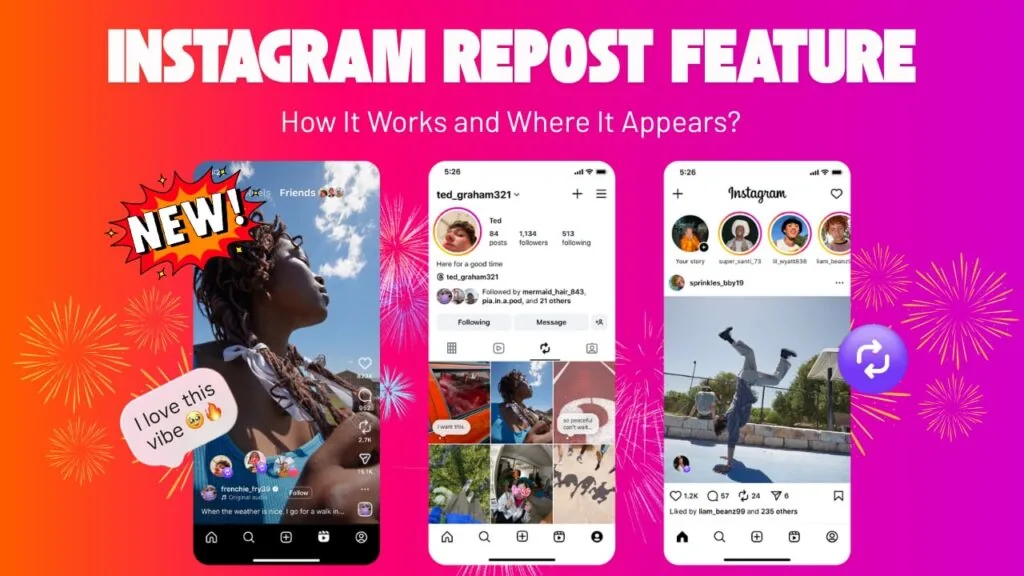
The Repost button reshares someone else's public feed post or Reel directly to your own profile, crediting the original creator automatically. Reposted content lands in a separate Reposts tab instead of mixing into your main grid, and the original creator can remove that attribution at any time.
Key takeaways
- The Repost button reshares a public feed post or Reel to your profile with automatic credit to the original creator
- Reposted content lives in a separate Reposts tab, not mixed into your main grid
- The original creator gets notified and can remove the attribution, deleting it from your Reposts tab too
- Repost is permanent until removed, unlike sharing to your Story, which disappears after 24 hours
- You can only repost content the original poster has left open to reposting
What does the Repost button actually do?
The Repost button lets you reshare a public post or Reel from another account straight to your own profile, similar to how a retweet works on other platforms. When you tap it, the post appears on your profile with a visible credit link back to the original creator, so your followers always know where the content came from. It is a simple way to pass along content you like without pretending you made it, and it is one of a growing set of features Instagram has added around content discovery, alongside tools like Instagram algorithm changes that reward this kind of sharing.
Where does reposted content show up?
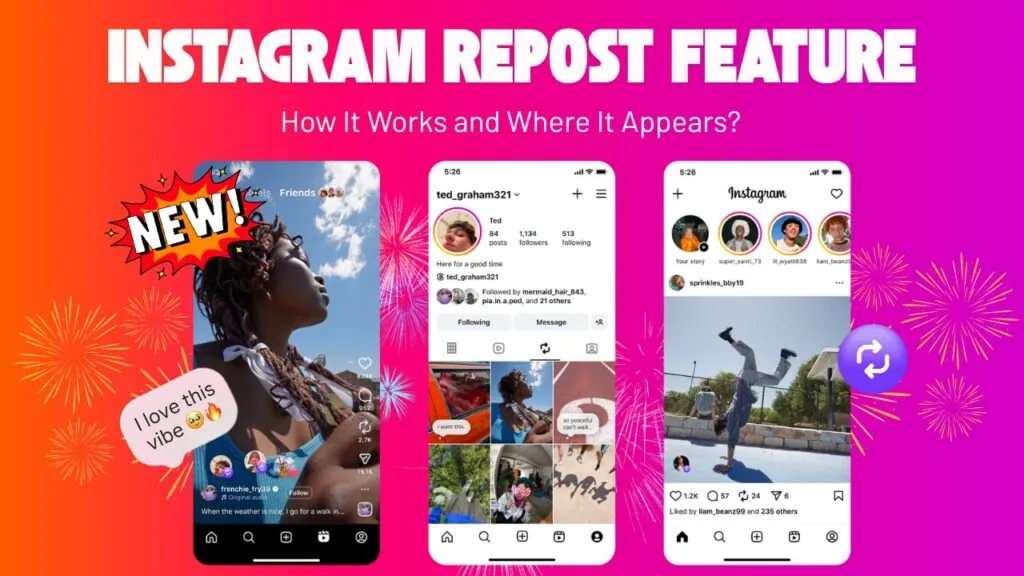
Reposts do not mix into your normal photo grid. They land in a dedicated Reposts tab on your profile, sitting alongside your Posts and Reels tabs so visitors can browse what you have shared separately from what you originally created. That separation matters if you are trying to keep your main grid focused on original content while still using reposts to boost engagement, something worth planning into any broader content calendar for the week.
How is Repost different from sharing to your Story or DM?
Repost is the only option among Instagram's sharing tools that creates a lasting, public entry on your profile. Sharing to your Story posts the content for 24 hours before it disappears, unless you save it to Highlights, while sending something in a DM only shares it privately with the recipient. If you frequently use Stories for this kind of sharing, it helps to understand how long an Instagram story can be so your reposted clips do not get cut off.
Can the original creator stop people from reposting their content?
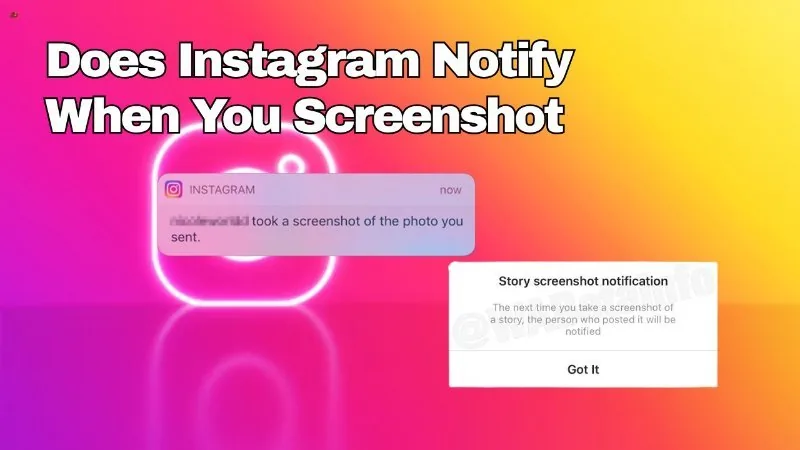
Yes. Creators can disable reposting on their own posts and Reels, the same way they can turn off comments or limit who can screenshot their Story. If reposting is turned off, the Repost icon simply will not appear on that piece of content, and no workaround exists within the app. Creators also get notified whenever their content is reposted and can remove it from someone else's Reposts tab at any time, since the credit link stays attached permanently.
How do you repost something on Instagram?
Tap the Repost icon, shown as two overlapping arrows, in the same action row as the like, comment, and share icons under an eligible post. It adds instantly to your Reposts tab with no caption step required, making it a much faster action than a full re-post. If you would rather turn reposting off entirely on your own content, that setting lives in the same privacy area used to turn off Repost on Instagram.
Does reposting help or hurt your own reach?
Reposting can boost engagement by putting trending content on your profile, but leaning on it too heavily can dilute your account's identity if followers came for your original work. Many creators use reposts sparingly, mixed with their own uploads, similar to how they would balance regular photos against a Reel to keep a varied but recognizable feed, and they still track basic metrics like profile views on Instagram to see whether reposts are actually pulling in new visitors.
| Sharing method | Visibility | Duration | Credits creator |
|---|---|---|---|
| Repost | Public, Reposts tab | Permanent until removed | Yes |
| Share to Story | Public, Story bar | 24 hours (or saved to Highlights) | Yes |
| Send in DM | Private, recipient only | Permanent in chat | No public credit needed |
Understanding what the Repost button does comes down to one idea: it is a permanent, credited reshare that lives in its own tab, giving creators control while letting you pass along content your followers might enjoy.
Frequently asked questions
It reshares a public feed post or Reel to your own profile, automatically crediting the original creator, and places it in a separate Reposts tab instead of your main grid.
Sources
Keep reading
More guides to grow your account.