How to Add Highlights on Instagram in 2026
Create Instagram Highlights from current or archived Stories, choose a cover, control visibility and fix a missing Highlight or Story archive.
Short answer
To add an Instagram Highlight, open your profile, choose New or Story highlight, select saved Stories, add a short name and choose a cover. Highlights stay visible until you remove them, but only people allowed to view the original Story audience can view them.
Key takeaways
- Instagram Highlights are collections of Stories displayed on a profile beyond the usual 24-hour Story lifespan.
- You can create a new Highlight from archived Stories or add a current Story to an existing collection.
- A Highlight remains visible until you remove it, even after the original Story disappears.
- People allowed to see the original Story can also see it in the Highlight.
- Story Archive must contain the Story if you want to add it after the live Story expired.
How do you add a Highlight on Instagram?
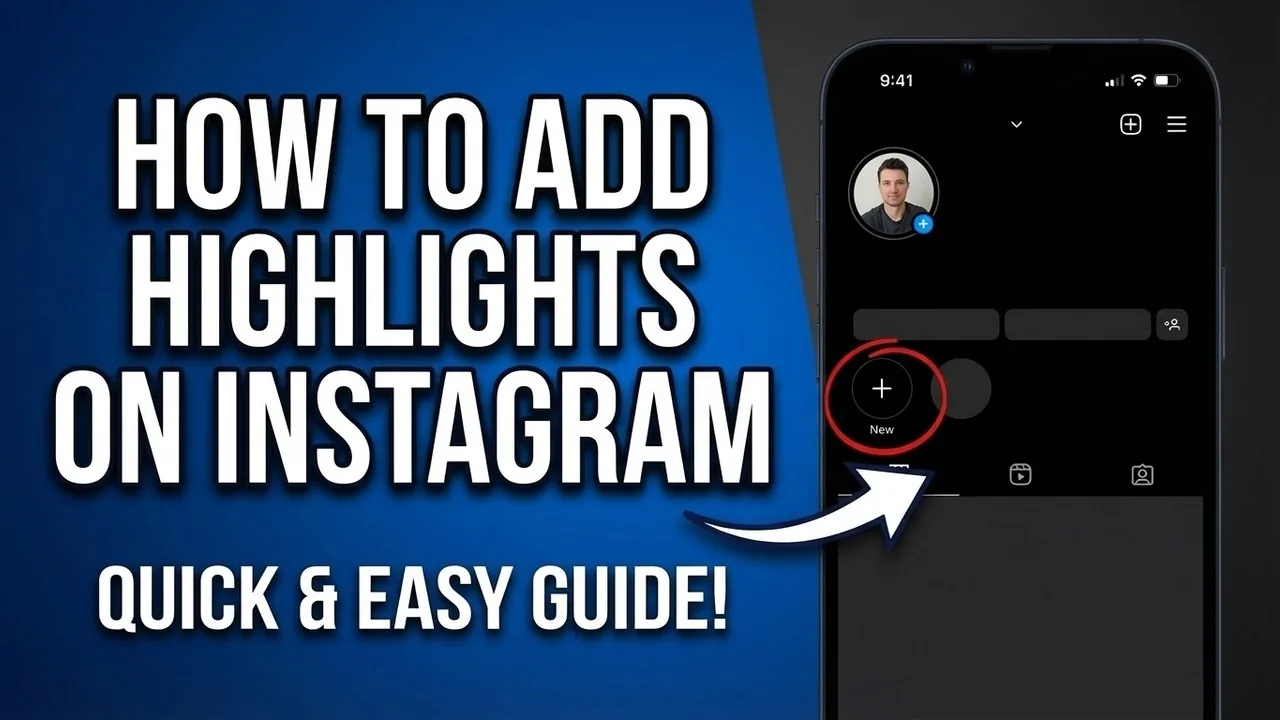
Add a Highlight by opening your profile, choosing New or Story highlight, selecting one or more archived Stories and continuing to a name and cover. Instagram’s official steps also let you open an existing Highlight, choose Edit and add more Stories. Keep the name short because profile space is limited. Review the first frame and cover at small size before saving, then view the result from another account if audience controls matter.
For the neighboring workflow, use How to Post on Instagram: Step-by-Step Guide before changing another setting. The related guide to How Do You Upload on Instagram? Phone & Desktop explains the control users most often confuse with this one.
How do you add a current Story to a Highlight?
Add a current Story by opening it, choosing Highlight and selecting an existing collection or creating a new one. This is the fastest method when the Story is still live. If the Story has expired, use Story Archive, provided automatic archiving was enabled when it was posted. Saving a Story to the phone is not the same as retaining it inside Instagram’s archive, and reuploading creates a new Story.
- Open your Instagram profile and choose New or Story highlight.
- Select the archived Stories that belong in one clear collection.
- Enter a short descriptive name and tap Next.
- Choose or upload a simple cover that works inside a circle.
- Save, review the order and remove any outdated Story.
If your goal is broader account management, How to Repost on Instagram: Every Method for 2026 is the practical next step. You can compare the result with How to Repost a Story on Instagram so you do not solve the wrong problem.
What makes a useful Highlight structure?
A useful Highlight answers a visitor’s likely questions in a small number of clearly named groups. Businesses often use Start here, Services, Reviews, FAQ and Contact; creators may use About, Work, Resources and Events. Put the most useful Story first because viewers tap in sequence. Remove outdated prices, dates and links. Highlights should summarize durable information rather than become a warehouse for every Story ever published.
| Highlight type | Useful contents | Review frequency |
|---|---|---|
| Start here | Introduction and navigation | Monthly |
| Products or services | Current offers and process | Whenever details change |
| FAQ | Repeated audience questions | Quarterly |
| Events | Dates, recaps and registration | After each event |
A smaller set of maintained Highlights is more useful than dozens of unlabeled collections.
For a safer fallback, follow Captions for Instagram: 60 Ideas That Drive Engagement instead of handing credentials to an unknown service. Creators should also review How to Batch an Instagram Content Calendar in One Day because the same choice can affect reach or presentation.
Who can see your Instagram Highlights?
Highlight visibility follows Story access rather than creating a separate public audience. A private account limits Highlights to approved followers, while hidden-Story settings can exclude particular accounts. Anyone allowed to see the Stories can revisit them through the Highlight until removal. Do not treat a Highlight as a secure document folder: viewers can screenshot or record content, and profile access can change when you approve new followers.
- Do not publish private customer details or internal documents.
- Check that old prices and dates are still accurate.
- Remember that viewers can capture Highlight content.
- Keep important records outside Instagram.
The platform behavior makes more sense alongside Best Time to Post on Instagram in 2026. For the privacy side of the decision, read Viral Reels Hook Formula: Nail the First 3 Seconds and keep the two settings separate.
Why is a Story missing from Highlights?
A Story may be missing because Story Archive was disabled, the Story was deleted, its audience differs, the app is outdated or a feature rollout changed its profile placement. Check Archive first, then confirm you are editing the correct profile and collection. Instagram has tested a dedicated Highlights tab and grid visibility controls, so a missing circle does not necessarily mean the Stories were erased. Use the official Edit Highlight flow before recreating everything.
- Enable and inspect Story Archive for expired Stories.
- Open the existing Highlight and use Edit before recreating it.
- Update Instagram if New or Story highlight is missing.
- Check Story audience and hidden-Story settings from another account.
A complete setup also benefits from How the Instagram Algorithm Works in 2026, Explained, especially after an app update. When this action changes what other people see, How to Grow on Instagram in 2026: A Beginner Guide provides useful context.
How should you maintain Instagram Highlights?
Maintain Highlights like evergreen profile pages: review them monthly, remove expired claims and keep covers visually consistent but readable. Update contact details, prices, eligibility and links as soon as they change. Preserve originals outside Instagram when the material has business or legal value. Highlights support a profile’s explanation, but they do not replace an accessible website, current policy page or direct disclosure in a sponsored Story.
Frequently asked questions
Open your profile, choose New or Story highlight, select archived Stories, name the collection and pick a cover. Labels can vary by app version.
Sources
Keep reading
More guides to grow your account.