How to Find Drafts on Instagram in 2026
Find saved Reel, post, and Story drafts, understand where each format stores them, and avoid losing device-local work during logout, reinstall, or phone changes.
Short answer
Instagram stores drafts inside the composer for the format that created them: open Create and choose Reel, Post, or Story, then look for Drafts in that format's gallery or editor. Drafts can be device-local and may disappear after uninstalling Instagram, clearing app data, logging out, or changing phones, so keep original media and captions elsewhere.
Key takeaways
- Reel, feed-post, and Story drafts live in separate format-specific editors rather than one universal Drafts folder.
- A Reel draft saved on one phone may not appear on another device because draft data can be local.
- Uninstalling Instagram, clearing app storage, or losing the device can permanently remove drafts.
- Save source media, captions, covers, and audio notes outside Instagram before relying on a draft.
- A scheduled post is different from a draft and appears under scheduled content or the publishing tool that queued it.
Where are Instagram drafts stored?
Drafts appear inside the creation flow for the same content type: Reels under the Reel gallery, feed drafts under the Post composer, and Story drafts in the Story gallery when available. They are not all shown on your profile grid.
The interface can move after an update, but the format distinction remains important. If you saved a Reel and then open Create Post, the Reel draft will seem missing. Likewise, a Story draft is not a scheduled Story or an archived published Story. Start by recreating the exact composer path used when saving.
For useful context, compare publish on Instagram with batch Instagram content.
How do you find Reel, post, and Story drafts?
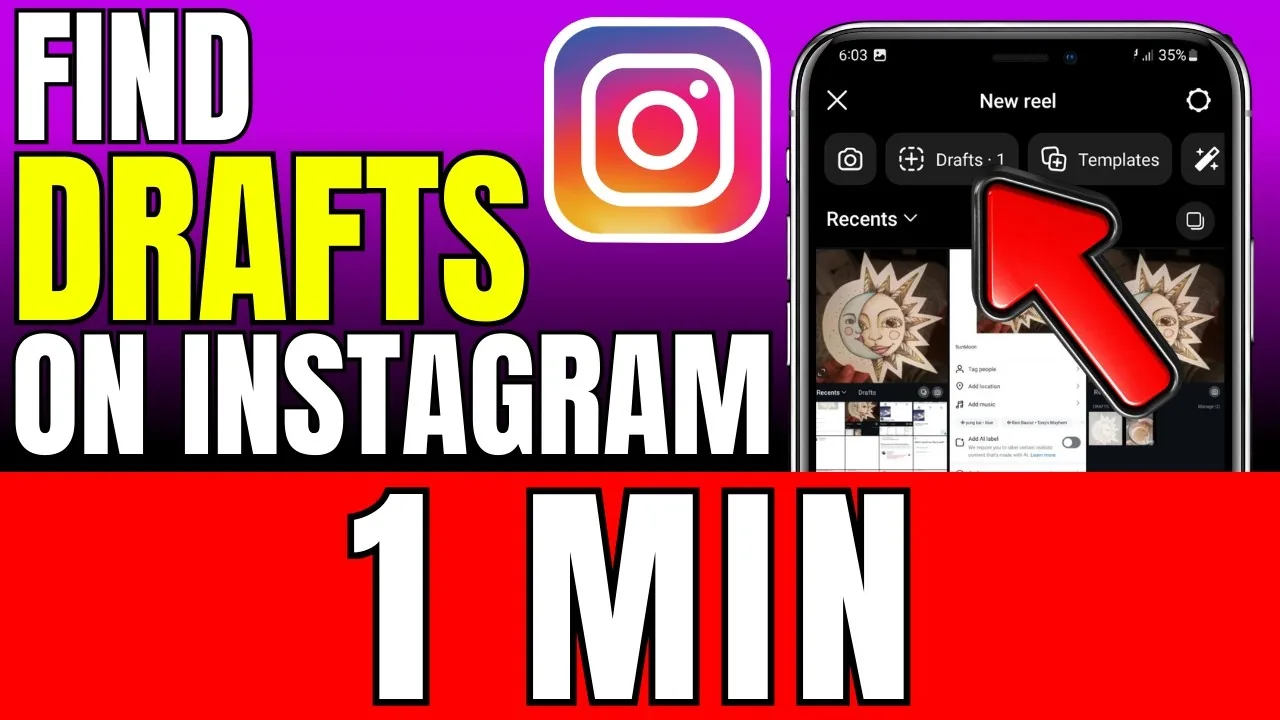
Open Create, select the correct format, and choose Drafts from that editor's gallery or media picker. Confirm the active account and device before assuming the draft is gone.
- For a Reel, tap Create, choose Reel, open the gallery, and tap Drafts near the available media.
- For a feed post, tap Create and Post; look for Drafts beside the recent gallery when a post draft exists.
- For a Story, open the Story camera and gallery, then choose the Drafts area shown for unexpired Story drafts.
- Verify the username because drafts belong to the account and creation context in which they were saved.
- Open the draft, confirm every clip, caption, cover, tag, and audio choice, then save again if you are not publishing.
- Copy final text and original media into a durable notes or content folder before closing the editor.
If Drafts is absent, create a harmless test draft in that format to learn the current location without overwriting important work. Do not publish the test; discard it after confirming the workflow.
These steps also pair well with write Instagram captions and optimize for Instagram search.
What is the difference between a draft, scheduled post, archive, and Recently Deleted?
A draft is unfinished creation data, scheduled content is queued for future publishing, Archive contains previously published content kept from public view, and Recently Deleted holds eligible removed content temporarily.
| Location | Contains | Usually visible on another device? | Main risk |
|---|---|---|---|
| Format Drafts | Unpublished edits | Not reliably | Lost with app data or device |
| Scheduled content | Queued post details | Often through the same account/tool | Authorization or publish failure |
| Story/Post Archive | Previously published content | Server-based when enabled | Archive setting or account access |
| Recently Deleted | Eligible removed content | Account-based while retained | Restoration window expires |
| Camera roll/cloud folder | Original media | Yes if synced | Needs organized backup |
Do not search Archive for an unpublished draft or Drafts for a deleted live post. Matching the content's lifecycle to the correct location saves time and prevents accidental deletion.
To choose the right option, keep understand Instagram ranking and build an Instagram growth plan nearby.
Why did an Instagram draft disappear?
Drafts commonly disappear after app removal, app-data clearing, logout, device change, account switching, an expired Story-draft period, or a failed update. Instagram drafts are not guaranteed cloud backups.
- Instagram was uninstalled, offloaded with data loss, or its Android storage was cleared.
- The draft was created on another phone or under another signed-in account.
- A Story draft reached the retention period shown by Instagram and expired.
- Source clips were deleted, moved, or denied through changed photo permissions.
- An update or corrupted draft removed unsupported audio, effects, or edits.
Restart and update the app, check the original device and account, and confirm media permission. Avoid third-party draft-recovery apps that request credentials or storage access; they cannot recreate server data Instagram never stored.
If you hit a related problem, consult choose an Instagram posting time and write a Reels hook.
How can you keep Instagram drafts from being lost?
Treat Instagram as the final assembly and publishing surface, not the only storage system. Keep a clean master, caption, cover, and shot order outside the app.
Export edited video without copyrighted in-app music when possible, save a thumbnail, record the intended audio title and clip, and store accessibility text with the caption. Before reinstalling, changing phones, clearing storage, or leaving a beta version, finish or externally back up every important draft. Team content should live in a shared approved folder with ownership and review status.
For privacy and account safety, also review optimize an Instagram profile and write an Instagram bio.
What is a reliable Instagram draft workflow?
Create from durable source files, use drafts for short-term assembly, and move approved work into scheduling or publication promptly. This minimizes loss without eliminating creative flexibility.
- Name and store original media by project and date.
- Keep caption, tags, disclosures, and alt-text notes outside Instagram.
- Review drafts weekly and discard obsolete tests.
- Back up or publish before app, account, or device changes.
A draft that matters to a campaign should have a second copy and a named owner. If no one can reproduce the content without the phone, the workflow is too fragile.
Frequently asked questions
Open Create, choose Reel, open the media gallery, and tap Drafts. They may exist only on the device used to create them.
Sources
Keep reading
More guides to grow your account.