How to Create a Poll on Instagram Stories
Add a poll sticker to an Instagram Story, write neutral options, review results responsibly, and troubleshoot missing stickers or misleading responses.
Short answer
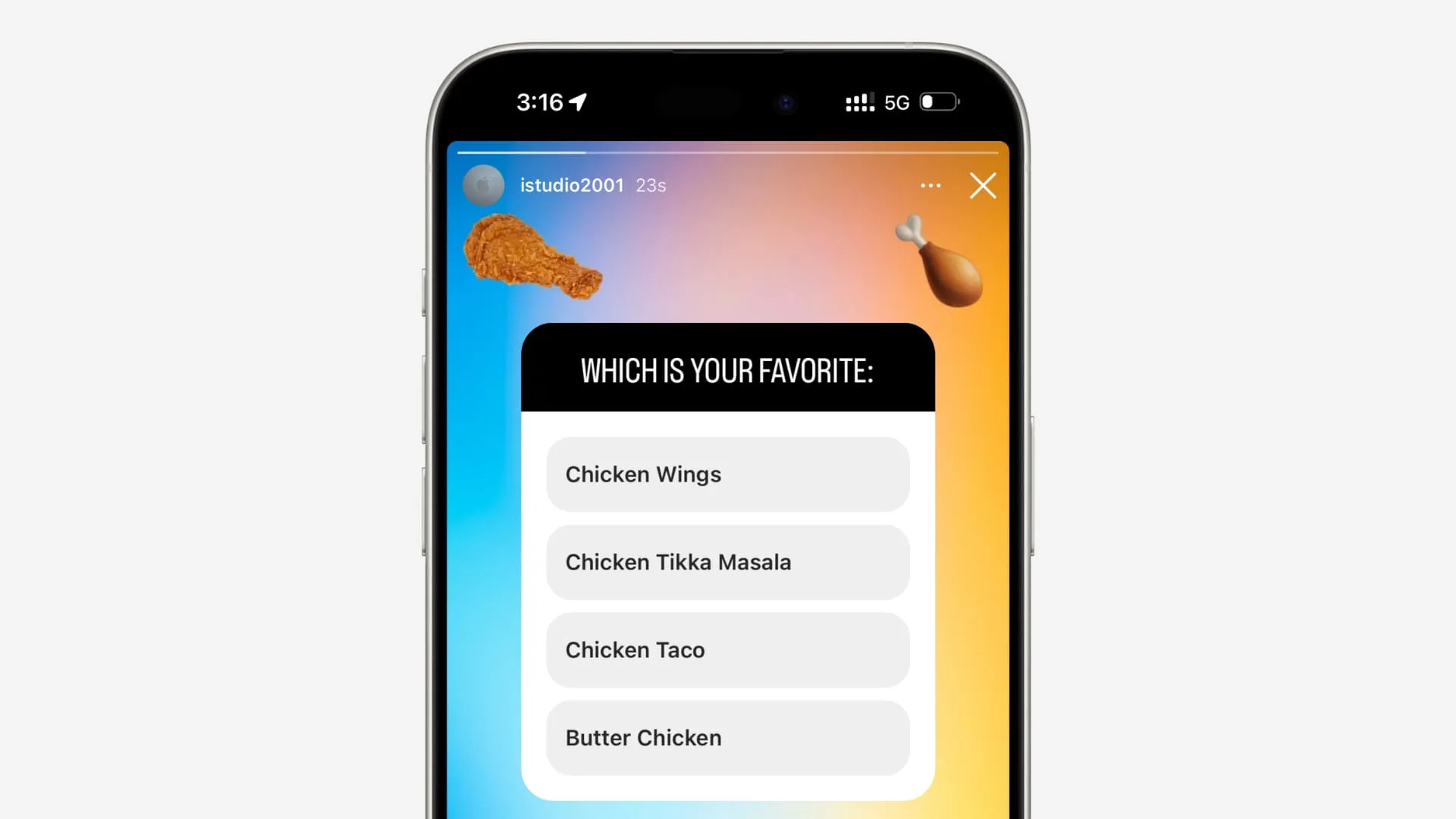
To create an Instagram poll, open the Story editor, add a photo, video, or background, tap Stickers, choose Poll, write one clear question and the offered answer choices, position the sticker, select the audience, and share. The Story owner can review votes and aggregate results while the Story data is available.
Key takeaways
- Instagram polls are interactive Story stickers, so create them in the Story editor rather than a feed caption.
- Ask one neutral question with mutually understandable choices; vague wording produces unusable results.
- Poll responses come from Story viewers, not a scientific random sample, and should not be presented as representative research.
- Do not ask for sensitive health, identity, employment, school, financial, or legal information through a casual poll.
- Save business decisions and research in an approved system because Story and viewer data are time-limited.
How does an Instagram Story poll work?
A poll sticker lets eligible Story viewers tap one of the displayed choices and see the current result presentation. The publisher can review response information available for that Story.
A poll is useful for low-stakes preferences, quick feedback, quizzes, and conversation prompts. It is not anonymous scientific research, secure voting, consent collection, or a confidential survey. The people who see and choose to answer are a self-selected subset of the account's Story audience.
For useful context, compare publish on Instagram with batch Instagram content.
How do you make a poll on Instagram?
Create a Story, choose Poll from Stickers, write a focused question and clear options, then preview the audience and layout before sharing.
- Tap Create or your Story camera and choose a photo, video, or readable background.
- Tap the sticker icon and choose Poll; update Instagram if the sticker is missing.
- Write a short question that asks one thing and avoids leading or emotionally loaded language.
- Edit the answer choices offered by the current sticker and keep them distinct and understandable.
- Position the poll away from faces, captions, and the top or bottom interface zones.
- Choose Your story or Close Friends, publish, and review responses while the Story information remains available.
Tell viewers how the result will be used. If a business asks which product should launch, clarify whether the poll is advisory. If a teacher asks a knowledge question, avoid exposing individual performance publicly.
These steps also pair well with write Instagram captions and optimize for Instagram search.
Should you use a poll, quiz, question, emoji slider, or link sticker?
Use Poll for a fixed choice, Quiz for an answer-based interaction where available, Questions for free text, Slider for degree, and Link for an external form or resource.
| Sticker | Response type | Good use | Main limitation |
|---|---|---|---|
| Poll | Fixed options | Preference or quick decision | Limited nuance |
| Quiz | Answer choices | Knowledge check or reveal | Not formal assessment |
| Questions | Free text | Ideas and open feedback | Harder to summarize and moderate |
| Emoji slider | Degree on a scale | Mood or intensity | Ambiguous measurement |
| Link | External destination | Long or private form | Requires an outside page |
For sensitive or high-stakes research, use a privacy-reviewed survey with clear consent, retention, and access controls instead of an Instagram sticker.
To choose the right option, keep understand Instagram ranking and build an Instagram growth plan nearby.
Why is the Instagram Poll sticker missing or not working?
The app may be outdated, the feature may vary by account or region, the Story editor may be in the wrong state, or a network and cache problem may prevent stickers from loading.
- Instagram needs an update or restart after a sticker rollout.
- You opened a feed or Reel editor rather than the Story sticker tray.
- The connection failed while interactive stickers were loading.
- The account, region, age setting, or experiment does not show the same sticker set.
- A Story draft created on an older version has become unstable.
Test a new blank Story after updating and restarting. Do not install a modified Instagram app to unlock stickers, and do not delete an important account because one creative feature is absent.
If you hit a related problem, consult choose an Instagram posting time and write a Reels hook.
Are Instagram polls anonymous and accurate?
Do not describe Instagram polls as anonymous to the publisher or statistically representative. The Story owner can see response information, and the sample is shaped by followers, Story distribution, timing, and voluntary participation.
Avoid collecting protected, medical, political, employment, student, or financial information without an appropriate lawful process. Publish aggregate results cautiously and never shame an individual answer. For brand claims, do not turn a small follower poll into wording such as most people prefer without disclosing the sample and method.
For privacy and account safety, also review optimize an Instagram profile and write an Instagram bio.
What makes an Instagram poll useful?
A useful poll asks one actionable question, reaches the relevant audience, and has a planned follow-up. Engagement alone is not a meaningful outcome.
- Define the decision before writing the question.
- Use simple balanced options and readable design.
- State how responses will be used.
- Share the result and next step without overstating certainty.
Record the date, audience, response count, and wording if the result informs content planning. Repeating the same question later can reveal direction, but it still does not create a random sample. Keep the original wording with your notes for honest comparison.
Frequently asked questions
Create a Story, tap Stickers, choose Poll, enter the question and choices, position it, select the audience, and share.
Sources
Keep reading
More guides to grow your account.