How to Appear Offline on Instagram (Turn Off Active Status)
Turn off Instagram's active status so the green dot and Active Now label disappear from your profile and DMs, letting you browse without showing you're online.
Short answer
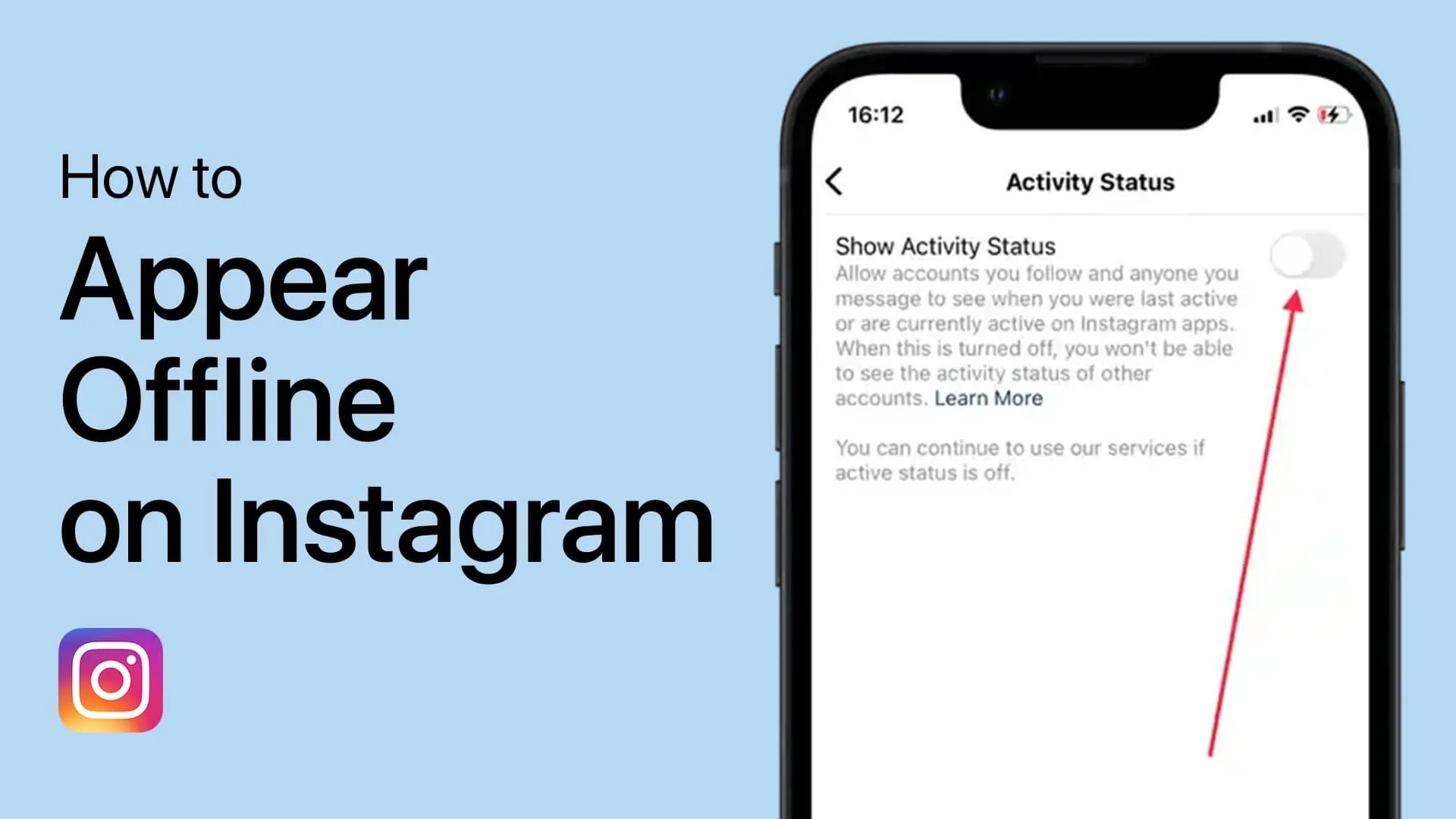
Go to Settings and privacy, then Messages and story replies, then Show activity status, and toggle it off to remove your green dot and Active Now label everywhere on Instagram. This has no effect on your reach, algorithm ranking, or Story views.
Key takeaways
- Turn off activity status under Settings and privacy, then Messages and story replies
- Disabling it removes the green dot and Active Now label from your profile and DMs
- It's reciprocal, since you also lose the ability to see when others are active
- Activity status is unrelated to read receipts, which is a separate setting entirely
- Appearing offline has zero impact on your reach, algorithm ranking, or Explore placement
- You still receive DMs and notifications normally while appearing offline
How do you turn off active status on Instagram?
On mobile, open your profile, tap the menu icon in the top right, then go to Settings and privacy. Scroll to Messages and story replies, tap it, then find Show activity status under Who can see you're online, and toggle it off. Once disabled, the green dot and Active Now label disappear from your profile photo and from anyone's DM list, even if you're actively scrolling the app.
On desktop, go to instagram.com, click More in the left sidebar, then Settings, then Messages and story reply from the settings sidebar, and toggle off Show activity status the same way. This works alongside how to turn off online status on instagram, which covers the same setting from a slightly different angle.
Does turning off activity status also hide read receipts?
No, these are two separate settings that people often confuse. Activity status controls the green dot and last-active time, while read receipts control whether the Seen label appears under a specific message you've opened. Turning off one doesn't automatically turn off the other, so check how to turn off seen on instagram separately if you want both hidden.
Someone could still see that you've read their message even with activity status off, unless you've also disabled read receipts.
Is it a two-way trade-off like read receipts?
Yes, turning off your activity status means you also stop seeing everyone else's green dots and Active Now labels. There's no way to hide your own status while still seeing when your friends are online, since Instagram treats this as symmetric behavior for all users, similar to how can you turn off read receipts on instagram works.
If a few close friends' online status matters to you, weigh that loss against the privacy benefit before turning the setting off entirely.
Does appearing offline hurt your reach or the algorithm?
No, your activity status toggle has no bearing on the Instagram algorithm, post reach, Explore placement, or Story view counts. Instagram ranks and distributes content based on engagement signals like likes, comments, saves, and watch time, not whether your green dot is visible. You can appear offline all day and still get full reach on anything you post or share via how to share on instagram.
This is a common misconception worth clearing up, since some creators worry that hiding online status might quietly throttle their content, which isn't how the system works.
| What's affected | Setting | Reciprocal? |
|---|---|---|
| Green dot / Active Now label | Show activity status | Yes |
| Seen label on individual DMs | Show read receipts | Yes |
| Post reach, algorithm ranking | Not affected by either setting | N/A |
| Story view list | Cannot be hidden individually | N/A |
Can you still receive messages and notifications while appearing offline?
Yes, turning off activity status doesn't limit your ability to send or receive DMs, comments, or push notifications in any way. You'll get everything normally; the only difference is that others can no longer see the green dot or a last-active timestamp next to your name in how to check dm instagram.
This makes it a purely cosmetic privacy setting rather than something that changes how the app functions for you day to day.
Does close friends or family status change how this works?
No, activity status applies uniformly to everyone who can message you, regardless of whether they're a close friend, a follower, or someone outside your network. There's no tiered option to show your status to some people and hide it from others.
If you want more granular control over who can even message you at all, that's a separate privacy setting from activity status, more closely related to message request filtering than to the online-status toggle.
Frequently asked questions
Go to Settings and privacy, then Messages and story replies, then toggle off Show activity status. This removes the green dot and Active Now label from your profile and DMs immediately.
Sources
Keep reading
More guides to grow your account.