How to Make a Poll on Instagram Stories and Notes
Add a poll sticker to your Instagram Story in seconds, or use the newer poll option in Notes to get quick yes/no answers from followers.
Short answer
To make a poll on Instagram, open the Story camera, tap the sticker icon, choose Poll, edit the question and two answer options, then post it to your Story. Polls collect real-time votes from viewers and let you see the results as they come in.
Key takeaways
- Instagram polls live inside Stories, created with the sticker tool
- You can customize the question text and both answer options before posting
- Poll results update in real time and are visible only to you as the creator
- Anyone who can view your Story can vote, unless you've restricted the audience
- Poll stickers work on photos, videos, and boomerangs added to your Story
- Polls disappear after 24 hours along with the rest of the Story, unless saved to Highlights
How do you add a poll to an Instagram Story?
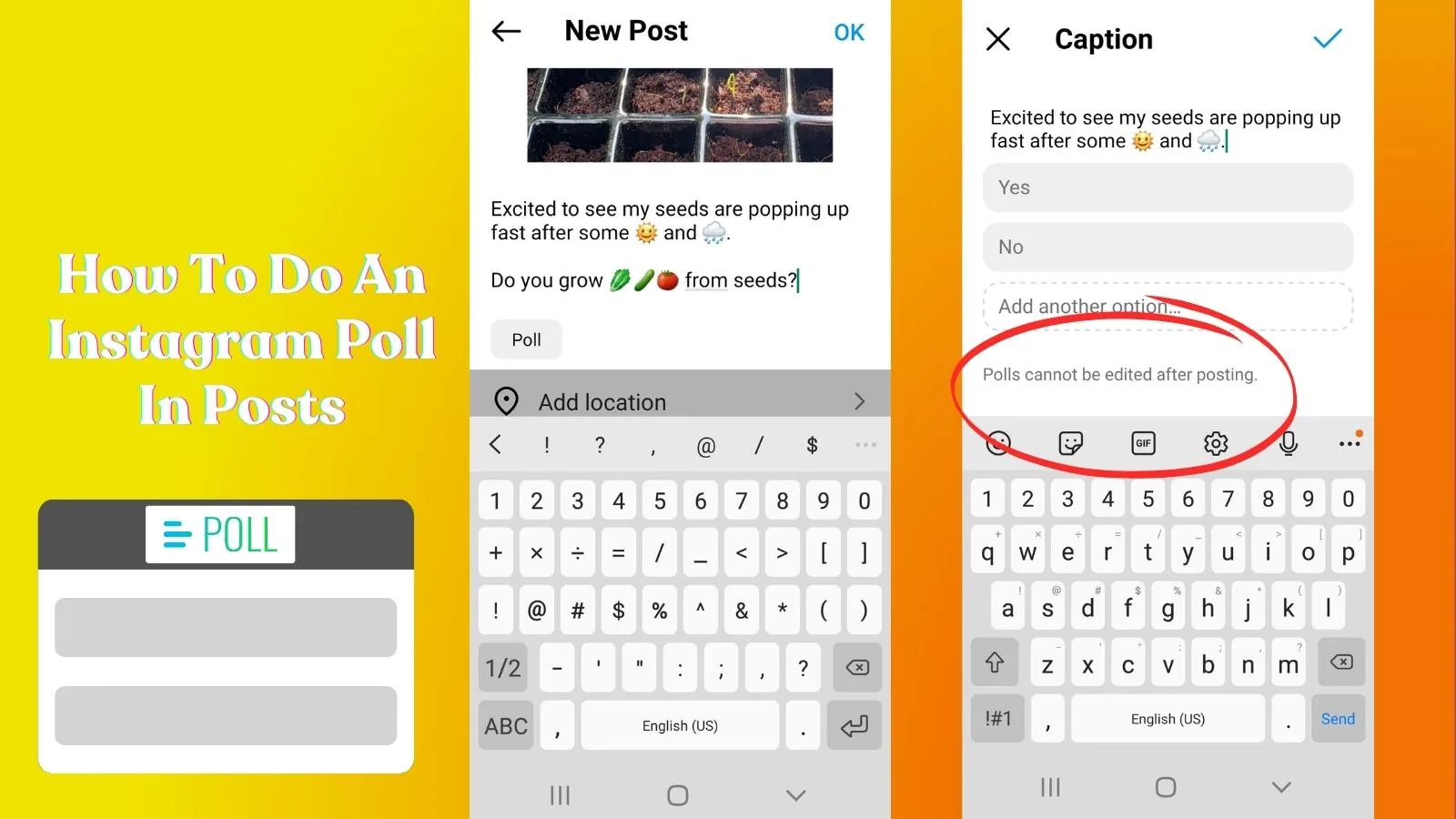
Open the Story camera by tapping your profile photo or swiping right from the feed, capture or upload a photo or video, then tap the sticker icon at the top of the screen and select Poll. This adds a default poll with two options — Yes and No — that you can tap to rewrite with your own question and answers.
Once you're happy with the wording, drag the sticker wherever you want it on the screen and resize it if needed before tapping Your Story to post. This works the same way whether you're posting from how to post a story on instagram with a photo or a short clip.
Can you customize the poll question and answers?
Yes — tap directly on the question text to type your own prompt, and tap each answer bubble to replace the default Yes/No with custom options. You get a character limit for each field, so keep both the question and answers short and easy to read at a glance.
This flexibility makes polls useful for far more than yes/no questions — creators use them for quick feedback on products, content preferences, or even lighthearted debates with their audience, similar to how how to tag someone on instagram story adds interactive elements to boost engagement.
How do you check your poll results?
Tap the eye icon or swipe up on your own Story while the poll is still live to see who voted and for which option, along with a running percentage for each answer. Only you, as the Story owner, can see individual voter names — viewers only see the aggregate percentages update after they vote.
Poll engagement is also a strong signal for the algorithm, since votes count as an interaction. Pairing polls with consistent posting habits, like those covered in optimal instagram posting time, can help more people catch your Story while it's still active.
Are Instagram polls different from Notes polls?
Yes — Story polls have existed for years, while Notes rolled out a lighter poll-style feature more recently for quick opinion checks that appear at the top of your inbox instead of in the Stories bar. Notes are limited to short text and disappear after 24 hours, similar to Stories, but live in a completely separate space.
If you're also managing what your Notes look like to others, it's worth understanding how to unmute notes on instagram since muting and poll visibility are controlled from different settings menus.
Can everyone see and vote on my poll?
Only people who can already view your Story can see and vote on the poll — if your account is private, that means only approved followers. You can also narrow this further using Close Friends before posting, which limits both visibility and voting to your chosen list.
If you want broader reach for a poll used as engagement bait, check general visibility settings covered in how to hide instagram posts to make sure your Story audience matches your intent. You can also add a direct link alongside your poll using how to add link to instagram story to drive votes toward a specific product or page.
What are the differences between poll options and other Story stickers?
| Feature | Poll sticker | Quiz sticker | Question sticker |
|---|---|---|---|
| Answer format | 2 preset options | Multiple choice, 1 correct | Open-ended text |
| Results visible to viewers | Live percentages | Correct answer reveal | Not shown to other viewers |
| Best for | Quick opinions | Testing knowledge | Gathering detailed feedback |
| Editable answers | Yes, 2 options | Yes, up to 4 options | No fixed options |
Conclusion
Creating a poll on Instagram takes under a minute once you know where the sticker tool lives inside the Story camera. Customize your question, drag the sticker into place, and use the results to gauge what your audience actually wants — then keep that same voice going in your regular posting.
Frequently asked questions
Open the Story camera, capture or upload your content, tap the sticker icon, and select Poll. Edit the question and answer text, then post it to your Story.
Sources
Keep reading
More guides to grow your account.