Can You Turn Off Read Receipts on Instagram?
No — Instagram has no dedicated toggle to hide the 'Seen' read receipt in a standard one-on-one DM thread. The 'Show Activity Status' setting controls your online/active status, not whether messages show as seen.

Short answer
No — Instagram has no dedicated toggle to hide the 'Seen' read receipt in a standard one-on-one DM thread. The 'Show Activity Status' setting controls your online/active status, not whether messages show as seen.
Quick answer
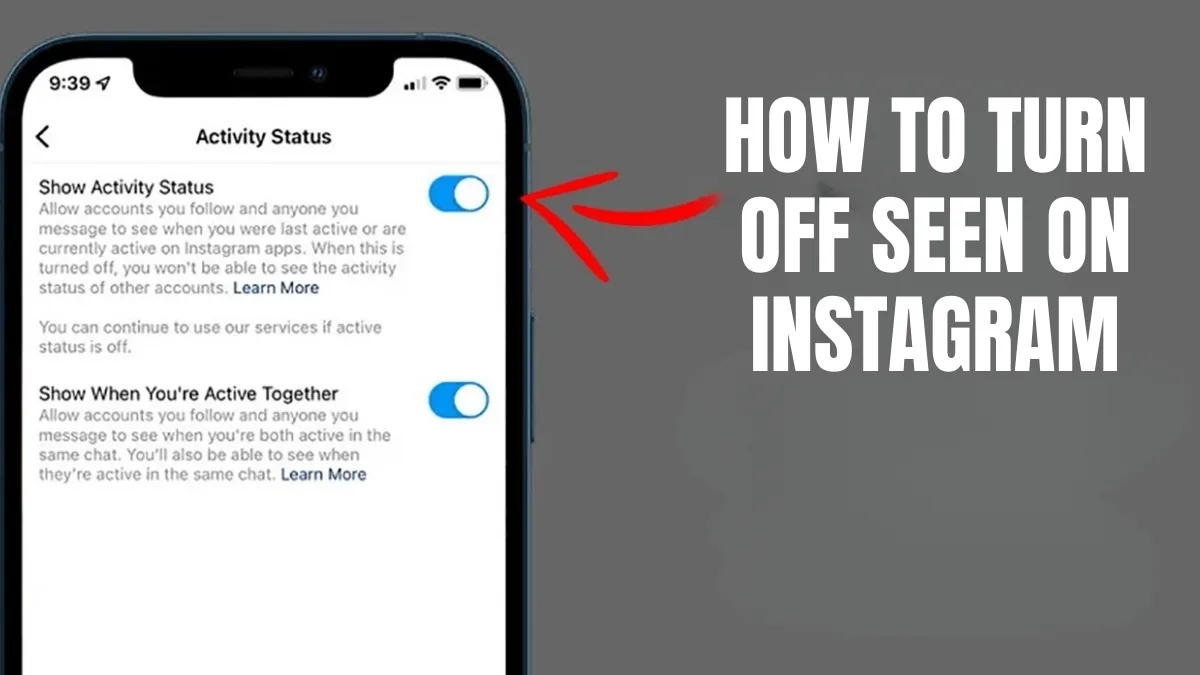
No, not directly. In a standard one-on-one Instagram DM thread, there is no setting that lets you read a message without the sender seeing "Seen" (or a timestamp) appear below it. This is one of the most confused settings on the platform because people mix it up with "Show Activity Status," found in Settings and privacy > Messages and story replies. That toggle controls whether people can see when you were last active or whether you're online right now — it does not stop the "Seen" indicator from appearing once you've opened and viewed a specific message.
Key takeaways
- Show Activity Status affects your online/last-active indicator, not per-message read receipts
- There is no confirmed, official way to disable the "Seen" label in a normal 1:1 chat
- Group chats show "Seen by" a list of names instead of a single timestamp, and this also cannot be turned off
- Message requests (from accounts you don't follow) behave slightly differently — opening a request can still mark it seen for the sender depending on settings
- Some workarounds exist outside Instagram's control (like reading previews without opening the thread, or airplane mode tricks), but these are not official features and are unreliable
Show Activity Status vs. read receipts — the real distinction
The setting people usually find is at Settings and privacy > Messages and story replies > Show activity status. Turning this off does two things: it hides your "Active now" / "Active X minutes ago" indicator from other users, and it also hides other users' activity status from you. What it does NOT reliably do is remove the "Seen" timestamp that appears under a message once you've opened that specific conversation and viewed the latest message. Those are two different systems: one tracks your general online presence, the other tracks whether a specific message has been opened. Instagram has not shipped a public setting that separates message-level read receipts from activity status the way some other apps do.
What you can influence
- Go to Settings and privacy > Messages and story replies
- Toggle off Show activity status — this removes your online/last-active status app-wide
- Understand this does not stop "Seen" from appearing once you open a chat and view the newest message
- For photos/videos sent as disappearing (view once) messages, opening them marks them viewed/seen and that cannot be avoided if you want to see the content
- Notification previews (seeing the message text in a push notification or from the chat list without tapping into the thread) can sometimes let you read short messages without officially "opening" the thread, though this is not guaranteed to prevent a Seen marker in every case and Instagram doesn't document this as an intentional feature
Common mistakes to avoid
- Turning off "Show activity status" and assuming it hides read receipts too — it doesn't reliably do this
- Believing third-party apps that claim to "read Instagram DMs without being seen" — these typically require your login and risk your account security
- Confusing group chat "Seen by" lists with 1:1 read receipts — both exist and neither can be disabled
- Assuming vanish mode changes read receipt behavior — vanish mode changes how messages disappear after being seen, but participants can still see when messages were viewed
Frequently asked questions
No, not reliably. Show Activity Status controls your online/last-active indicator. The 'Seen' marker under a message reflects whether you've opened that specific conversation, and Instagram doesn't offer a separate public toggle for it.
Sources
Keep reading
More guides to grow your account.