What Does Archive Mean on Instagram? A Full Explainer
Archiving hides a post, Reel, or Story from your public profile without deleting it — only you can see it, and it's fully reversible anytime.

Short answer
On Instagram, "archive" means a post, Reel, or Story has been pulled off your public profile and moved into a private, only-you-can-see storage area — it is not deleted. Anything archived can be restored to your profile at any time by unarchiving it.
Key takeaways
- Archive means hidden, not deleted — an archived post keeps all its likes and comments intact.
- Only the account owner can see archived content; it's invisible to followers and everyone else.
- Stories archive automatically after 24 hours by default, whether or not you archive them manually.
- Unarchiving a post restores it to its original spot on your grid, based on the original post date.
- Archive and Highlights are different: Archive is private storage, Highlights are Stories displayed publicly on your profile.
What does archive actually mean on Instagram?
Archiving means Instagram removes a post, Reel, or Story from public view but keeps it saved in a private section only you can access. It's the platform's version of a hide button rather than a delete button, which makes it useful anytime you want your profile to look different without losing engagement history. This is different from disabling your account entirely — for that distinction, see what does deactivated account mean on Instagram.
How do you archive something on Instagram?
Open the post on your profile, tap the three-dot menu in the top right, and select Archive — it disappears from your grid instantly. The same method works for Reels, and Stories can be archived from the Story viewer's menu as well; a full walkthrough with screenshots is in how to archive an Instagram post.
How do you find and restore archived content?
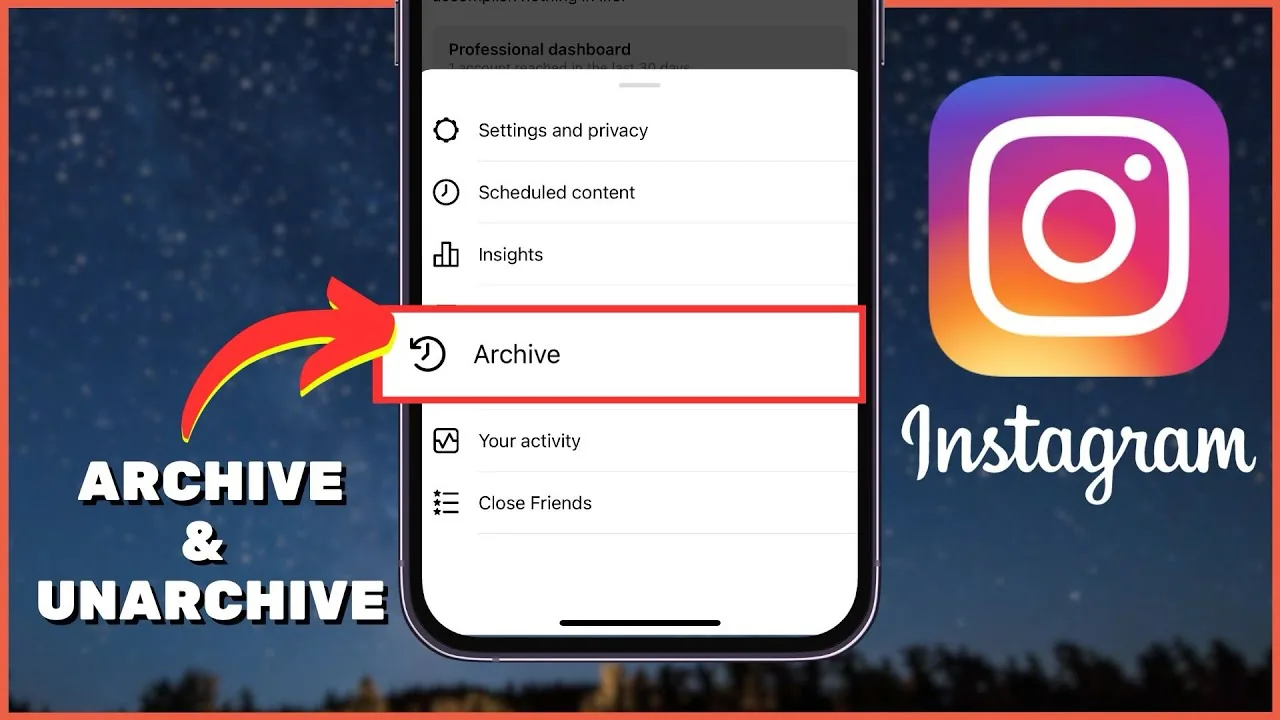
Go to your profile, open the menu icon, and tap Archive, then switch between the Posts and Stories tabs to browse what's saved. Selecting an item and choosing the Show on Profile option (or the equivalent restore option) puts it right back where it was, a process covered step-by-step in how to unarchive an Instagram story and how to post archived posts again.
Why do people archive instead of delete?
Archiving preserves everything — likes, comments, view counts — that permanent deletion would wipe out for good, so it's the safer move whenever you're only unsure about a post rather than certain you want it gone. It's also commonly used to quietly clean up a profile before a rebrand or a big life change without losing years of accumulated engagement, and it's a lighter-touch alternative to steps like how to delete your Instagram account or deactivating temporarily.
Does archiving notify anyone or leave a trace?
No, archiving is silent — there's no notification to followers, no visible marker on your profile, and no record left behind that a post ever existed there. The content simply vanishes from public view the moment you archive it, and reappears just as quietly if you later restore it.
Archive vs. other privacy tools
| Feature | Visible to others? | Reversible? | Where it lives |
|---|---|---|---|
| Archive | No | Yes, anytime | Private Archive section |
| Highlights | Yes | Yes | Public profile, below bio |
| Deleted post | No | No | Permanently removed |
| Hidden from specific people | Yes, to everyone except chosen users | Yes | Stays on your public grid |
For more on that last option, see how to hide Instagram posts from specific people.
Common mistakes to avoid
- Assuming an archived post is gone forever — it isn't, and it's recoverable from the Archive menu at any time.
- Forgetting your Archive already holds old Stories automatically, even ones you never manually chose to archive.
- Mixing up Archive with Highlights, which are meant to stay visible rather than hidden.
- Archiving a Reel expecting followers to be notified — there's no announcement of any kind.
Archiving is one of the simplest privacy tools Instagram offers: it gets content off your public profile instantly while keeping every like, comment, and detail ready to restore whenever you change your mind.
Frequently asked questions
It means a post, Reel, or Story has been removed from public view and moved to a private section only the account owner can see, without deleting it.
Sources
Keep reading
More guides to grow your account.