How to Change Name on Instagram: Display Name vs Username
A complete guide on how to change your Display Name and Username on Instagram in 2026, including the 14-day rule and limits.
Short answer
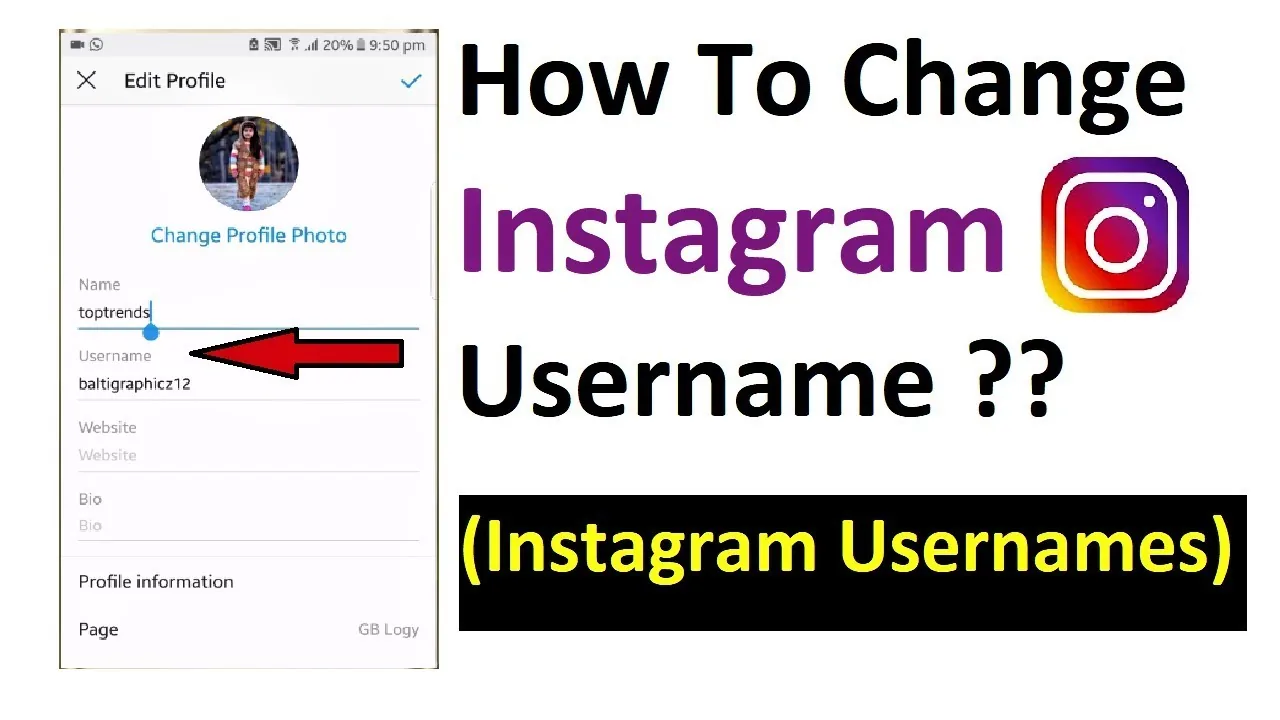
Change your Instagram name by opening Edit Profile on your profile tab, selecting Name or Username, entering your new choice, and tapping Done. Keep in mind the 14-day restriction limit when modifying your public display name.
Key takeaways
- The Display Name is your public title, while the Username is your unique @handle address.
- You can change your Display Name twice within 14 days; usernames can be changed if available.
- Changing your username changes your profile URL and links globally immediately.
- Verified accounts with a blue check mark lose verification status when changing handles.
- The name-changing process is managed through the Meta Accounts Center settings.
How can you change your name on Instagram?
You can change your Instagram name by accessing the Edit Profile tab on your profile page and entering a new choice in the Name or Username fields. This alters your public identifier on the platform.
To make a change, open the mobile app, go to your profile, and select Edit Profile under your bio section. Select Name to change your display title, or Username to change your unique @handle. Enter your new text, tap the checkmark icon, and confirm. To see how your profile branding changes affect search discoverability, read the Instagram algorithm explained guide.
Changing your name is straightforward once you know where to look. If you are starting an Instagram growth guide, you should plan name updates carefully to avoid confusing followers. A well-written profile description helps reinforce your new identity; consult how to write Instagram bio for optimization suggestions.
What is the difference between Display Name and Username?
The difference between your Display Name and Username determines your profile display vs your unique search handle. Your display name can contain spaces, emojis, and symbols, while the username is restricted to alphanumeric characters.
Your username forms your official URL (e.g. instagram.com/username). When you change your handle, your old link-in-bio addresses immediately break. If you run business accounts, update any external website links right away. When uploading posts during a name transition, refer to how to post on Instagram to keep templates cohesive.
| Attribute | Display Name | Username (Handle) |
|---|---|---|
| Uniqueness | Not unique; others can use it | Must be unique; first come, first served |
| Limitations | Two changes per 14-day window | 14-day grace period to revert if available |
| Character set | Emojis, spaces, special symbols | Letters, numbers, periods, underscores |
| URL impact | None | Changes your instagram.com link |
For users looking to manage profile visibility, you can secure your profile settings to hide your posts. For an automated feed cleanup, look at how to hide following list or research how to repost on Instagram natively to keep updates clean. If you want a complete break, you can temporary disable option or use the how to delete Instagram account guides.
How do you edit settings inside Accounts Center?
To edit your name in Accounts Center, open your profile settings, select Meta Accounts Center, click Profiles, choose your Instagram profile, and tap Name. This updates your synced profile status.
- Open Instagram on your mobile device.
- Tap your avatar, then tap the three-line menu.
- Open Meta Accounts Center and select Profiles.
- Click on your Instagram account listing.
- Select Name or Username and edit the text.
This central dashboard synchronizes name changes across Facebook if profile syncing is enabled. If you experience bugs when saving name settings, you can clear Instagram cache on your phone to reset app data. This ensures the change registers properly on the servers.
What happens to verification when changing handles?
Changing your username removes your blue verification badge instantly, as Meta requires re-verification to confirm your identity under the new handle. Display name edits do not impact verification badges.
If you have a Meta Verified subscription, you must complete the identity verification process again. To avoid losing your check mark permanently, do not change your handle frequently. When managing these settings, remember that other interface features remain private; read does Instagram show screenshots or look into whether does Instagram have profile views to understand visitor tracking boundaries.
Frequently asked questions
You can change your display name up to two times within a 14-day period. Any further changes will require you to wait for the 14-day limit to reset.
Sources
Keep reading
More guides to grow your account.