How to Know If Someone Blocked You on Instagram (2026)
Not sure how to know if someone blocked you on Instagram? Here are the tell-tale signs in search, profiles, and DMs, plus how to confirm it in 2026.

Short answer
If someone blocked you on Instagram, their profile vanishes from your search, their posts and stories disappear, and their profile page shows no posts or a 'User not found' message. The surest confirmation is to check the same profile from a logged-out browser or a second account: if it appears there but not for you, you are blocked.
Key takeaways
- No single sign is proof. A vanished profile can mean a block, a deactivation, a name change, or a deletion. Instagram never sends a notification when someone blocks you.
- The reliable test: search the profile from a second account or a logged-out browser. Visible there but not from your account means you are blocked.
- Blocked profiles typically show "User not found" or an empty grid from your account, yet load normally for everyone else.
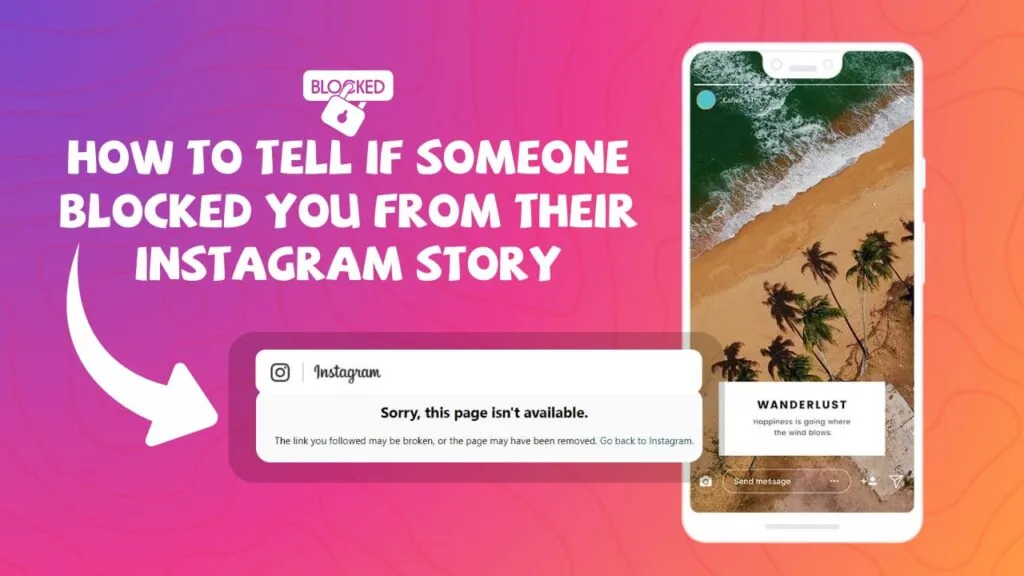
- A deactivated or deleted account disappears for everyone, and a logged-out browser returns "Sorry, this page isn't available."
- In DMs, old messages usually stay, but the person's photo and profile link stop working and new messages fail to send.
- Blocking is mutual and silent: you both lose the ability to find, follow, or message each other.
What are the signs that someone blocked you on Instagram?
The clearest signs someone blocked you are that their profile no longer appears in your search, their posts and stories vanish from your feed, and their profile page shows "User not found" or an empty grid. None of these alone is definitive, but several together strongly point to a block.
Instagram deliberately keeps blocking quiet, so you are left reading indirect clues. Work through each sign below, then confirm with the second-account test before you conclude anything. For a shorter step-by-step version of the same check, see our companion guide on how to tell if someone blocked you on Instagram.
Signs vs. what each one really means
Here is a quick reference table matching each symptom to its likely cause, so you do not jump to conclusions.
| Where you look | What you see | What it likely means |
|---|---|---|
| Search bar | Username does not appear at all | Blocked, deactivated, or deleted |
| Profile page (from your account) | "User not found" or empty grid | Blocked or account gone |
| Profile in a logged-out browser | Profile loads normally | You are blocked |
| Profile in a logged-out browser | "Sorry, this page isn't available" | Deactivated or deleted |
| Direct messages | Photo gone, link dead, can't send | Blocked (thread stays visible) |
| DM name shows "Instagram User" | Grayed-out name, blank photo | Often a deactivation, not a block |
| Old likes/comments | Your like stays but post link 404s | Blocked or post removed |
How do I confirm someone blocked me for sure?
The surest way to confirm a block is to view the same profile from a second Instagram account or from a logged-out web browser. If the profile appears there but not from your main account, you are blocked. If it is missing everywhere, the account was deactivated or deleted.
Follow these steps:
- Copy the person's profile URL (instagram.com/username) or remember the exact handle.
- Open a private/incognito browser window while logged out and visit the profile.
- If it loads normally logged out but shows "User not found" from your app, that confirms a block.
- Cross-check with a trusted friend's account or a second account you own.
- If you see "Sorry, this page isn't available" while logged out, the account is likely gone, not blocking you.
Avoid shady "is-someone-blocking-me" apps and websites. They cannot access data Instagram hides, and many are scams that harvest your login. If you want to understand what third-party lookup pages actually can and cannot do, read our honest breakdown of the Instagram profile viewer tools and the reality behind an anonymous Instagram story viewer.
Blocked vs. deactivated vs. deleted: what is the difference?
A block hides one specific person's view while the account stays live for everyone else; a deactivation or deletion removes the account from everyone at once. That distinction is the fastest way to tell why a profile vanished.
- Blocked: The account is active and visible to others. Only you (and anyone else blocked) cannot find or view it. Blocking is mutual, so you also disappear from their side.
- Deactivated: The user temporarily switched the account off. It is invisible to everyone until they return. In DMs the name may show as "Instagram User" with a blank photo.
- Deleted: The account is permanently gone after Instagram's 30-day grace window. It will not come back. See the specifics in our guide to deleting an Instagram account.
If you suspect someone simply stopped following you rather than blocking, that is a different situation entirely. Learn to spot it with how to see who unfollowed you on Instagram.
What happens in DMs when someone blocks you?
When someone blocks you, your existing DM thread usually stays in your inbox, but their profile photo disappears, their name may gray out or become unclickable, and new messages fail to send. You can still read old messages; you just cannot start a new conversation.
Do not treat DMs as absolute proof. A missing profile photo and a name reading "Instagram User" more often signals a deactivation. Combine the DM clue with the logged-out browser test before deciding. If you were the one muting or limiting contact rather than being blocked, review the differences in how to mute someone on Instagram.
Can you still see old likes, comments, or tags?
Sometimes yes. Your past likes and comments on a blocker's posts can linger in your activity history, but tapping through to the actual post typically fails or shows an error. Tagged photos of you may lose the working link back to their profile.
These leftover traces are a soft signal, not confirmation. Content can also disappear because the person archived, deleted, or made their account private. If privacy settings are on your mind for your own account, our guides to hiding your followers list and turning off active status explain what you can and cannot conceal.
What should you do if someone blocked you?
If someone blocked you, the healthiest move is to respect the boundary and step back. You cannot un-block yourself, message them, or force your way back onto their profile from your account. Creating fake accounts to bypass a block violates Instagram's terms and can get you banned.
If the block was a mistake between friends, the other person can lift it in their settings, or you can reach out through a mutual contact or another platform. In the meantime, redirect that energy into your own presence: a strong Instagram bio and a consistent beginner growth plan for 2026 will do far more for you than chasing one blocked account.
Bottom line: no reliable app can "detect" a block for you. The logged-out browser check plus a second account is the only trustworthy method, and Instagram will never notify either side.
Frequently asked questions
No. Instagram never sends a notification, message, or alert when someone blocks you. You can only infer it from indirect signs like a vanished profile, failed messages, and a search that returns nothing.
Sources
- How to Tell If Someone Deactivated Their Instagram or Blocked You (2025) — SocialWick
- Deactivated Instagram or Blocked? Here's How to Find Out — Famoid
- How to Tell if Someone Has Deactivated or Deleted Their Instagram Account — MakeUseOf
- How to Know If Someone Blocked You on Instagram in 2026 — GTR Socials
Keep reading
More guides to grow your account.