Can You Schedule Instagram Posts? 2026 Guide
Schedule Instagram posts and Reels natively, understand Story scheduling limits, and prevent failed drafts, wrong time zones, or missing music.
Short answer
Yes. Professional Instagram accounts can schedule eligible posts and Reels from Instagram's advanced settings, and Meta Business Suite can plan connected business content. Story scheduling is usually handled through Meta Business Suite or an approved scheduler, with feature and media limits that should be checked before publishing.
Key takeaways
- Native scheduling is available for eligible professional accounts; personal accounts may not see every scheduling control.
- Confirm the account time zone before setting a date because the scheduler publishes according to its configured clock.
- Licensed music, collaborations, product tags, and some interactive Story stickers may not survive every scheduling workflow.
- Keep final media outside Instagram because a failed scheduled item is not a reliable archive.
- Review the queue after changing passwords, permissions, Facebook connections, or account type.
Can you schedule Instagram posts without a third-party app?
Yes, eligible professional accounts can schedule posts and Reels within Instagram, while Meta Business Suite provides a calendar for connected accounts. Availability depends on account type, region, format, and current rollout.
In Instagram's post composer, scheduling normally appears under Advanced settings after media, caption, and tags are prepared. Meta Business Suite offers a broader calendar and can coordinate a connected Facebook Page. Personal accounts that do not see scheduling can publish manually or switch account type only if professional tools genuinely fit their needs; switching solely for one button also changes insights and music availability.
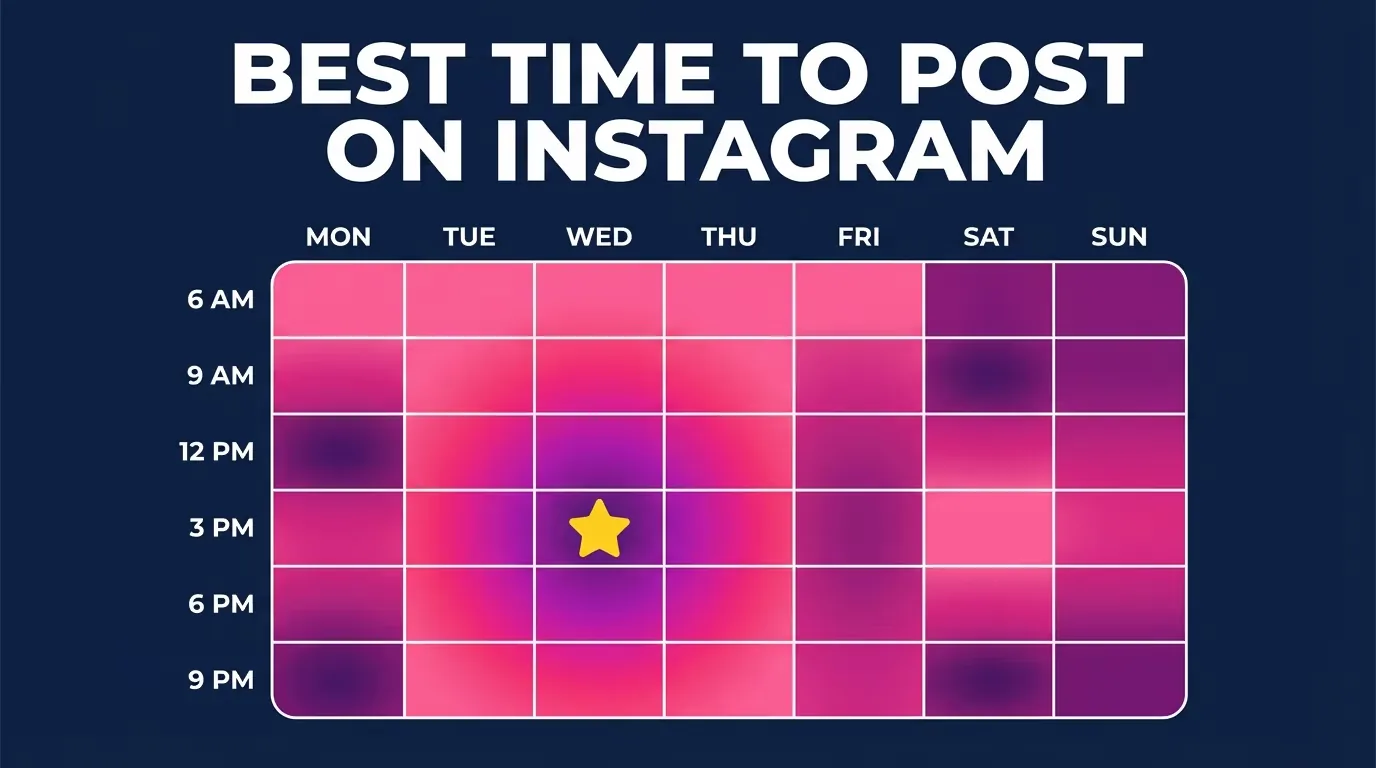
For useful context, compare post on Instagram with batch an Instagram content calendar.
How do you schedule an Instagram post or Reel?
Create the post normally, open advanced publishing options, choose Schedule, select the date and time, and verify it in Scheduled content. Always review the finished item in the queue.
- Confirm you are using the intended professional profile and that its contact and security details are current.
- Create a post or Reel, choose final media, and complete the caption, cover, alt text, location, and permitted tags.
- Open Advanced settings, select Schedule this post or Reel, and choose an available future date and time.
- Return to the final share screen, tap Schedule, and wait for the confirmation rather than closing immediately.
- Open Scheduled content from the profile menu to verify the item, time, cover, and caption.
- Before the deadline, check that the account is still connected and publish manually if the queue shows an error.
Meta Business Suite uses a similar flow: create the content, select Instagram as the destination, preview the format, and choose Schedule rather than Publish. Record the planned time in your editorial calendar so a missing queue item is noticed before the campaign window.
These steps also pair well with choose an Instagram posting time and find your own optimal posting time.
Should you schedule in Instagram, Meta Business Suite, or another tool?
Use Instagram for simple native posts, Business Suite for a Meta calendar, and a reputable approved tool only when team workflow or cross-channel reporting justifies it.
| Method | Best for | Strength | Watch for |
|---|---|---|---|
| Instagram app | Solo creator posts and Reels | Simple native workflow | Professional-account eligibility |
| Meta Business Suite | Facebook and Instagram planning | Calendar and connected-page tools | Account connection and permissions |
| Approved scheduler | Teams and multi-network campaigns | Approvals and analytics | Plan limits and supported features |
| Phone reminder | Personal accounts or sensitive posts | Full manual control | Requires someone to publish |
| Automation asking for password | Nothing | None | Credential theft and Terms risk |
An approved platform should use Meta authorization rather than collecting an Instagram password. Test one low-risk post before trusting a new workflow with a launch, and document who can edit or delete scheduled items.
To choose the right option, keep write stronger Instagram captions and optimize content for Instagram search nearby.
Why did a scheduled Instagram post fail?
Scheduled content commonly fails because authorization expired, media does not meet format rules, a feature is unsupported, the account changed, or the phone and planner use different time zones.
- The Instagram-Facebook connection or third-party authorization expired after a password or role change.
- The video dimensions, duration, codec, file size, or carousel mix is unsupported by that scheduler.
- Licensed music, a collaborator, branded content, or an interactive sticker requires native completion.
- The selected time was interpreted in the Business Suite or device time zone rather than the audience's time zone.
- The post was edited close to publishing and the revised version did not finish processing.
Do not keep clicking Schedule when a confirmation is absent; duplicate queue entries can publish later. Check the calendar, resolve the specific warning, and retain a manually publishable version with the intended caption and tags.
If you hit a related problem, consult understand the Instagram algorithm and follow an Instagram growth plan.
Can you schedule Instagram Stories and every post feature?
Stories can be scheduled through supported Meta or partner workflows, but not every sticker, audio track, link, collaboration, or shopping feature is available. Complex Stories often need a reminder and final native edit.
Treat the scheduler preview as a technical preview, not a final quality check. Animated text, safe zones, audio, and sticker behavior can differ after processing. Music licensing also varies by account type and region. For time-sensitive legal, sponsored, or product information, verify the live post after publication and keep an owner ready to correct it.
For privacy and account safety, also review write a stronger Reels hook and optimize an Instagram bio.
What is a reliable Instagram scheduling routine?
A reliable routine separates creation, approval, scheduling, and live verification. Automation should reduce repetitive work without removing human accountability.
- Finish media and copy in a durable shared folder.
- Approve the account, format, time zone, disclosures, and destination.
- Schedule early enough to catch processing or permission errors.
- Verify the live item and record its URL after publication.
Review performance based on the audience's active times rather than assuming one universal slot. Update your schedule gradually, and keep a manual fallback for launches, news, and anything that depends on a volatile native feature.
Frequently asked questions
Eligible professional accounts can schedule posts and Reels through Advanced settings. The control may vary by account or rollout.
Sources
Keep reading
More guides to grow your account.