Optimal Instagram Posting Time: Find Yours in 2026
What is the optimal Instagram posting time? Generic charts help, but your real optimal time lives in Instagram Insights. Here's how to find it in 2026.
Short answer
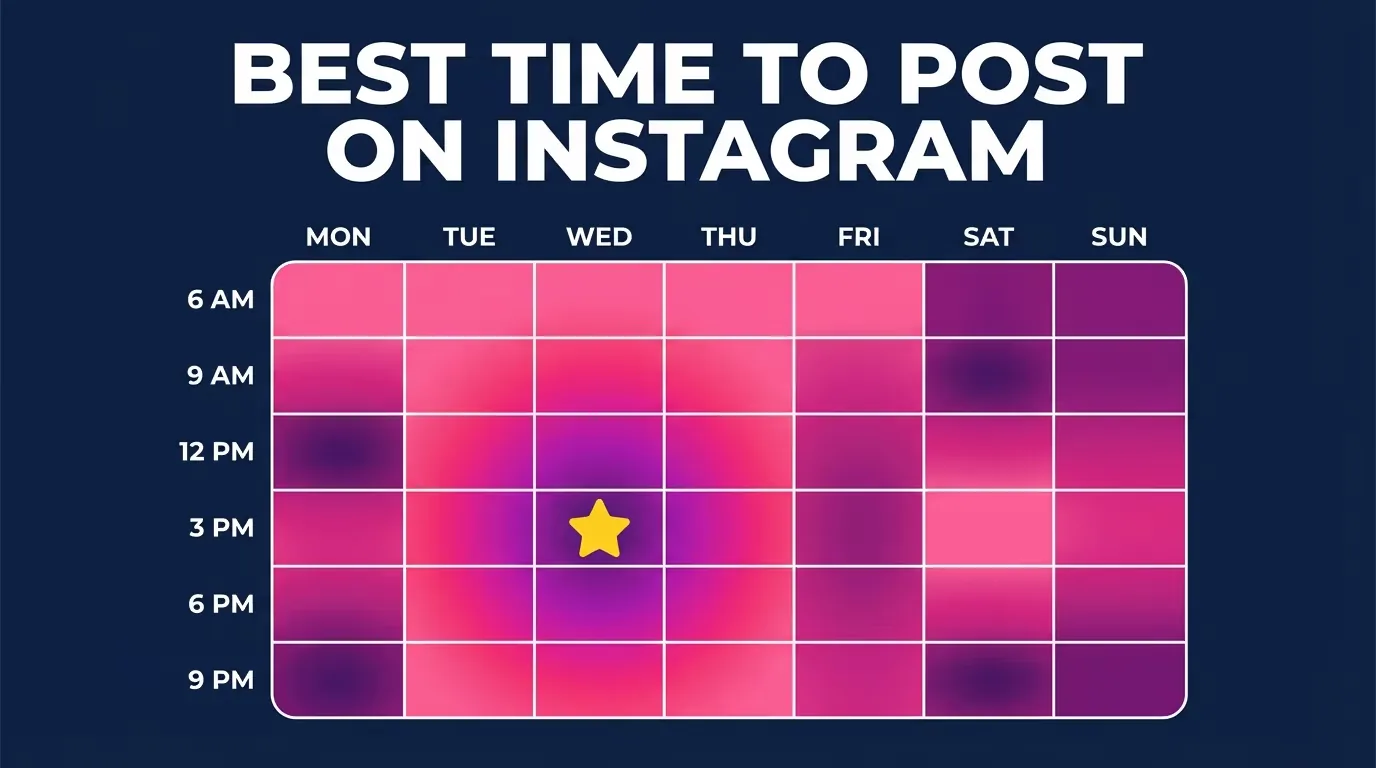
Your optimal Instagram posting time is whenever your specific followers are most active, which you find in the Insights "Most active times" heatmap on a Professional account. Generic 2026 benchmarks (like Buffer's Thursday 9 a.m. peak from 9.6 million posts) are a fine starting point, but your own data beats any chart.
Key takeaways
- Your optimal posting time is whenever your followers are online, shown as an hour-by-hour heatmap in the Instagram Insights Most active times view (Professional accounts only).
- Broad 2026 benchmarks from Buffer's analysis of 9.6 million posts point to Thursday 9 a.m., Wednesday 12 p.m., and Wednesday 6 p.m. as strong general windows.
- Instagram's April 2026 Insights redesign added a tabbed dashboard (Overview, Engagement, Audience) plus share rate, skip rate, and Views Over Time.
- You need a Business or Creator account to see follower activity data; personal accounts do not get it.
- Post 30-60 minutes before your audience's peak so the content is already gathering early engagement when the crowd arrives.
- Posting time is a tie-breaker, not a magic switch, strong hooks and consistency matter more than the exact minute.
What is the optimal Instagram posting time?
The optimal Instagram posting time is the hour when your own followers are most active, not a fixed number that works for everyone. Generic studies give useful averages, but your audience has its own rhythm shaped by time zone, age, and habits. As of 2026, Buffer's analysis of 9.6 million posts found the strongest general windows are Thursday 9 a.m., Wednesday 12 p.m., and Wednesday 6 p.m., while weekday mornings (7-9 a.m.), midday (10 a.m.-2 p.m.), and evenings (5-9 p.m.) perform well overall. Treat these as a starting line, then let your data take over. For the full cross-day breakdown, see our best time to post on Instagram pillar guide.
How do I find my optimal time in Instagram Insights?
You find your optimal time in the Most active times heatmap inside Instagram Insights, which requires a Professional account. Switch to a Business or Creator account first (Settings, then Account type and tools), wait a few days for data to gather, then follow these steps:
- Open your profile and tap the menu, then tap Insights (or open your professional dashboard).
- Tap Total followers.
- Scroll to the bottom to Most active times.
- Toggle between Hours and Days to read the heatmap, darker cells mean more of your followers are online.
- Note the two or three recurring peaks and schedule around them.
This follower-activity data is the single most reliable signal for your account. Pair it with the workflow in our content calendar and batch week guide so you always have posts ready for those windows.
What changed in Instagram Insights in 2026?
Instagram shipped its biggest Insights overhaul in years in April 2026, redesigning the dashboard around three tabs: Overview, Engagement, and Audience. The update added share rate and skip rate, a Views Over Time graph that shows how long a post keeps earning views, and post-watch behavior data for Reels. For posting-time decisions, the Audience tab still holds the Most active times heatmap, now easier to read. These metrics also tell you whether a post that missed its peak still had long legs, which is common for Reels. Understanding how the ranking system uses these signals is easier after reading our Instagram algorithm explained breakdown.
Should I post exactly at my peak or before it?
Post about 30-60 minutes before your audience's peak, not exactly on it. Early engagement (likes, comments, shares, saves) in the first 30-60 minutes signals to the algorithm that your content is worth distributing, so you want the post already live and gathering interaction when the crowd logs on. If your heatmap shows a 7 p.m. spike, publish around 6:15-6:30 p.m. For Reels, which the algorithm can surface for days, timing matters slightly less than the opening seconds, our viral Reels hook formula covers that first-frame craft.
How do generic time charts compare to my own data?
Generic charts are a fine default before you have data, but your own Insights beat them once you have 100+ followers and a few weeks of posts. Here is how to read the two sources together:
| Data source | What it tells you | Best used when |
|---|---|---|
| Generic 2026 benchmarks | Population-wide averages (e.g., Thursday 9 a.m.) | Brand-new accounts with little history |
| Your Most active times heatmap | When YOUR followers are online, by hour and day | You have a Professional account and steady posting |
| Your top-post timestamps | Which real posts actually peaked and when | Refining after 20-30 posts |
| Views Over Time (2026) | Whether a post kept earning views past its peak | Judging Reels and evergreen content |
Most creators find their true peaks drift one to three hours from the generic averages. When they disagree, trust your own data. New accounts still building an audience should start with our Instagram growth guide for beginners before over-optimizing timing.
Does the best time change by day of the week?
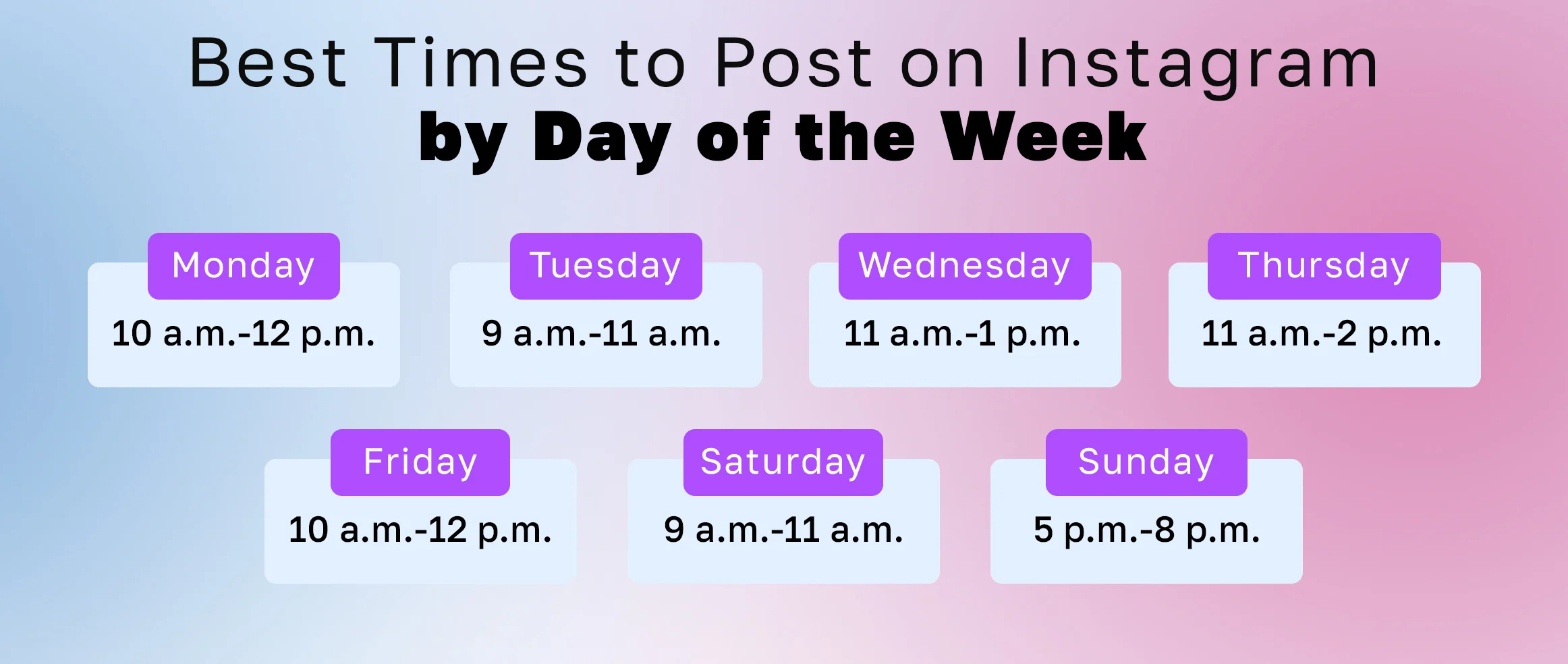
Yes, engagement patterns shift across the week, so a single "best time" is less useful than a per-day schedule. Weekday mornings and evenings tend to outperform weekend afternoons for most niches, and midweek (Tuesday-Thursday) often edges out Monday and Friday. Rather than guess, check each day in your heatmap, activity on a Saturday morning can look nothing like a Tuesday lunch. We break every day down individually:
- Monday posting times
- Tuesday posting times
- Wednesday posting times
- Thursday posting times
- Friday posting times
- weekend posting on Saturday and Sunday
How often should I re-check my optimal time?
Re-check your Most active times heatmap every 4-6 weeks, because your audience grows and shifts. A wave of new followers from a different region or a seasonal change in habits can move your peaks. Set a recurring reminder, compare the current heatmap to your last screenshot, and adjust your schedule if a peak has drifted more than an hour. Timing is one lever among many, consistency, hooks, and format still do the heavy lifting, so avoid obsessing over a five-minute difference and keep publishing on a steady cadence.
The best posting time is a hypothesis you keep testing. Post, watch the first hour, note what worked, and let your own Insights, not a generic chart, write your schedule.
Frequently asked questions
There is no single optimal time for everyone; it is whenever your specific followers are most active. As a starting point, Buffer's 2026 analysis of 9.6 million posts highlights Thursday 9 a.m., Wednesday 12 p.m., and Wednesday 6 p.m. as strong general windows. Confirm with your own Insights data.
Sources
Keep reading
More guides to grow your account.