How to Block Someone on Instagram Safely (2026)
Block an Instagram account from its profile or chat, understand what blocking changes, and choose Restrict or Mute when a narrower boundary is enough.
Short answer
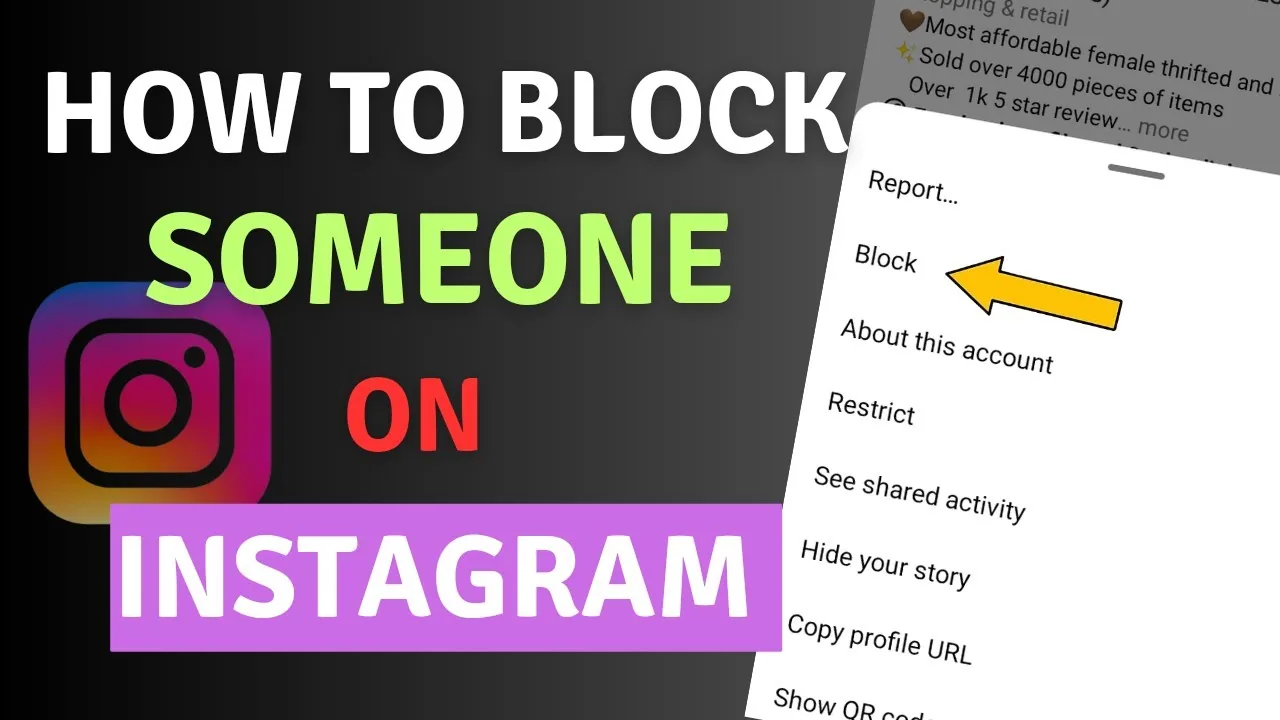
Open the account’s profile or chat, choose the options menu, select Block and confirm. Instagram does not send a block notification, and the app may let you block that account plus other existing or future accounts the person may create.
Key takeaways
- Instagram does not send a direct notification when you block an account.
- The app can offer to block the account plus other existing or future accounts the person may create.
- Blocking removes the person’s likes and comments from your content, and unblocking does not restore them.
- Old Direct conversations remain in the inbox, but normal one-to-one messaging stops.
- Restrict, Mute and comment controls are narrower alternatives when a full block is unnecessary.
How do you block someone on Instagram?
Block someone by opening their profile or your chat with them, opening the options or information menu, choosing Block and confirming. Read the confirmation carefully because Instagram may offer a broader option covering other accounts they have or create. Blocking is reversible, but prior likes and comments removed by the block do not automatically return. Capture evidence first if harassment, threats or impersonation may need reporting.
For the neighboring workflow, use How to Make Instagram Private in 2026: Steps and Limits before changing another setting. The related guide to How to Hide Your Instagram Followers: What's Possible? explains the control users most often confuse with this one.
What happens after you block an Instagram account?
After a block, the account cannot normally find or interact with your profile through the blocked identity, mention your username or tag you. Existing Direct conversations stay in the inbox, but you cannot continue normal messaging with that account. Instagram does not send a block notification. Shared group chats are an exception: if you remain in the group, you and the blocked person can still see group messages.
- Preserve evidence and the exact username if reporting may be necessary.
- Open the profile or chat and tap the options or information control.
- Choose Block and select the scope Instagram offers.
- Confirm, then review the account in your Blocked list.
- Tighten privacy, mentions and follower approvals if unwanted contact continues.
If your goal is broader account management, Does Instagram Have Profile Views? The 2026 Answer is the practical next step. You can compare the result with Does Instagram Show Screenshots? 2026 Notification Guide so you do not solve the wrong problem.
How is blocking different from other controls?
Blocking creates the strongest ordinary account-level boundary, while Restrict quietly moderates comments and messages and Mute only changes what you see. Removing a follower is useful for private accounts but does not prevent a new follow request. Reporting asks Instagram to review content or behavior and can be used alongside a block. Choose based on safety and access rather than whether the other person might guess.
| Control | Effect | Best use |
|---|---|---|
| Block | Broadly stops access and contact | Unwanted or unsafe contact |
| Restrict | Filters comments and message behavior | Low-conflict boundary |
| Mute | Hides their content from you | Feed or Story noise |
| Report | Requests platform review | Possible rule violation |
You can report and block the same account; one action does not replace the other.
For a safer fallback, follow How to Know If Someone Blocked You on Instagram instead of handing credentials to an unknown service. Creators should also review How to Mute Someone on Instagram because the same choice can affect reach or presentation.
Can someone bypass an Instagram block?
A person may try another account, a logged-out browser or information copied by others, especially when your profile is public. Instagram’s expanded block option can cover some related existing and future accounts, but no setting guarantees that public information will never be seen. Make the account private, remove identifying profile details and review follower requests if persistent unwanted contact continues.
- Save evidence before it disappears when safety reporting matters.
- Do not announce a block if doing so could escalate danger.
- Review shared group chats separately.
- Use emergency or local support for immediate threats.
The platform behavior makes more sense alongside How to Turn Off Active Status on Instagram. For the privacy side of the decision, read How to Turn Off Read Receipts on Instagram in 2026 and keep the two settings separate.
Why can you still see a blocked person?
You may still see a blocked person in an old chat, a shared group conversation, public likes or comments on accounts you both follow, or screenshots posted by others. These cases do not necessarily mean the block failed. Check the Blocked list for the exact username and remember that people can change names or operate multiple accounts. Leave shared groups if continued visibility is harmful.
- Check the Blocked list for the exact current username.
- Block newly discovered related accounts instead of engaging.
- Make the personal account private and remove unknown followers.
- Report impersonation if a new account copies your identity.
A complete setup also benefits from Instagram Account Viewer: Do They Work?, especially after an app update. When this action changes what other people see, Anonymous Instagram Story Viewer: What Actually Works? provides useful context.
What should you do about harassment or threats?
Preserve usernames, URLs, dates, messages and screenshots before blocking when safe to do so, then report the relevant content or account. Do not keep engaging merely to gather more evidence. Credible threats, stalking or intimate-image abuse may require local law enforcement, a school, employer or specialist support. Instagram controls are useful boundaries, but they are not a replacement for urgent real-world safety assistance.
Frequently asked questions
No, Instagram does not send a direct block notification. The person may infer it from lost access.
Sources
Keep reading
More guides to grow your account.