How to Turn Off Instagram Sleep Mode (2026)
Turn Instagram Sleep mode off or change its schedule through Time Management, and understand notifications, auto-replies and teen-account protections.
Short answer
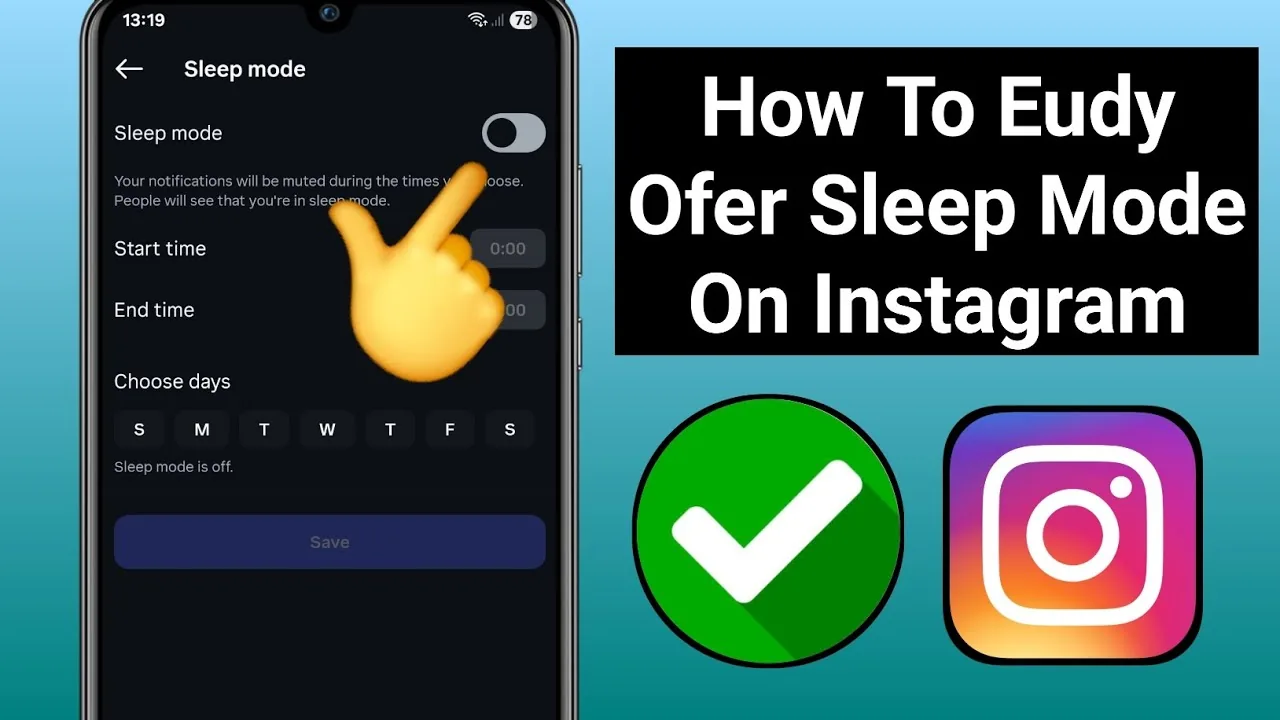
Open your profile menu, choose Settings and activity → Time Management → Sleep mode, then turn the toggle off or edit its schedule. Sleep mode pauses notifications, changes activity status and sends an automatic DM reply; supervised teen settings may require parent approval for some changes.
Key takeaways
- Sleep mode was originally called Quiet mode; Meta changed the name in 2025.
- The setting is under Settings and activity, Time Management, then Sleep mode.
- Sleep mode pauses notifications, changes activity status and sends an automatic Direct-message reply.
- You can change days and hours instead of turning it off completely.
- Teen Accounts may have scheduled protections and parental-supervision limits.
How do you turn off Instagram Sleep mode?
Turn off Sleep mode by opening your profile, tapping the menu, choosing Settings and activity, opening Time Management and selecting Sleep mode. Turn the toggle off, or edit the active days and times if only the schedule is inconvenient. Meta’s current instructions reflect the renamed feature; old tutorials call it Quiet mode. If the option is missing, update Instagram and search settings for both names.
For the neighboring workflow, use How to Clear Instagram Cache on iPhone and Android before changing another setting. The related guide to Instagram Messages Black Screen? How to Fix It in 2026 explains the control users most often confuse with this one.
What does Instagram Sleep mode do?
Sleep mode pauses Instagram notifications during scheduled hours, changes the activity status shown to other people and sends an automatic reply when someone messages you. When the period ends, Instagram provides a notification summary so you can catch up. It does not delete messages, log out or deactivate the account. The sender can still send a DM; the mode changes delivery attention and communicates that you are unavailable.
- Open your Instagram profile and tap the menu.
- Choose Settings and activity, then Time Management.
- Open Sleep mode, formerly called Quiet mode.
- Turn it off or edit the scheduled days and hours.
- Check phone Focus and Instagram notification categories if alerts remain silent.
If your goal is broader account management, Instagram Customer Service Number 24/7: Does It Exist? is the practical next step. You can compare the result with How to Turn Off Read Receipts on Instagram in 2026 so you do not solve the wrong problem.
Should you turn Sleep mode off completely?
Turn it off only if the schedule is genuinely interfering with urgent, expected communication. For most people, adjusting days and hours preserves the focus benefit without missing work or family needs. Businesses should not rely on a personal inbox for emergency support. Teens and families should treat the default overnight pause as a safety and wellbeing feature, not merely an inconvenience to bypass.
| Control | What it changes | Where to check |
|---|---|---|
| Sleep mode | Scheduled alerts, status and auto-reply | Instagram Time Management |
| Pause all | All Instagram notifications temporarily | Instagram Notifications |
| Muted chat | One conversation’s alerts | Chat information |
| Phone Focus | Device-wide or app-specific alerts | iOS or Android settings |
Multiple notification layers can overlap, so disabling Sleep mode may not restore every alert.
For a safer fallback, follow How to Turn Off Active Status on Instagram instead of handing credentials to an unknown service. Creators should also review How to Post on Instagram: Step-by-Step Guide because the same choice can affect reach or presentation.
Why can’t a teen turn off Sleep mode?
Teen Account protections can restrict changes, especially for younger teens under parental supervision. Meta has described overnight Sleep mode defaults and prompts designed to reduce late-night use. The exact approval requirement depends on age, region and supervision setup. Do not falsify a birth date to bypass safeguards. A parent or guardian should review the setting through official supervision controls and discuss legitimate schedule needs.
- Keep overnight protections for teens unless there is a considered reason to change them.
- Do not falsify age information to bypass supervision.
- Use another channel for real emergency communication.
- Avoid turning on every notification simply to test one problem.
The platform behavior makes more sense alongside How Do You Upload on Instagram? Phone & Desktop. For the privacy side of the decision, read How the Instagram Algorithm Works in 2026, Explained and keep the two settings separate.
Why are notifications still silent after Sleep mode is off?
Notifications can remain silent because phone-level Focus or Do Not Disturb, Instagram’s Pause all setting, per-category notification controls, battery restrictions or muted chats are still active. Check each layer separately. Restart the app after saving the schedule and send one test message from a trusted account. Do not repeatedly toggle random privacy settings; read the notification label and change the narrowest control.
- Search settings for both Sleep mode and Quiet mode.
- Update Instagram and restart after saving the schedule.
- Check phone Focus, battery and notification permissions.
- Ask the supervising adult to review teen-account controls where applicable.
A complete setup also benefits from How to Make Instagram Private in 2026: Steps and Limits, especially after an app update. When this action changes what other people see, Does Instagram Show Screenshots? 2026 Notification Guide provides useful context.
How do you use Sleep mode effectively?
Use Sleep mode by scheduling it around sleep, school, deep work or driving and telling close contacts how to reach you for genuine emergencies. Keep the window consistent so the automatic reply is predictable. Review weekly notification summaries to decide which categories can remain off permanently. The goal is controlled attention, not an unread backlog, so combine Sleep mode with selective message and product-announcement settings.
Frequently asked questions
Open Settings and activity, then Time Management and Sleep mode. Older guides call the same feature Quiet mode.
Sources
Keep reading
More guides to grow your account.