How to Unmute Notes on Instagram (Android and iPhone)
Unmute someone's Notes on Instagram from Muted Accounts in Settings or directly from their profile — here's exactly where each toggle lives.
Short answer
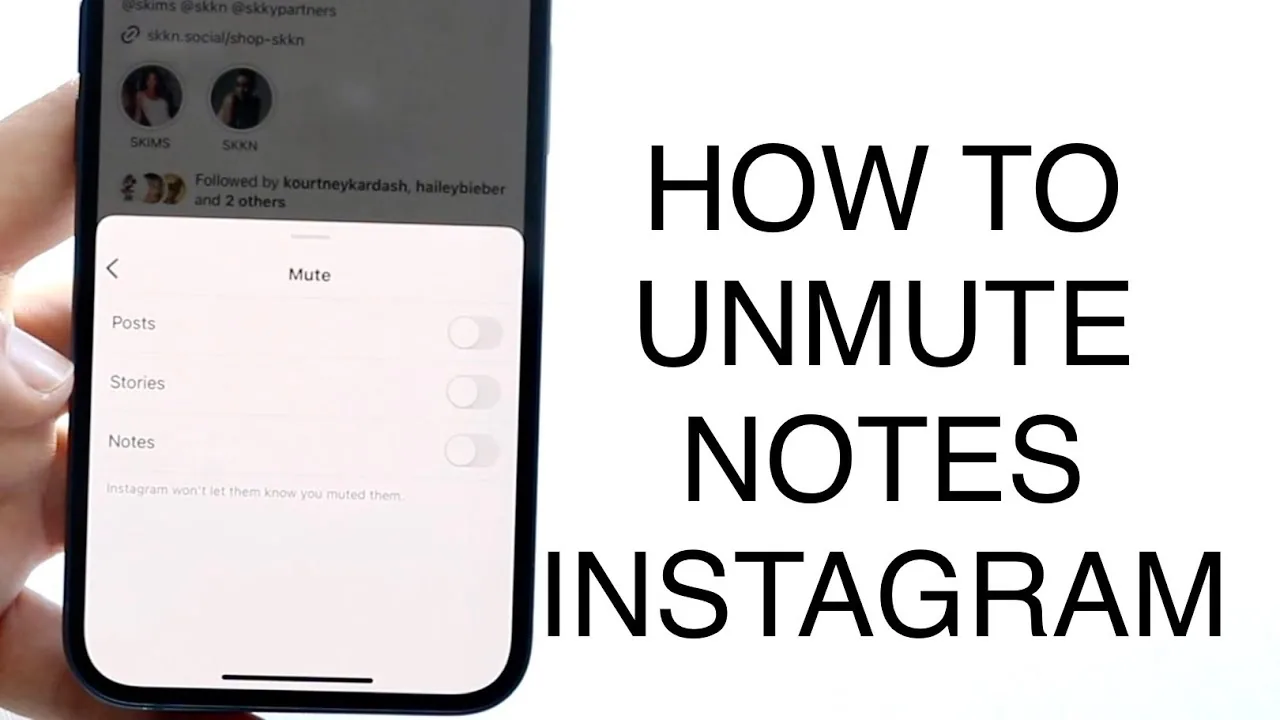
To unmute someone's Notes on Instagram, open Settings and privacy, tap Muted accounts, select the person, and turn off the Mute notes toggle. You can also unmute directly from their profile by tapping Following, then Mute, and switching off the Notes toggle.
Key takeaways
- Notes can only be muted and unmuted from the Instagram mobile app, not the web or desktop version
- The fastest bulk method is Settings and privacy, then Muted accounts, then Mute notes toggle
- You can also unmute a single person directly from their profile via the Following button
- Instagram does not notify anyone when you mute or unmute their Notes
- Muting Notes is separate from muting someone's posts, Reels, or Stories
- If you can't find the toggle, update the app, since Notes settings occasionally move between menus
Where do you go to unmute someone's Notes?
Open your profile, tap the menu icon in the top right, go to Settings and privacy, then tap Muted accounts. From there you'll see a list of everyone whose posts, Stories, or Notes you've muted — tap into the relevant account and switch off the Mute notes toggle to start seeing their Notes again.
This same Muted accounts screen also controls whether you see someone's regular posts and Story updates, so double-check you're only flipping the Notes toggle if that's the only thing you want to change. For a broader look at muting controls, see can you mute someone on instagram for how the feature works across different content types.
Can you unmute Notes directly from someone's profile?
Yes — search for and open the person's profile, tap the Following button, select Mute from the menu, and turn off the Notes toggle. If you also want their posts and Reels to reappear at the same time, there's a separate toggle on that same screen for posts and Reels specifically.
This profile-based method is faster if you only need to unmute one or two people rather than sorting through a full muted list. It works the same way whether you originally muted them by accident or intentionally, similar to unmuting through how to mute someone on instagram in reverse.
Does Instagram notify someone when you unmute their Notes?
No — Instagram does not send any notification when you mute or unmute a person's Notes, posts, or Stories. The change is completely silent on their end, so you can adjust your feed preferences without any risk of it appearing awkward or triggering a message to that person.
This privacy applies consistently across Instagram's muting system generally, similar to how what does restrict mean on instagram also operates without alerting the other account.
Why can't I unmute Notes from Instagram on my computer?
Because the option to mute or unmute Notes is currently only available inside the Android and iPhone apps. The desktop browser version, mobile web version, and Instagram Lite app all lack this specific control, so you'll need to switch to your phone's main Instagram app to make the change.
If you regularly manage your account from a computer, keep this limitation in mind alongside other mobile-only features covered in how to use instagram for business. Similar app-only restrictions apply to features like how to turn off active status on instagram, so it's worth checking your phone before assuming a setting is missing entirely.
What if the Mute notes toggle isn't showing up?
Update the Instagram app to the latest version first, since interface changes occasionally shift where this toggle lives within Settings. If it's still missing after updating, try force-closing and reopening the app, or check that you're viewing the correct account if you manage multiple profiles.
Persistent bugs are sometimes tied to broader app issues rather than anything Notes-specific — see is instagram down if several features seem to be misbehaving at once.
Comparing the two ways to unmute Notes
| Method | Best for | Steps | Bulk unmuting |
|---|---|---|---|
| Muted accounts list | Managing several muted people at once | Settings and privacy, Muted accounts, toggle off | Yes |
| Profile page | Unmuting one specific person quickly | Profile, Following, Mute, toggle off | No |
Conclusion
Unmuting Notes on Instagram takes just a couple of taps once you know whether to use the Muted accounts list or the individual's profile page. Since the app never notifies anyone of the change, you can freely adjust who shows up in your Notes without any social friction.
Frequently asked questions
Go to Settings and privacy, tap Muted accounts, select the person, and turn off the Mute notes toggle. You can also do this directly from their profile via the Following button.
Sources
Keep reading
More guides to grow your account.