How to Post a GIF on Instagram: A Complete Guide
A complete guide on how to post a GIF on Instagram in 2026, including comments, Stories, DMs, and feed posts.
Short answer
Post a GIF on Instagram by using the native GIF button in comments and DMs, selecting the GIPHY sticker in Stories, or converting the GIF file to a video format before uploading it to your main feed.
Key takeaways
- Feed posts do not support static .gif files; they must be converted to MP4 format first.
- Story posts support animated GIFs natively using the GIPHY sticker tool.
- You can reply to post comments and direct messages using GIPHY's integrated keyboard search.
- Free conversion tools and keyboard apps let you convert and copy GIFs to your clipboard.
- High-quality GIF sharing increases engagement and comment metrics for account growth.
How can you post a GIF in Instagram comments?
You can post a GIF in Instagram comments by tapping the GIF icon on the right side of the comment bar, searching the GIPHY database, and selecting a GIF to publish. This features native keyboard integration.
To leave a GIF comment, find a post, tap the comment bubble icon, and look for the GIF button inside the text box. Enter a search query to browse available GIPHY animations, then tap your chosen GIF to send it. This is a great way to drive interactive signals that boost your reach; you can read the Instagram algorithm guide to see how comments impact feed visibility.
Using animated comments makes your profile stand out. If you are curating comments on your own posts, you can learn to mute other profiles to hide unwanted interactions. This is a very clean way to keep your conversation space positive.
How do you add a GIF to Instagram Stories?
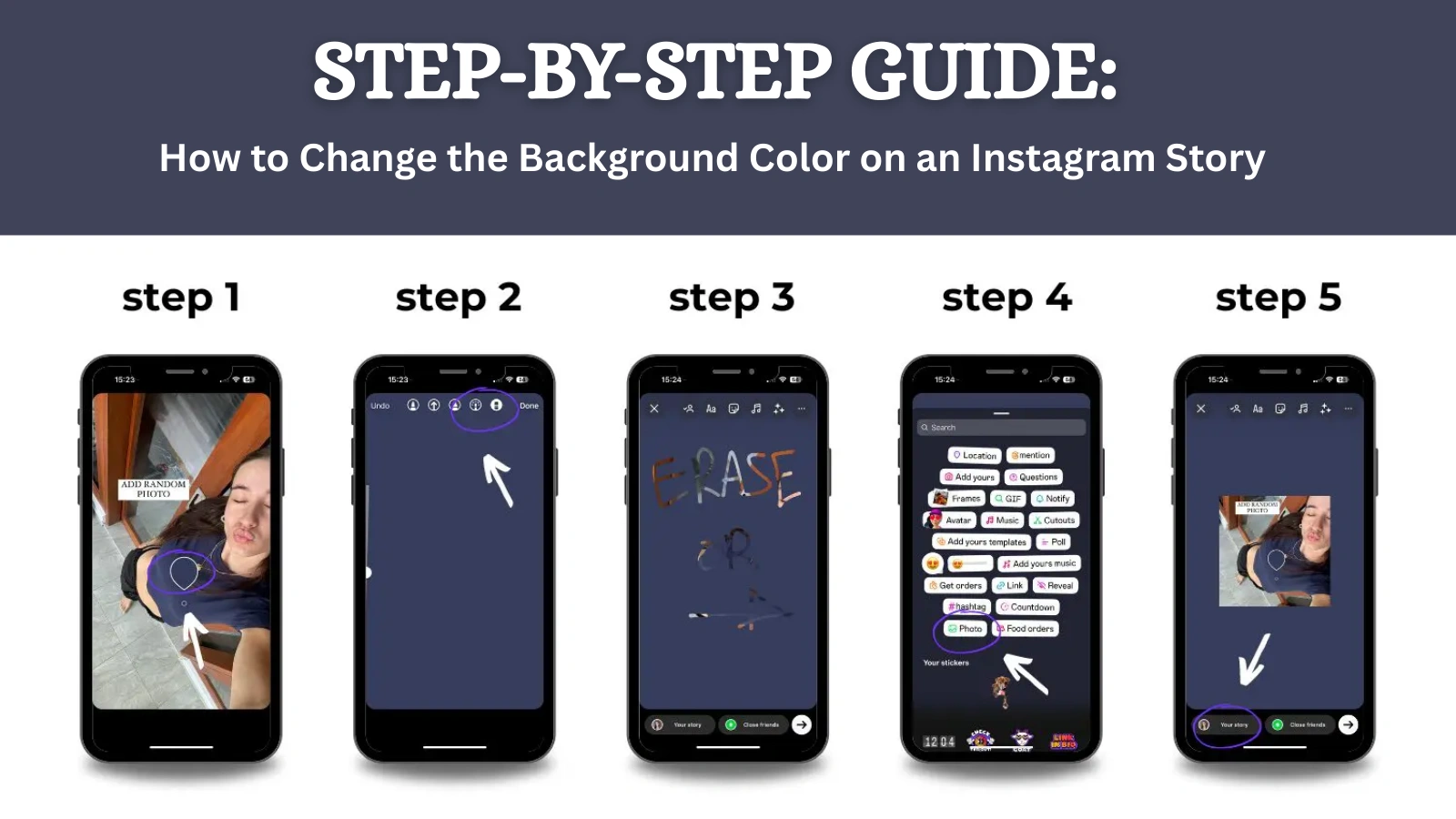
To add a GIF to Instagram Stories, open the Story creation screen, tap the Sticker icon, choose the GIF tool, search for GIPHY stickers, and place them on your photo or video background.
- Tap the plus icon on the home screen and select Story.
- Shoot a background photo or choose an asset from your gallery.
- Tap the square smiley-face Sticker icon at the top of the interface.
- Tap the GIF button to open the GIPHY database.
- Search for animated stickers, then drag and resize your chosen GIF on the screen.
- Share the Story to your feed or Close Friends.
This method keeps your Stories dynamic and engaging. When designing these layouts, make sure you follow the technical standards in how to post on Instagram. If you experience lag when loading these stickers, you can clear cache on your device to restore app speed. For complete profile cleanups, you can check the disable account option or how to delete Instagram account guides.
How do you upload a GIF to your Instagram feed?
To upload a GIF to your Instagram feed, convert the GIF file into an MP4 video file using a free converter app, save it to your camera roll, and upload it as a standard video post.
Because Instagram does not support animated .gif formats in feed posts, uploading a raw .gif file will result in a static, non-animated image. Converting the file to a video format ensures the loop plays continuously. If you are uploading short video loops, you can utilize the Reels hook formula to hook viewers in the first seconds. Woven calls to action are highly important for profile conversion; refer to how to write Instagram bio to direct visitors to your link.
| Placement | File format supported | Curation method | Max duration |
|---|---|---|---|
| Feed post | MP4 or MOV (converted) | Pre-convert before upload | 60 seconds |
| Story | Native GIPHY stickers | In-app sticker search | 15 seconds per slide |
| Comment | Direct GIPHY search | Native comment keyboard | Infinite loop |
| DM | Direct GIPHY search | Native message keyboard | Infinite loop |
For creators looking to repost external assets, make sure you verify permissions first; you can check out repost on Instagram natively for best practices.
What privacy and notification rules apply to GIFs?
Using GIPHY elements does not trigger content copyright strikes if sourced from the official library, but downloading and re-uploading custom GIFs can violate creator terms. Instagram does not notify users when you search for or save their GIFs.
When sending GIFs in DMs, keep in mind that the recipient can capture a screenshot of the chat. To check how DM security works, you can read does Instagram show screenshots or look into whether does Instagram have profile views for privacy limits. You can also monitor your story viewers by checking if there's an anonymous Instagram story viewer viewing your posts.
Frequently asked questions
No. The Instagram feed does not support animated .gif files. You must convert the GIF to an MP4 video file before uploading it.
Sources
Keep reading
More guides to grow your account.