How Do You Add Stickers on Instagram?
Stickers are added to Instagram Stories (not the main feed) by tapping the sticker icon in the top toolbar after opening the Story camera — from there you can add polls, questions, location, music, countdowns, GIFs, and dozens of other interactive elements.
Short answer
Open the Story camera, tap the square sticker icon at the top, and choose from interactive stickers like polls, questions, quizzes, location tags, music, countdowns, and GIFs — drag, resize, or rotate any sticker after placing it.
Quick answer
Stickers on Instagram live specifically in Stories, not regular feed posts. After opening the Story camera and taking or uploading a photo/video, tap the square sticker icon in the top toolbar to open the full sticker tray. From there you can add interactive stickers like polls, question boxes, quizzes, a countdown, your location, a song, or a GIF — each one can be dragged, resized, and rotated once placed.
Key takeaways
- Stickers are a Stories-only feature — the main feed composer doesn't have a sticker option.
- Interactive stickers (poll, question, quiz, slider) let viewers respond directly, and results are visible to you in real time while the Story is active.
- You can stack multiple stickers on one Story, though too many can clutter the frame and cover your photo or video.
- Some stickers, like location and hashtag, also help your Story get discovered by people who follow that location or hashtag, not just your own followers.
- Music stickers require a valid music licensing agreement in your country — availability can vary by region.
How to add stickers step by step
- Open Instagram and create a new Story by tapping the + icon or swiping right from your feed.
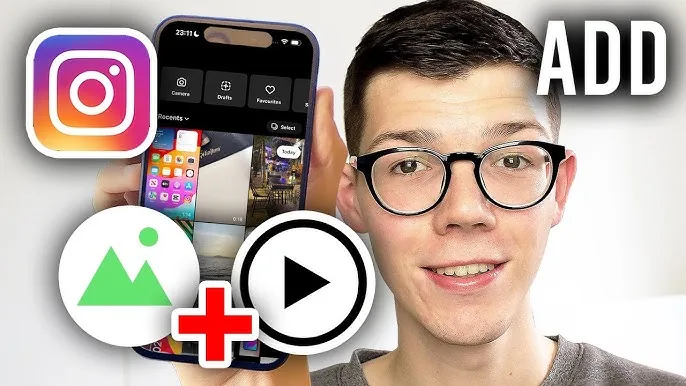
- Take a photo/video or upload one from your camera roll as the Story background.
- Tap the sticker icon (the square smiley) near the top of the screen.
- Scroll or search the sticker tray for what you want: Poll, Questions, Quiz, Slider, Location, Hashtag, Music, GIF, Countdown, Link, and more.
- Tap the sticker to add it to your Story, then drag it to position, pinch to resize, and rotate with two fingers if needed.
- Repeat to add more stickers, then tap Your Story or Send to to publish.
Popular interactive stickers and what they do
- Poll: lets viewers pick between two options; you see the live vote split as responses come in.
- Questions: opens a box where viewers can submit open-ended answers you can review and respond to individually.
- Quiz: presents multiple-choice answers with one marked correct, showing viewers immediately if they got it right.
- Slider (emoji): viewers drag an emoji along a scale to express how strongly they feel about something.
- Countdown: builds anticipation for an event, letting viewers tap to get reminded when it ends.
- Location and Hashtag: these double as discovery tools, since Stories with a location or hashtag tag can appear to people browsing that location or tag, not just your followers.
Common mistakes to avoid
- Covering your entire photo or video with stacked stickers — leave enough visual breathing room so the underlying content is still visible.
- Forgetting that poll, question, and quiz results disappear along with the Story after 24 hours unless you screenshot or save them separately.
- Assuming music stickers work identically everywhere — song licensing varies by country, so a song available to one viewer might show differently or be unavailable to another.
- Placing a location or hashtag sticker purely for looks — sizing it down to nearly invisible removes its discovery benefit, since it needs to actually register as a proper sticker, not just background text.
Tips
- Combine a poll or question sticker with a follow-up Story recapping the results — this consistently drives more replies and repeat views.
- If you want structured audience feedback rather than a quick sticker, our guide on creating a poll on Instagram Stories goes deeper into poll strategy specifically.
- Use the link sticker (available to most accounts now, not just those with large followings) to drive traffic directly from a Story to an external page.
Frequently asked questions
No, interactive stickers like polls, questions, and countdowns are exclusive to Stories. The feed post composer doesn't include the sticker tray at all.
Sources
Keep reading
More guides to grow your account.