What Is Reposting on Instagram? The Repost Button Explained
Reposting shares another creator's public Reel or feed post to your own grid via Instagram's native Repost button, launched in August 2025.
Short answer
Reposting on Instagram means using the native Repost button to re-share another account's public Reel or feed post directly into your own grid, with automatic credit to the original creator. It's different from screenshotting or manually re-uploading content, and it only works on public posts.
Key takeaways
- The Repost button lets you re-share a public Reel or feed post into your own profile with one tap.
- Instagram launched the native Repost feature in August 2025, replacing most manual repost workarounds.
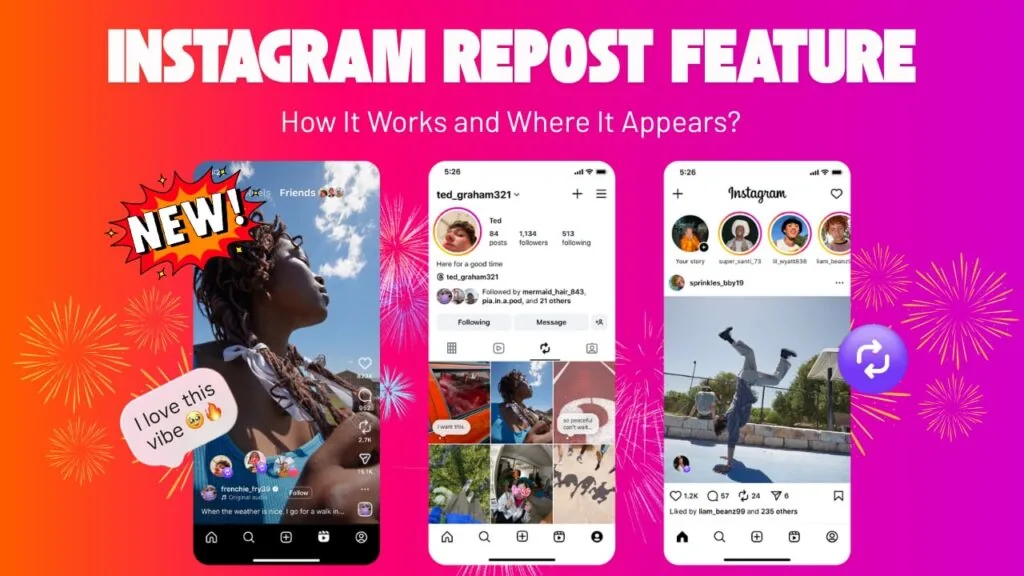
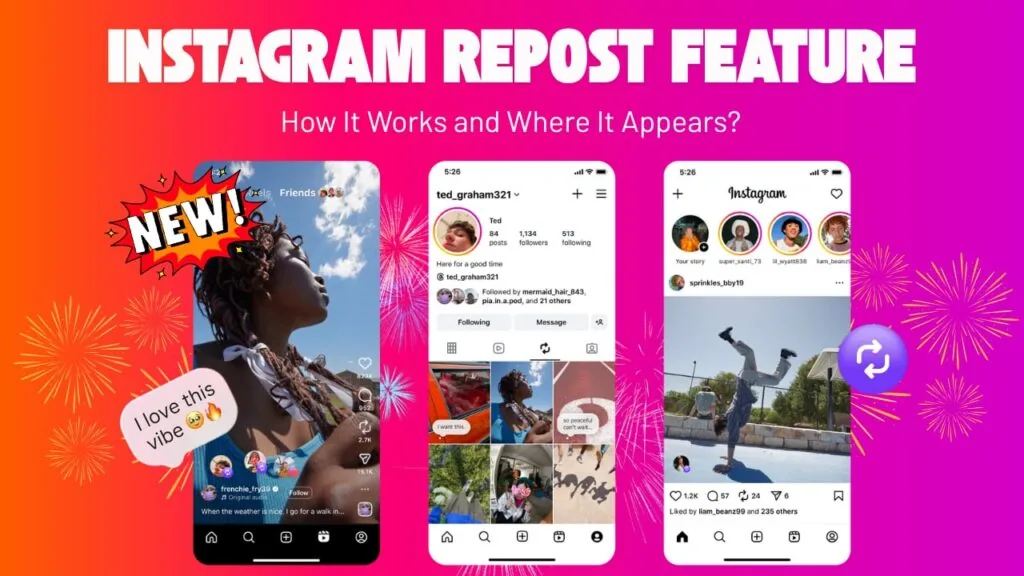
- Reposted content lands in your followers' feeds and a dedicated "Reposts" tab on your profile.
- The original creator gets a notification and automatic credit — you can't repost and claim the content as your own.
- Reposting only works on public accounts' posts; private accounts' content can't be reposted natively.
- You can add your own comment before reposting, but you can't edit the original media itself.
How does the Repost button actually work?
Tap the Repost icon — two circular arrows — under any public Reel or feed post, optionally add a comment, then tap Repost to send it to your profile. The post then shows up in your own followers' feeds and appears in a dedicated Reposts tab next to your tagged photos, similar to how what is a Reel on Instagram content displays in its own dedicated section.
Where does a repost actually appear?
It shows in three places: your followers' main feed, your profile's Reposts tab, and — for the original creator — a notification linking back to your profile. That visibility is part of why reposting has become a discovery tool, not just a way to save something for later; it works differently from how to save Instagram reels, which keeps content private to just you.
Is reposting the same as sharing to your Story?
No. Sharing to your Story is temporary and disappears after 24 hours unless added to Highlights, while reposting through the native button puts the content permanently on your grid and in your Reposts tab until you remove it. If you're deciding between the two, what does the repost button do on Instagram breaks down the mechanics in more depth.
Can I repost anyone's content?
Only public accounts' posts and Reels are eligible for the native Repost button — private accounts are excluded entirely, so you can't repost content from someone who hasn't made their profile public. This differs from screenshotting, which technically works on any visible post but doesn't carry the same automatic-credit protections.
Does the original creator know I reposted them?
Yes — Instagram sends the original creator a notification the moment you repost their content, and that notification links directly back to your profile and the repost itself. This built-in credit system is a deliberate change from older repost methods, which often stripped attribution entirely and made it harder to trace content back to its source, similar to the transparency debates around can you see who shared my Instagram post.
How does reposting compare to older methods?
| Method | Credits creator? | Where it appears | Works on private accounts? |
|---|---|---|---|
| Native Repost button | Yes, automatically | Feed + Reposts tab | No |
| Screenshot + repost | No, unless added manually | Feed as new post | Yes (visually) |
| Share to Story | Yes, via sticker | Story only, 24 hours | No |
| Third-party repost apps | Varies, often no | Feed as new post | Sometimes |
Manual methods like screenshotting still exist and are covered in how to repost on Instagram, but the native button has become the default for public content since its 2025 rollout.
Can I turn reposting off on my own content?
Yes, Instagram gives account holders control over whether their public posts are eligible for the Repost button at all. If you'd rather your content not appear in other people's Reposts tabs, see how to turn off repost on Instagram for the exact setting.
Frequently asked questions
Reposting is using Instagram's native Repost button to re-share a public Reel or feed post to your own profile, with automatic credit and a notification sent to the original creator.
Sources
Keep reading
More guides to grow your account.