Can You See Who Screenshots Your Instagram Story?
No — Instagram doesn't identify which viewer took a screenshot of your Story. It only reveals who viewed it, not what they did with it, and this hasn't changed since screenshot alerts for Stories were removed in 2018.
Short answer
No — Instagram doesn't identify which viewer took a screenshot of your Story. It only reveals who viewed it, not what they did with it, and this hasn't changed since screenshot alerts for Stories were removed in 2018.
Quick answer
No. Instagram's Story viewer list tells you who watched your Story, but it has no way to flag which one of them screenshotted it. Those are two separate pieces of information, and only the first exists. Screenshot identification for Stories was tested briefly around 2018 and pulled shortly after — it has not returned in any form, so there's no built-in way to narrow down a specific screenshotter from your list of viewers.
Key takeaways
- The Story viewer list (who watched) is real and detailed; a screenshot log (who captured it) does not exist for Stories
- Any device can screenshot or screen-record a Story using its own operating system tools, completely outside Instagram's visibility — there is no way for Instagram to universally detect this even if it wanted to
- The two features people confuse: disappearing DM photos/videos do flag screenshots to the sender, but that's a totally different part of the app from Stories
- No third-party service, app, or "hack" can retroactively identify a screenshotter, because Instagram never generates or stores that information in the first place
Why you can see viewers but not screenshotters
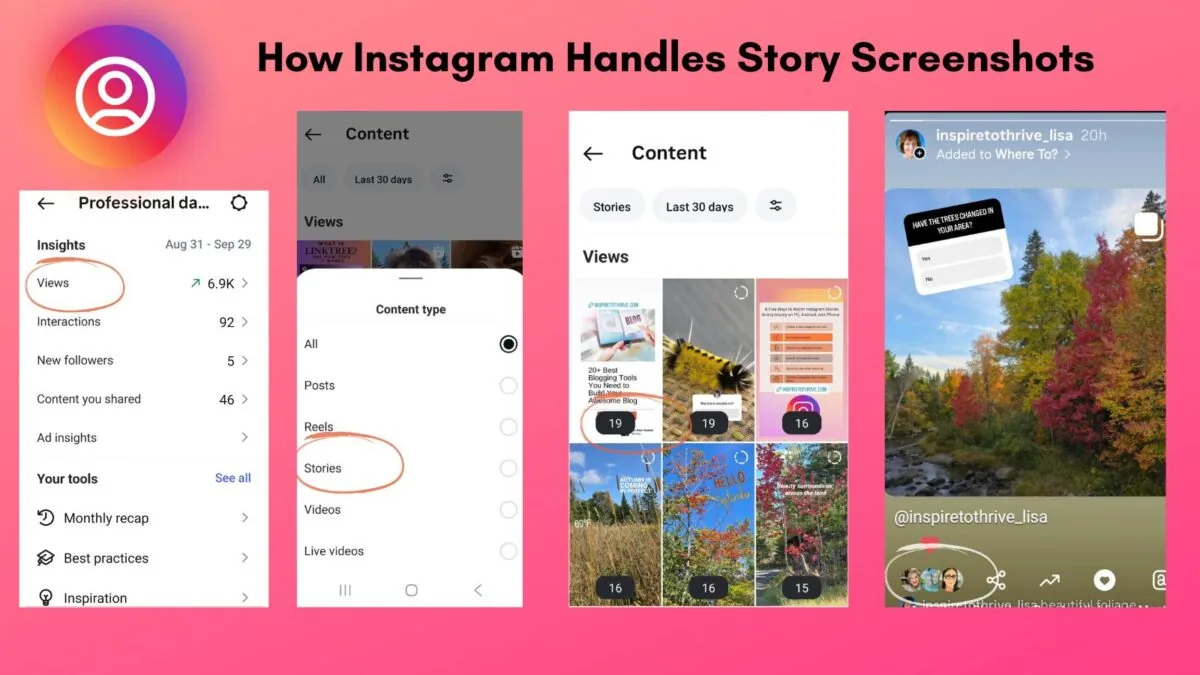
The Story viewer list works because Instagram's servers log a "view" event every time someone opens your Story in the app — that's a server-side action Instagram controls. A screenshot, by contrast, is a local action performed entirely by the viewer's phone or computer operating system (iOS, Android, or a desktop OS). Instagram's app can, in specific and narrow cases, detect that a screenshot gesture occurred while its own screen was open — which is how it manages to flag screenshots on disappearing DM media — but even that detection is unreliable against screen recording, a second camera, or split-screen tools. For Stories specifically, Meta chose not to build or maintain that detection at all after the 2018 test, reportedly because it was trivial to bypass and gave a false sense of security.
What actually happens when someone screenshots your Story
- They open your Story like any other viewer — this adds them to your Story viewer list, same as anyone else who watches it
- They take a screenshot or screen recording using their device's native controls
- Nothing is sent to Instagram, no flag is added to your viewer list, and you receive no notification of any kind
From your side, a person who screenshotted your Story looks completely identical in your viewer list to a person who just watched it and moved on. There is no icon, badge, or indicator that distinguishes them.
Where screenshot identification does exist (and why it's different)
Instagram does notify you in two narrow cases, both inside direct messages rather than Stories:
- Disappearing photo/video messages (view-once or open-once media sent in a DM) — the sender is told if the recipient screenshots or screen-records it
- Vanish Mode conversations — participants are notified if anyone screenshots while Vanish Mode is active
Both of these are chat features tied to a private, one-to-one or group thread, not the public/Close-Friends Story format. If you want any form of screenshot awareness on Instagram today, sending sensitive content as a disappearing DM is the only route that offers it — Stories offer none.
Common mistakes to avoid
- Assuming a specific viewer "must have" screenshotted your Story because they viewed it quickly or repeatedly — view speed and frequency aren't evidence of anything
- Trusting any app or "IG screenshot detector" tool — Instagram doesn't expose screenshot data to third parties because it doesn't generate that data for Stories at all
- Confusing disappearing-DM screenshot alerts (real) with Story screenshot alerts (not real) when reading older articles or forum posts
Tips if screenshot privacy matters to you
- Assume anything posted to a Story, Close Friends or not, could be screenshotted or recorded by any viewer without your knowledge
- Use disappearing DMs instead of Stories for content where you specifically want screenshot notifications
- If you suspect a screenshot has been shared elsewhere without consent, Instagram's harassment and non-consensual content reporting tools (under a post or via Settings and privacy > Help > Report a problem) apply regardless of how the image was captured
Frequently asked questions
No. The viewer list only shows who watched the story, with no marker distinguishing someone who screenshotted it from someone who just watched normally.
Sources
Keep reading
More guides to grow your account.