How Can You Unblock Someone from Instagram?
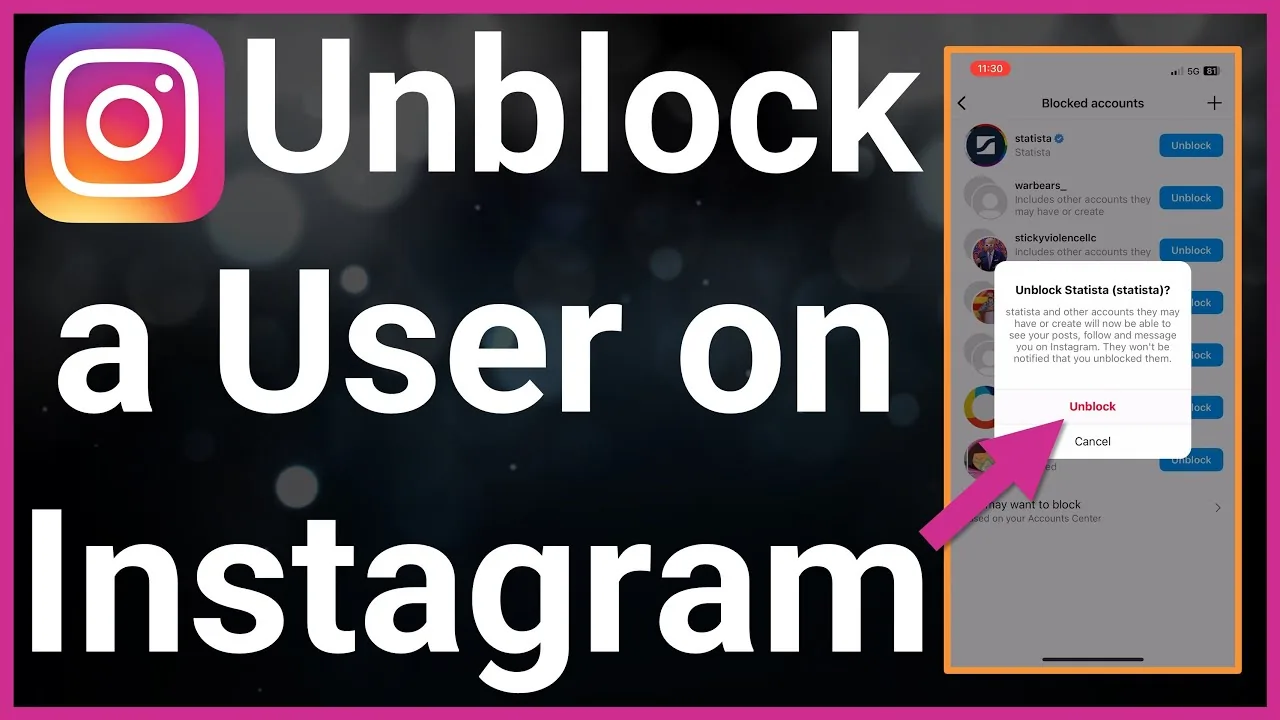
Go to Settings and privacy > Blocked accounts, find their username, and tap Unblock. Unblocking doesn't automatically restore your previous follow relationship - you'll need to follow (or be followed by) them again afterward.
Short answer
Go to Settings and privacy > Blocked accounts, find their username, and tap Unblock. Unblocking doesn't automatically restore your previous follow relationship - you'll need to follow (or be followed by) them again afterward.
Quick answer
Open Settings and privacy > Blocked accounts, find the person in your list, and tap Unblock next to their name. This immediately restores their ability to find your profile, see your public content, and send you messages or follow requests - but it does not automatically re-establish a follow relationship that existed before the block.
Key takeaways
- Blocked accounts are all listed in one place: Settings and privacy > Blocked accounts
- Unblocking is instant and doesn't require the other person's approval
- Any previous following relationship is not restored - both accounts need to follow each other again if they want to
- If either of you had a private account, unblocking means the other person will need to send (or re-send) a follow request to see private content
Steps to unblock someone
- Go to your profile and tap the menu icon (☰)
- Select Settings and privacy
- Tap Blocked accounts (sometimes found under a "Who can see your content" or similar privacy section)
- Find the account in the list
- Tap Unblock next to their name and confirm
What changes immediately after unblocking
- They can find and view your profile again (subject to your account's privacy setting)
- They can send you a follow request or Direct Message
- Your previous comments/likes on each other's content, if not deleted, may reappear
What does not automatically happen
- You are not automatically re-following each other - send a fresh follow request if you want to reconnect
- Old Direct Message history from before the block is not automatically restored to an active state; you may need to start a new conversation
- Instagram doesn't notify the other person that you've unblocked them
Common mistakes
- Expecting to instantly see their Stories or posts again without re-following, if either account is private
- Assuming unblocking someone also removes any Restrict or Mute settings you may have applied separately
- Blocking and unblocking repeatedly in a short time, which doesn't cause a specific penalty but also doesn't achieve anything beyond a normal single unblock
Frequently asked questions
Go to Settings and privacy > Blocked accounts, find their name, and tap Unblock.
Sources
Keep reading
More guides to grow your account.