How Can I Follow People on Instagram?
Search their name or username in the app and tap Follow on their profile — or follow directly from a Suggested for You card, a post's likes list, or a Story — and Instagram caps how many follow actions you can take in a short period to deter spam.
Short answer
Search their name or username in the app and tap Follow on their profile — or follow directly from a Suggested for You card, a post's likes list, or a Story — and Instagram caps how many follow actions you can take in a short period to deter spam.
Quick answer
Tap the magnifying glass (Search) icon, type the person's name or username, open their profile, and tap Follow. If their account is private, the button changes to Requested until they approve you. You can also follow people directly from suggestion cards, from the list of people who liked a post, or from someone's Story, without opening their full profile first.
Key takeaways
- The Follow button appears on profiles, Suggested for You cards, the likes list under any post, and directly on Stories
- Private accounts show Requested instead of Following until the person approves your request
- Follow Back appears when someone already follows you and you haven't followed them yet
- Instagram enforces daily/hourly follow-action limits to fight spam and bot behavior — the exact number isn't officially published and has changed over time, but mass-following in a short window can trigger a temporary "action blocked" restriction
- Follow/unfollow automation tools and manual follow-unfollow schemes to farm followers violate Instagram's Terms of Use and are a common cause of account restrictions or bans
Ways to follow someone on Instagram
1. Search and follow from their profile
- Tap the Search (magnifying glass) icon in the bottom navigation bar
- Type their name or @username in the search field
- Tap their profile from the results
- Tap the Follow button under their name/bio
If the account is public, you'll follow them instantly. If it's private, the button changes to Requested, and they'll see your request in their Follow Requests inbox (accessible via their Notifications or Settings > Follow requests) until they approve or deny it.
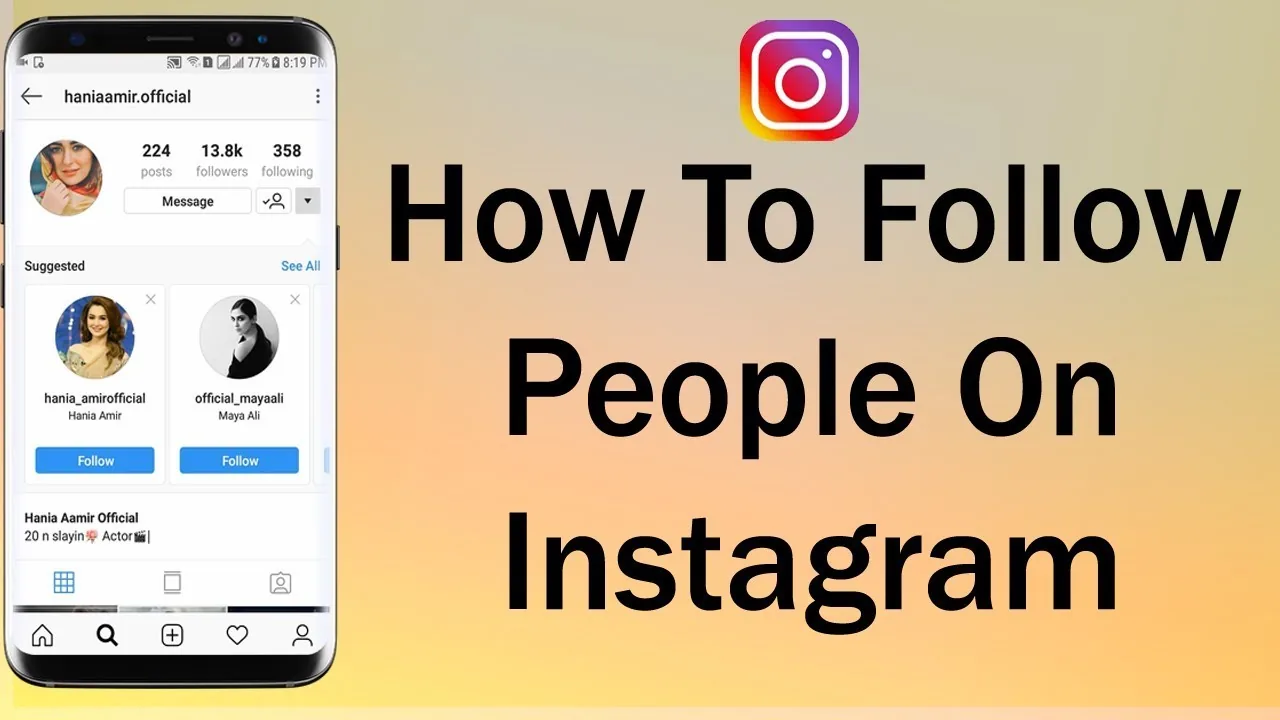
2. Follow from Suggested for You
Instagram surfaces a Suggested for you row on your own profile and in your feed, based on mutual followers, contacts, and accounts similar to ones you already follow. Tap Follow directly on the suggestion card without visiting the full profile.
3. Follow from a post's likes list
Tap the like count or "Liked by..." text under any post to open the full list of accounts that liked it. Each row has its own Follow button, letting you follow people who engage with content similar to your interests without searching them individually.
4. Follow from a Story
While viewing someone's Story, swipe up slightly or tap their name at the top — a Follow button appears near their username if you don't already follow them.
5. Follow Back
If someone follows you first, their profile and their entry in your Followers list shows a Follow Back button instead of a plain Follow button.
Managing who you follow
- Unfollow: open their profile and tap Following > confirm Unfollow
- Cancel a pending request: on a private account you've requested to follow, the button reads Requested — tap it and confirm to withdraw the request
- Review your following list: go to your own profile > Following to see and manage everyone you follow, useful for periodic clean-up
Follow limits and why they exist
Instagram doesn't publish an exact number for how many accounts you can follow per day or per hour, and the threshold has shifted over the years, but historically it has behaved as though there's a rough daily cap somewhere in the low thousands of total follow actions, with much tighter effective limits for new or recently active accounts. Follow this quickly (dozens of follows within a few minutes, for example) and you're more likely to trip Instagram's spam detection, resulting in a temporary "Action Blocked" message that prevents you from following, liking, or commenting for anywhere from a few hours to a few days.
This system exists specifically to stop follow-for-follow spam and follow/unfollow growth schemes — accounts (often automated) that mass-follow strangers hoping for a follow-back, then unfollow them shortly after to keep their following count low while inflating their follower count. Using bots or paid automation services to do this is against Instagram's Terms of Use and is one of the most common causes of shadowbans, action blocks, or permanent suspensions for growth-focused accounts.
Common mistakes to avoid
- Rapid-fire following dozens of accounts in a short burst, which can trigger a temporary action block
- Using third-party "auto-follow" or "follow-unfollow" bots to grow your following — this violates Instagram's Terms of Use and risks account suspension
- Repeatedly following and unfollowing the same accounts to stay visible in their notifications, which reads as spammy behavior
- Sending a follow request to a private account and then messaging them repeatedly before they've accepted
Tips
- Grow your following organically by engaging with content in your niche rather than mass-following strangers
- If you hit an action block, stop all follow/like/comment activity for the cooldown period rather than trying repeatedly, which can extend the restriction
- Use the Following list periodically to unfollow inactive or irrelevant accounts and keep your feed relevant
Frequently asked questions
Instagram doesn't publish an exact number, and it has changed over time, but the platform does throttle rapid follow actions to prevent spam. Following too many accounts too quickly can trigger a temporary 'Action Blocked' restriction, especially on newer or less-established accounts.
Sources
Keep reading
More guides to grow your account.