Instagram Highlight Viewer: How to View Highlights (Anonymously?)
Can the owner see who viewed their Story Highlights? How to view highlights on the app and web — and the truth about third-party 'highlight viewer' tools.
Short answer
You can view any public account's Story Highlights right in the Instagram app or on instagram.com, and the owner gets no notification. They can only see your name if the Story was posted within the last 48 hours; after that, only a view count remains.
What Instagram Story Highlights are
Story Highlights are curated collections of past Stories that a user pins permanently below their bio. Unlike regular Stories, which vanish after 24 hours, Highlights stay until the owner deletes them. That permanence is why so many people search "Instagram highlight viewer" — and want to know whether looking is truly anonymous.
Anyone can view the Highlights of a public account. For a private account, only approved followers can. No app or website can legitimately bypass that.
Can the owner see who viewed a Highlight?
Mostly reassuring: Instagram never sends a notification for a Highlight view, and there's no "who viewed my Highlights" list.
The one exception ties to the underlying Story's age. If the Story inside a Highlight was posted within the last 48 hours, it still behaves like a live Story — the owner can see the full viewer list, so your name may appear. Once that 48-hour window passes, the viewer list disappears permanently and only an aggregate view count remains.
In plain terms: viewing an old Highlight (the vast majority) is effectively anonymous through your normal account; viewing one built from a brand-new Story within 48 hours can reveal you.
How to view Highlights natively (app and desktop web)
In the app: open the profile, tap a circular Highlight cover below the bio; Stories play in sequence.
On desktop web (instagram.com): log in, open the profile, and click a Highlight cover to open it in a pop-up player with arrows to move through clips.
Both use your logged-in account, so remember the 48-hour rule. Neither lets you download Highlights or view private accounts you don't follow.
The truth about third-party "highlight viewer" tools
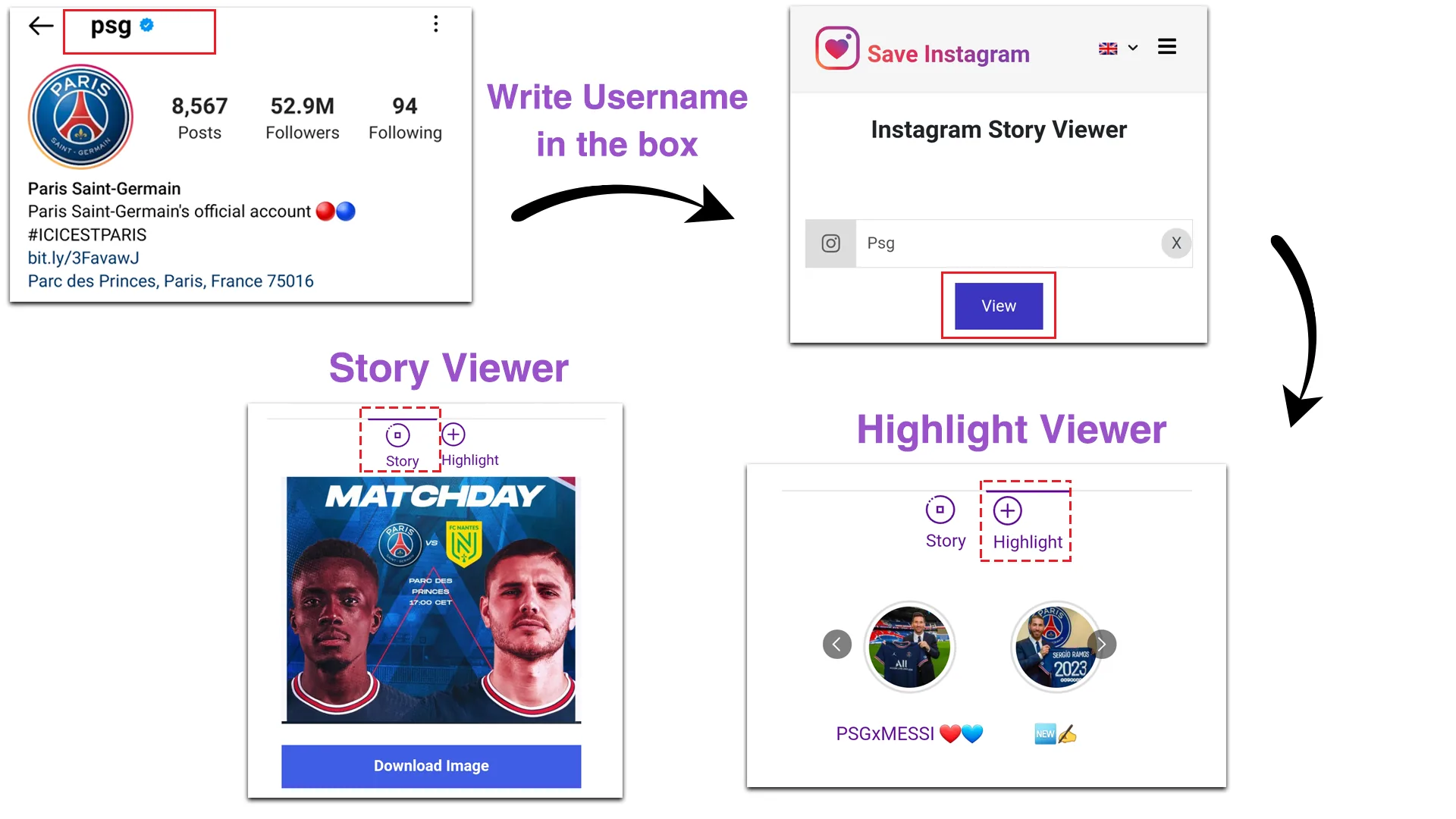
Search results are flooded with sites promising anonymous viewing and downloads without logging in. Honestly:
- What they can do: for public accounts, some web viewers pull the same public content and display it without you signing in — so your name won't hit a viewer list.
- What they can't do: no tool can legitimately show private Highlights or reveal "who viewed your Highlights." Any site claiming this is misleading or a scam.
- The real risks: many are data brokers that log your IP and browsing behavior; sketchier ones push malware or phishing. Never enter your Instagram username and password — a legitimate viewer of public content never needs your login. Automated scraping also violates Instagram's Terms of Use.
The same caveats apply to anonymous story viewers and so-called profile viewers — the pattern is identical.
Safer alternatives
The most private option is built in: view older Highlights through the normal app or website, where the owner can't see who watched anyway. For extra separation, view public Highlights while logged out or in a private browser session. If you ever try a third-party viewer, stick to public accounts, never log in, check for HTTPS and a real privacy policy, and walk away from any site that asks for credentials.
Frequently asked questions
Only if the Story inside was posted within the last 48 hours, in which case your name can appear in that Story's viewer list. For older Highlights, the owner sees just a view count.
Sources
Keep reading
More guides to grow your account.